CAMERA SYSTEM (LooksCAM2) 19 www.xenosys.co.kr
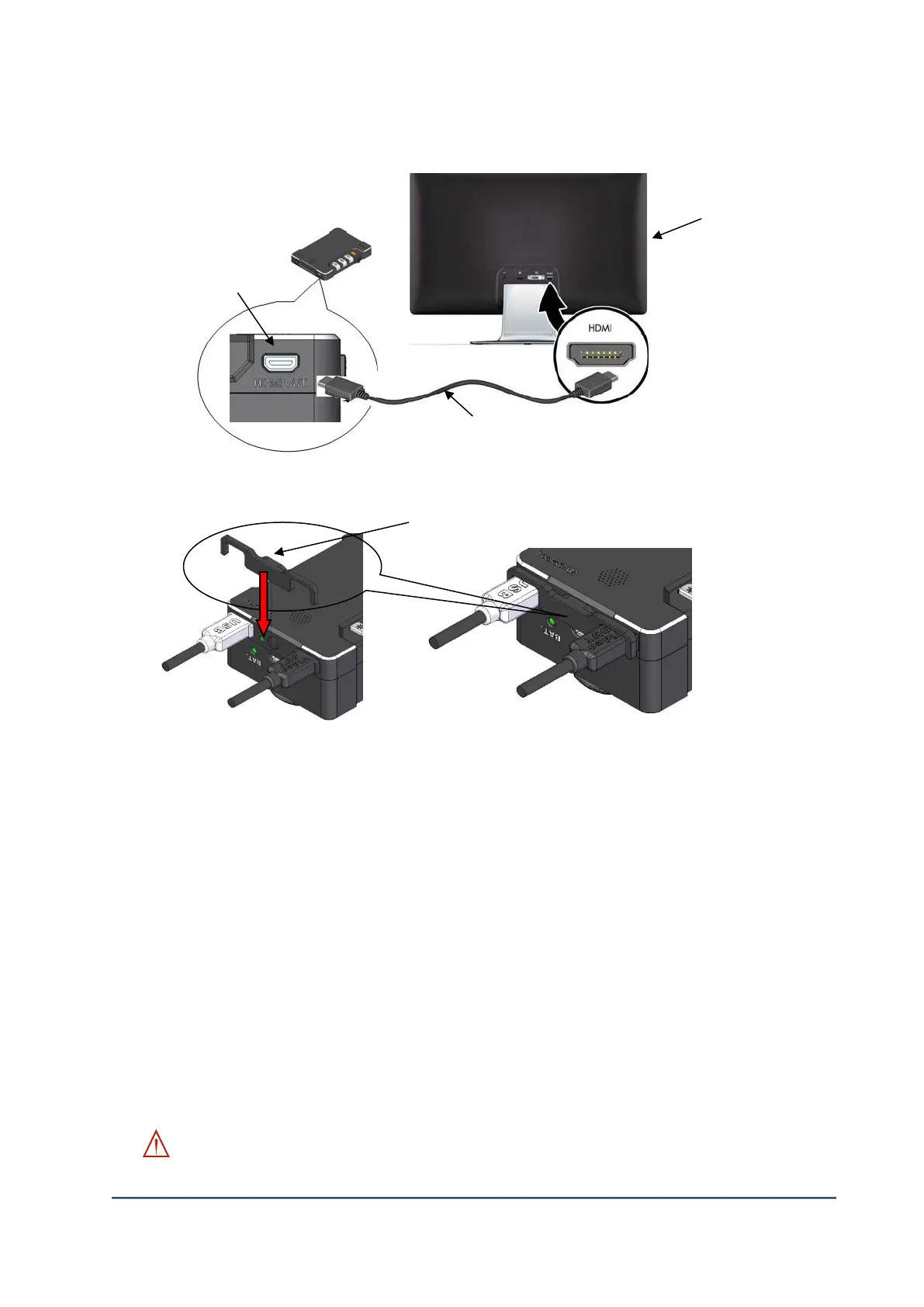
4. Connect Video-Out Port
1) Prepare ①TV with HDMI port.
2) Connect ③Video-Out cable to ②Video-Out port of main body and ①TV HDMI port.
3) If necessary, use ④Cable clamp to prevent the cable pull off.
5. How to update the firmware
1) Copy firmware file(6.x.x.xx.bin) to IN folder of Micro SD card
2) Insert the SD card in LooksCAM2 Micro SD Card Slot and press power switch to downward (1
second)
3) LED on main body will blinking and firmware update will process. When the update is finished,
the power will turn off automatically.
4) If any error occurs, try the step from 1).
WARNING:
①TV or Monitor
②Main Body Video-Out Port



 To Next Page