CAMERA SYSTEM (LooksCAM2) 28 www.xenosys.co.kr
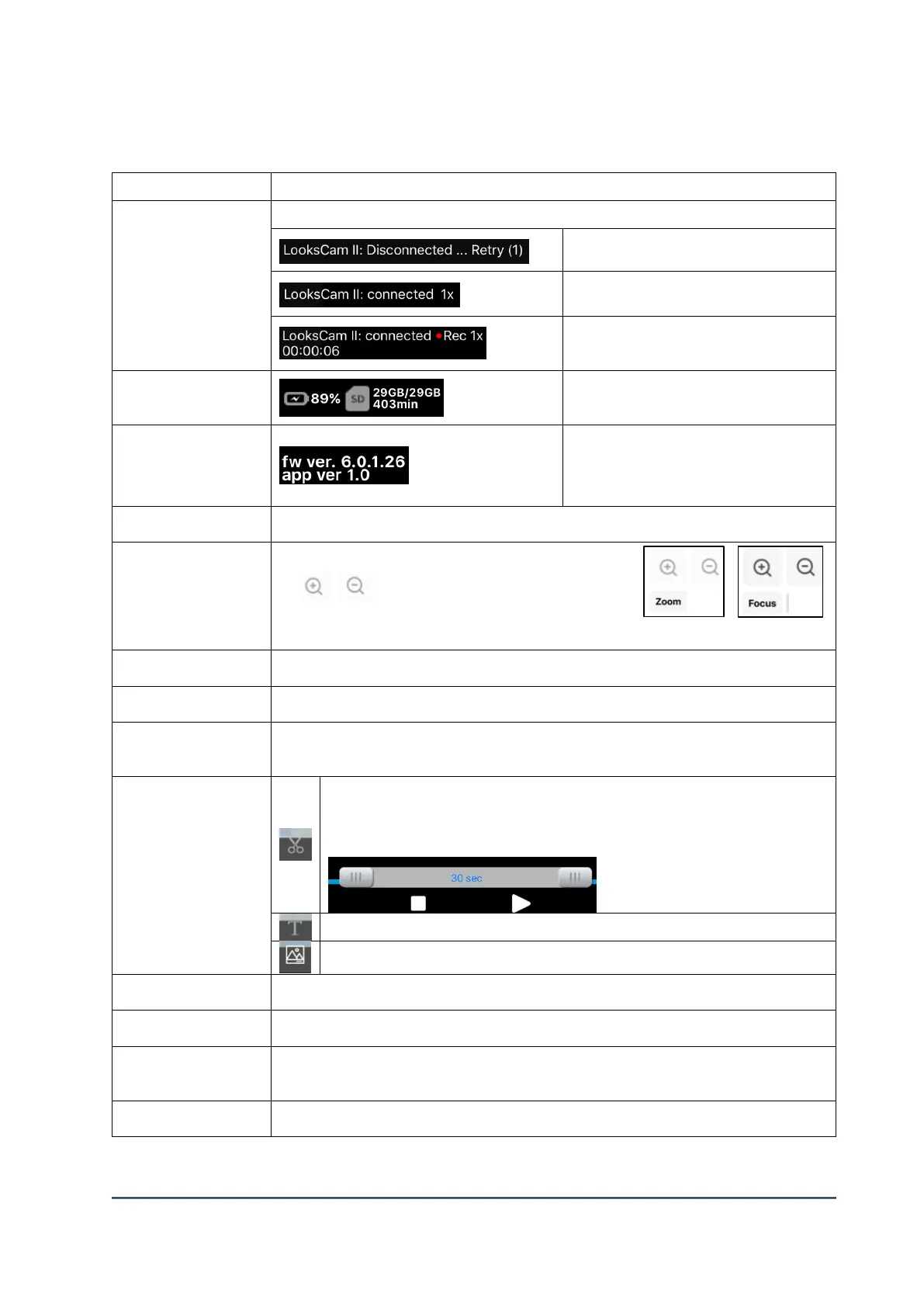
①Network & Status
of screen
Display WiFi connection status, zoom-in / zoom-out, and recording status.
WiFi connected. Digital zoom 1x
WiFi connected. Recording is on,
Digital zoom 1x. Recording time.
Remaining battery status &
remaining storage of SD card
Firmware version of main body
(LC2-CU) and Viewer version of
tablet PC.
Configuration setting of main body. (Refer to 4. Detail Options)
Same function like remote controller (LC2-RC).
는 “Focus” or “Zoom”
Function will be chose by the selection of each
action.
Lock the screen touch and lower viewer buttons (from ⑧ ~ ⑫).
Refresh Live screen to play new one
Control the volume of tablet PC speaker
Select specific period from video file to store new one (5~30
seconds).
Select time and press “30 sec” to store. (Stored in tablet PC))
Insert the tag (message) while recording is going on.
Save the captured image from Live or video file playing.
Press menu to play (or stop) the video file from SD card or tablet PC.
Recording start / stop (Stored in tablet PC)
Choose among Live, SD card file, tablet PC file
(Refer to “5. Button details on menu”)
Playing screen of Live or video file



 To Next Page