Replacing the Toner Cartridge
When it is time to replace the toner cartridge, the printer displays a message on the control panel.
Note: Each toner cartridge includes installation instructions.
To replace a toner cartridge:
WWaarrnniinngg:: Do not perform this procedure when the printer is copying or printing.
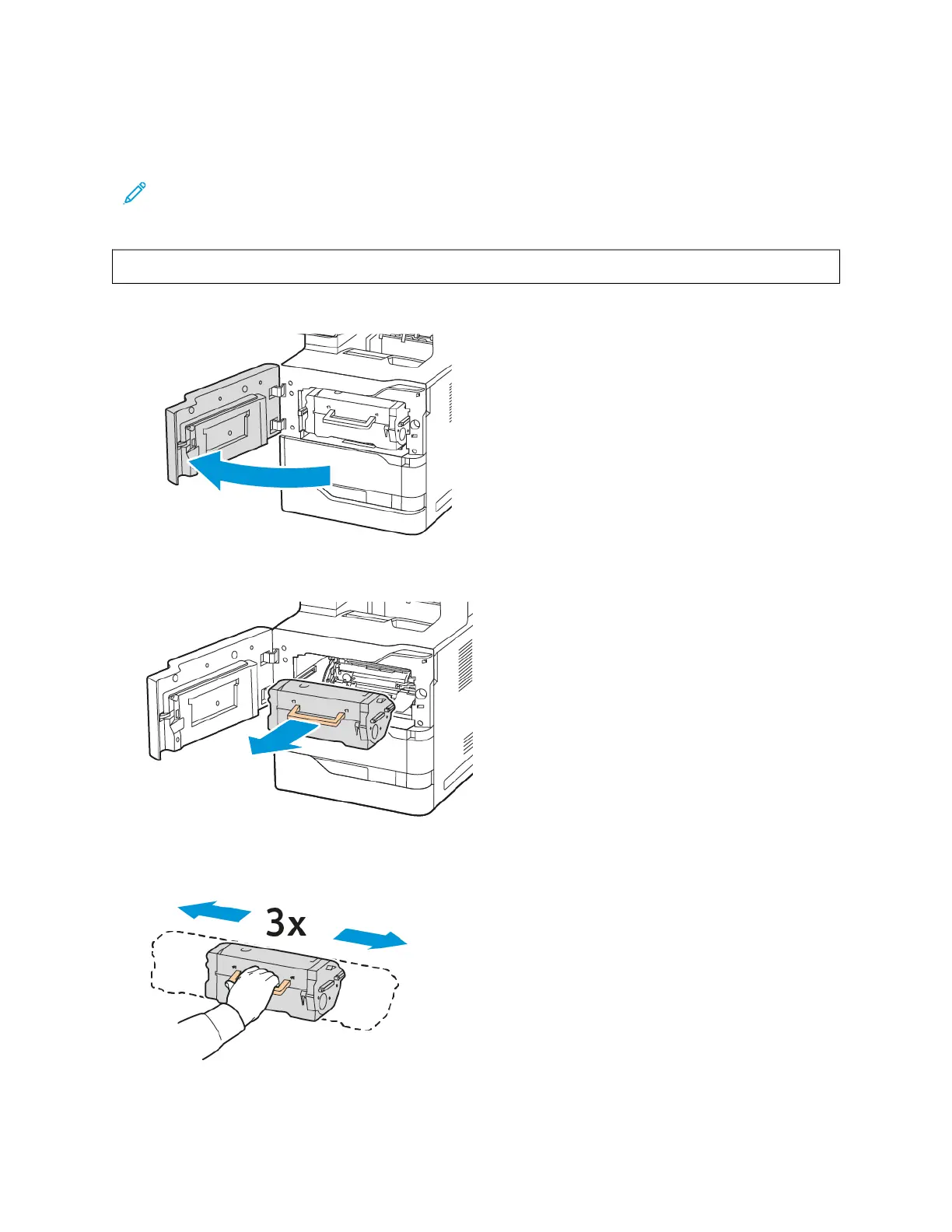
1. Open the front door A of the printer.
2. Firmly grip the cartridge handle, then remove the used toner cartridge from the printer.
3. Unpack the new toner cartridge, then shake it to redistribute the toner.
Xerox
®
VersaLink
®
B625 Multifunction Printer User Guide 227
Maintenance


 To Next Page
 Loading...