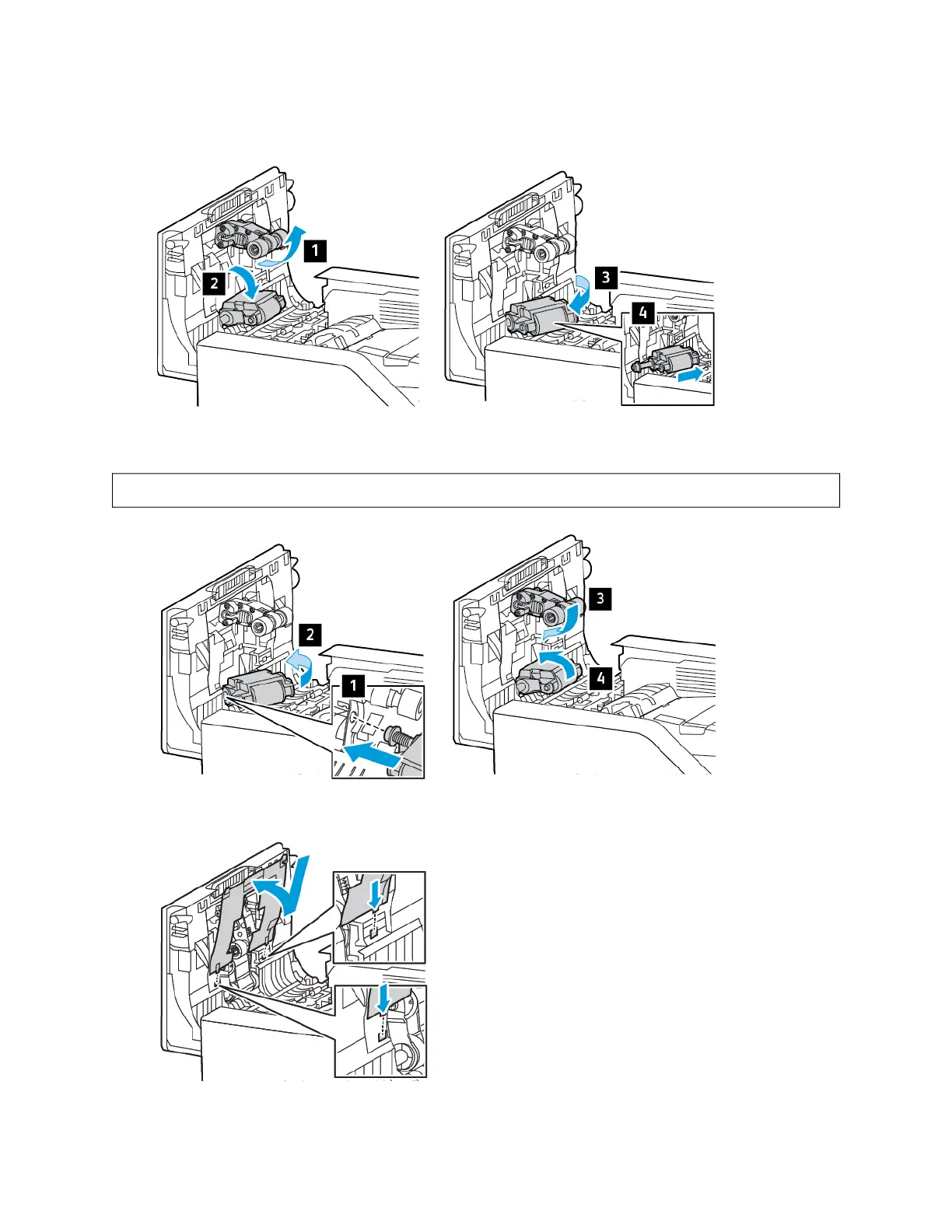
4. To remove the document feed roller, pull up the pick roller, then unlock and take out the used document feeder
roller.
5. Unpack and insert the new document feeder roller, then place the pick roller back to its position.
WWaarrnniinngg:: To avoid damage and poor printer performance, handle this part with clean hands.
6. Insert the document feeder pick roller cover in the downward direction, as shown.
Xerox
®
VersaLink
®
B625 Multifunction Printer User Guide 237
Maintenance

 To Next Page
 Loading...