Instrument operation
55
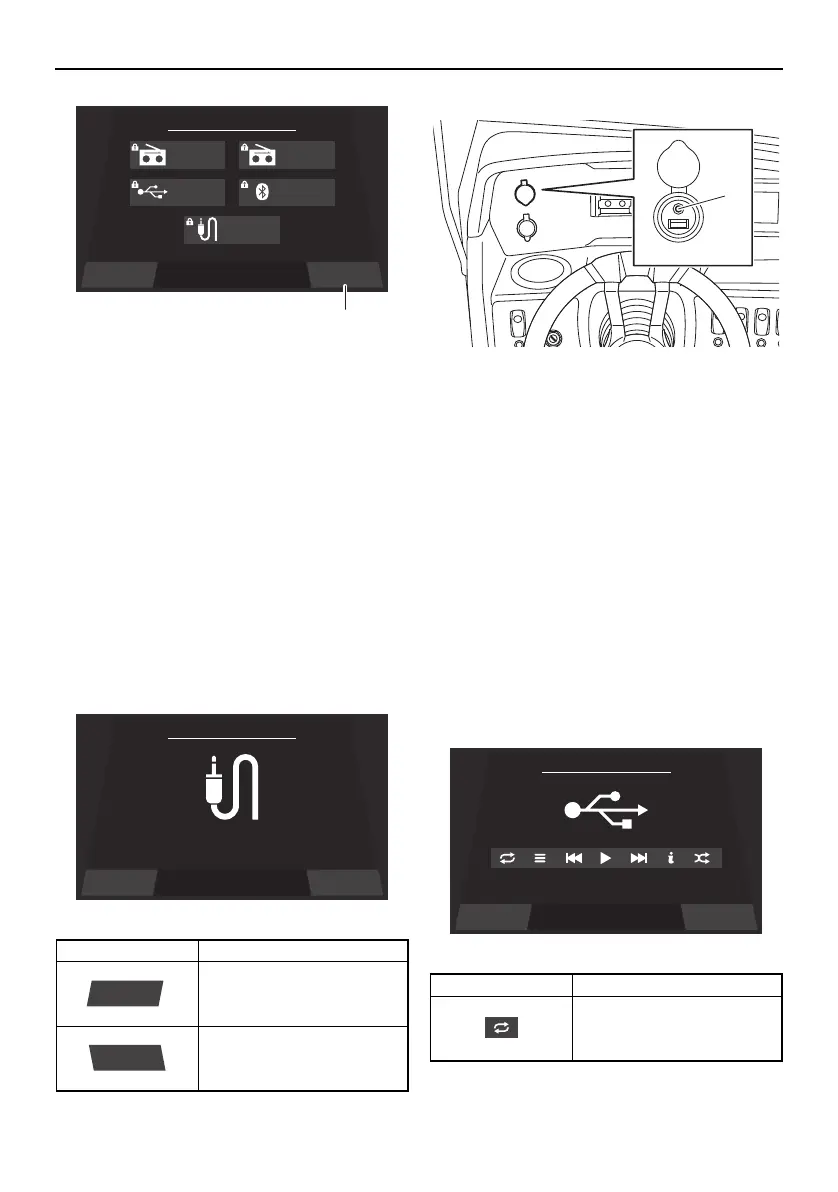
1 “Turn OFF” button
You can also disconnect an external device
by turning it off.
If you connect another device, the currently
connected device will be disconnected.
Auxiliary screen
Portable media players and other external
devices can be connected to the audio sys-
tem to listen to the audio tracks stored on the
devices through the audio system’s speak-
ers.
Location of the auxiliary input jack
1 Auxiliary input jack
You can adjust the volume level of the
speakers using the multi-function display
unit or the volume control of the external
device.
To select the audio tracks, use the external
device.
USB screen
USB flash drives and other external devices
can be connected to the USB terminal to lis-
ten to the audio tracks stored on the devices
through the audio system’s speakers.
Item Function
Displays the main audio
setting screen.
Displays the media screen.
Settings Turn OFFSelect a Source
Source
AM Radio FM Radio
USB Bluetooth
Auxiliary
1
Source
Item Function
Repeats the playback of
the audio track.
SportsBoat_F4V12.book Page 55 Thursday, June 4, 2020 5:17 PM
Downloaded from ManualsNet.com search engine








 To Next Page