Instrument operation
71
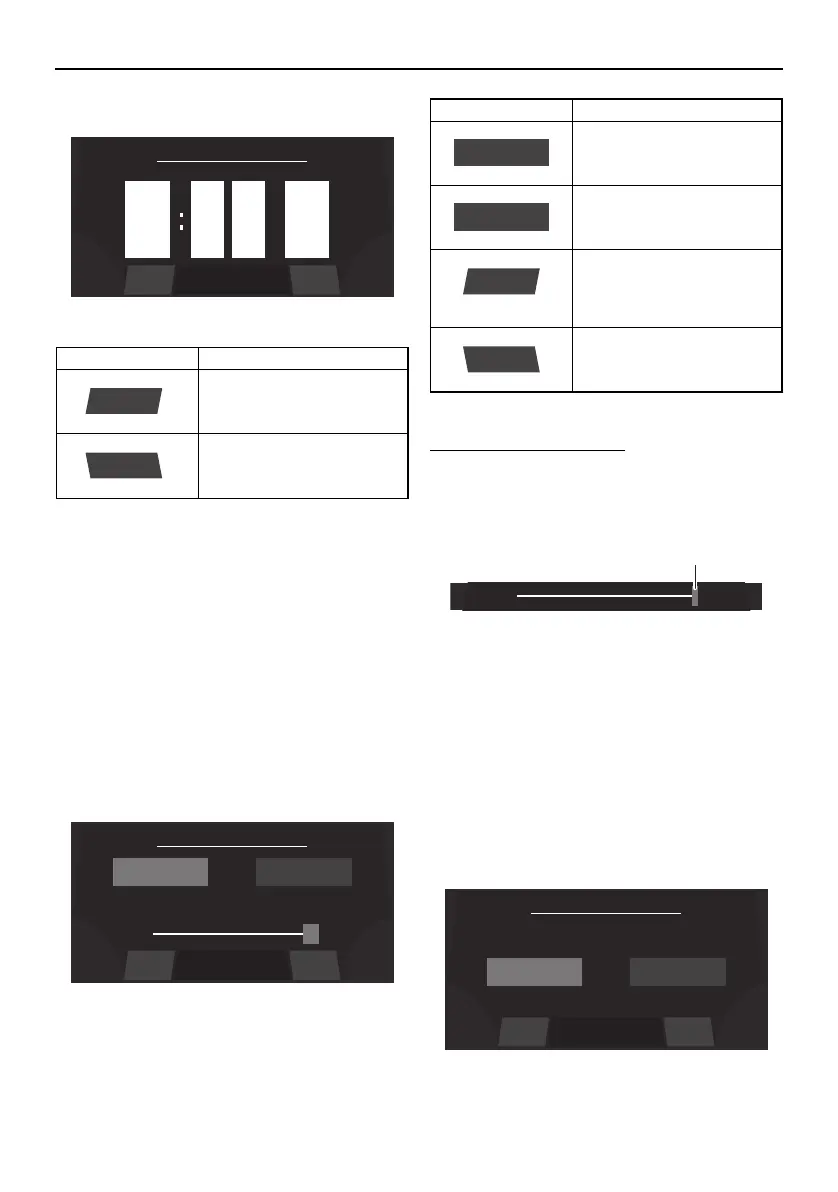
When “US Unit” is selected, the time is dis-
played in the 12-hour format. When “Metric
Unit” is selected, the time is displayed in the
24-hour format.
Brightness setting screen
The multi-function display has a day mode
and a night mode.
The brightness can be set separately for the
day mode and for the night mode.
To adjust the brightness:
To make the display darker, drag the slider to
the left. To make the display brighter, drag
the slider to the right.
1 Slider control
The slider limits depend on the selected light
mode.
Unit setting screen
The display units for the multi-function dis-
play unit can be changed.
Item Function
Saves the set time as the
current time and displays
the setting screen.
Displays the setting screen
without saving the set
time.
9
pm
0
0
Save
Back
50%
Set Brightness
BackSave
NIGHT
100%
DAY
Item Function
Displays the current night
mode setting.
Displays the current day
mode setting.
Saves the set brightness
as the brightness level set-
ting and displays the set-
ting screen.
Displays the setting screen
without saving the set
brightness level.
NIGHT
Save
Back
Set Unit
BackSave
Metric UnitUS Unit
SportsBoat_F4V12.book Page 71 Thursday, June 4, 2020 5:17 PM
Downloaded from ManualsNet.com search engine




 To Next Page