Instrument operation
59
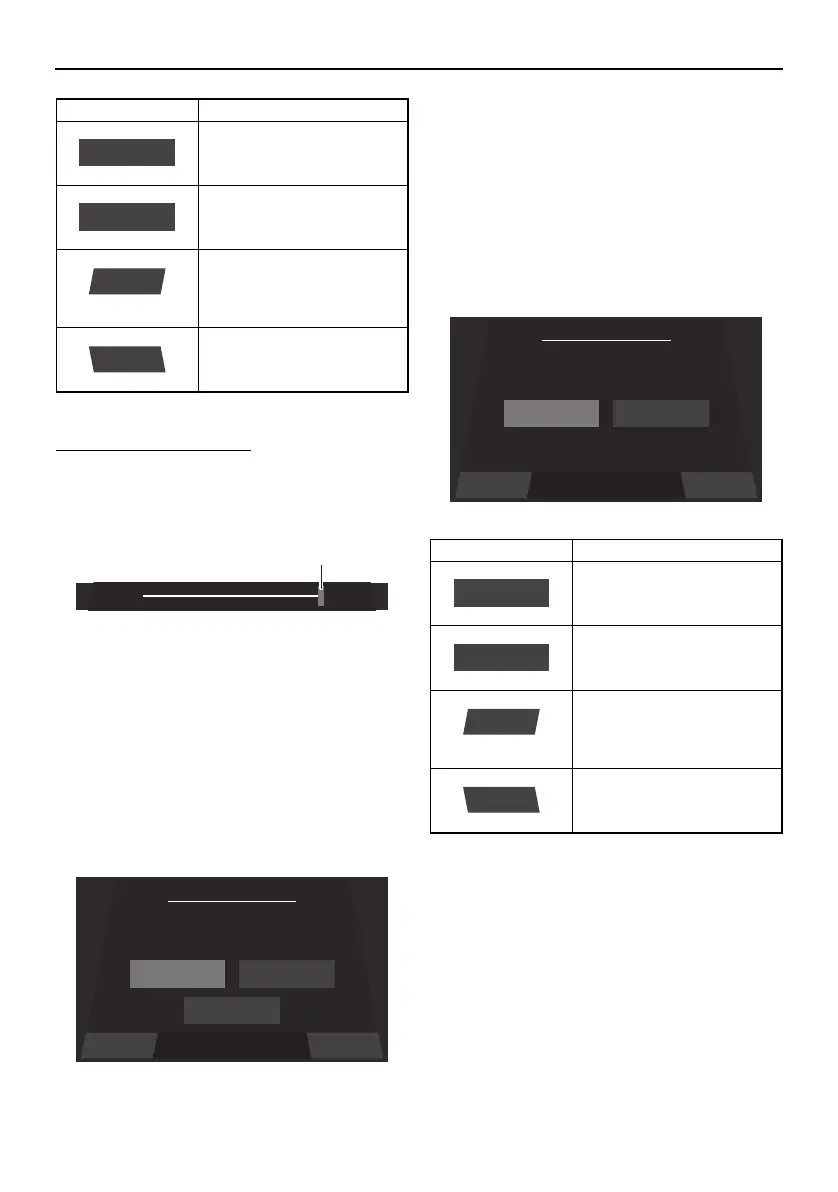
To adjust the brightness:
To make the display darker, drag the slider to
the left. To make the display brighter, drag
the slider to the right.
1 Slider control
The default settings are 75% for the day
mode and 50% for the night mode.
Language setting screen
The language for the multi-function display
unit can be changed.
Tap the desired language, and then tap the
“Save” button to save the setting.
To display the setting screen without saving
the language setting, tap the “Back” button.
Unit setting screen
The display units for the multi-function dis-
play unit can be changed.
Item Function
Displays the current night
mode setting.
Displays the current day
mode setting.
Saves the set brightness
as the brightness level set-
ting and displays the set-
ting screen.
Displays the setting screen
without saving the set
brightness level.
Night Brightness
Save
Back
Save Back
Set Language
English
English Español
Français
Item Function
Sets the display units to
US units.
Sets the display units to
metric units.
Saves the selected unit
setting as the current units
and displays the setting
screen.
Displays the setting screen
without saving the select-
ed unit setting.
Save Back
Set Unit
US Unit
US Unit Metric Unit
US Unit
Metric Unit
Save
Back
SportsBoat_F4V12.book Page 59 Thursday, June 4, 2020 5:17 PM
Downloaded from ManualsNet.com search engine




 To Next Page