DTX700 Owner’s Manual
47
Basic Operation
Turning On the Click-Track
Measure Break – Practice playing a fixed
rhythm
With the Measure Break function, you can automatically
mute and unmute the click-track for specific numbers of
measures. For example, if you were to use this function to
mute the click-track while you played a fill, you would
instantly know whether you played it too fast or too slow
when the click-track is then unmuted. As such, the Rhythm
Gate function provides a great way to practice playing com-
plete songs at a constant speed.
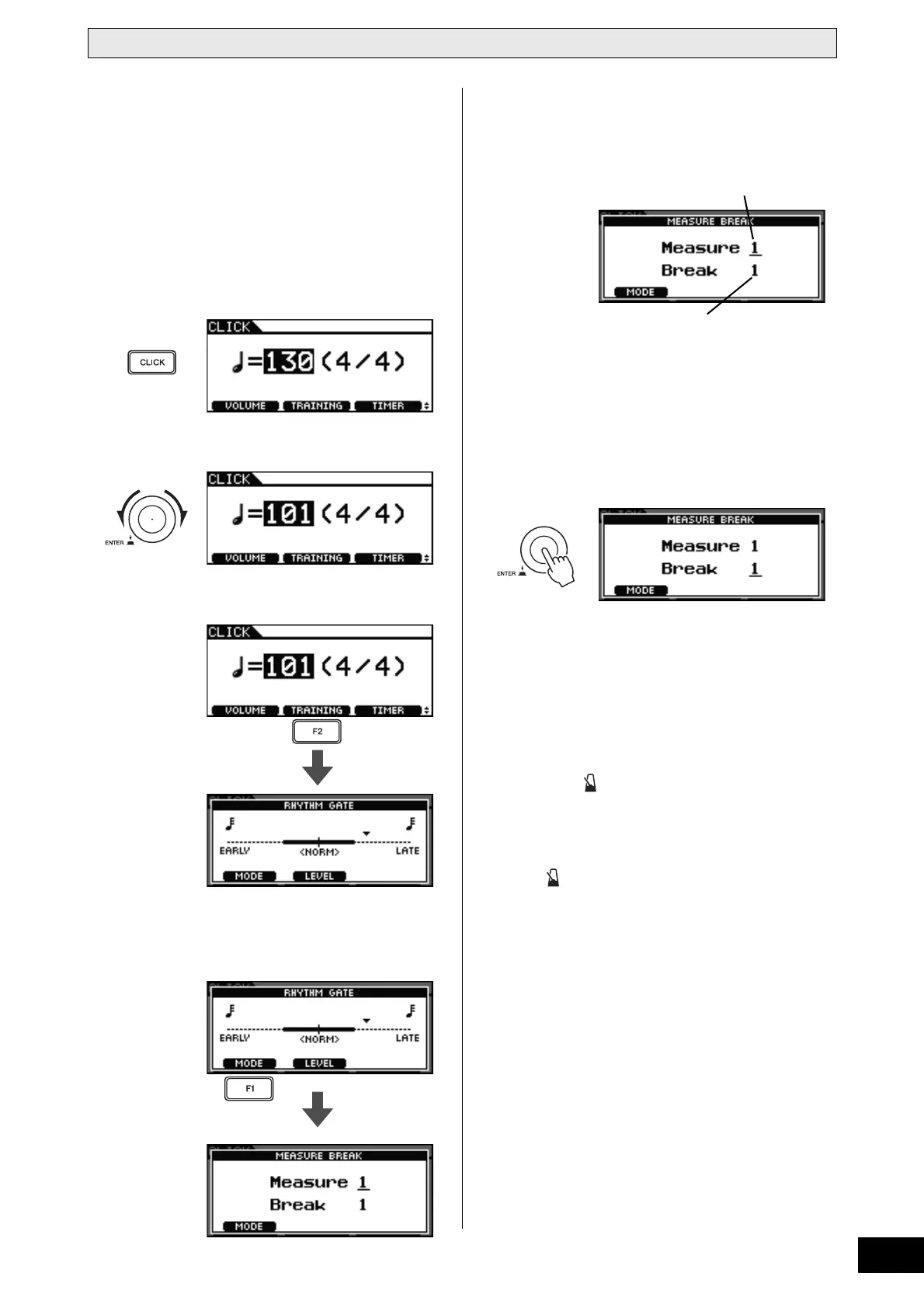
1 Press the [CLICK] button.
2 Turn the dial to set the practice tempo.
3 Press the [F2] button.
4 Press the [F1] button to access the Measure
Break page. (You may need to press more
than once.)
5 Set the number of measures you want the
click-track to play.
5-1 Press the dial to switch to the inverted-text cursor.
5-2 Turn the dial to set the number of measures (between 1
and 9).
5-3 Press the dial to restore the underline cursor.
6 Press the dial.
7 Set the number of measures where you want
the click-track to be silent.
7-1 Press the dial to switch to the inverted-text cursor.
7-2 Turn the dial to set the number of measures (between 1
and 9).
7-3 Press the dial to restore the underline cursor.
8 Press the [ ] button to start the click-track.
9 Play the pads along with the click-track.
10 When you have finished practicing, press
the [ ] button once again.
The click-track will stop.
Press several times
if necessary.
Measure:
Number of measures the
click-track will play.
Break:
Number of measures the
click-track will not play.



 To Next Page