EFFECT functions
154 PM5D/PM5D-RH Owner’s Manual Reference section
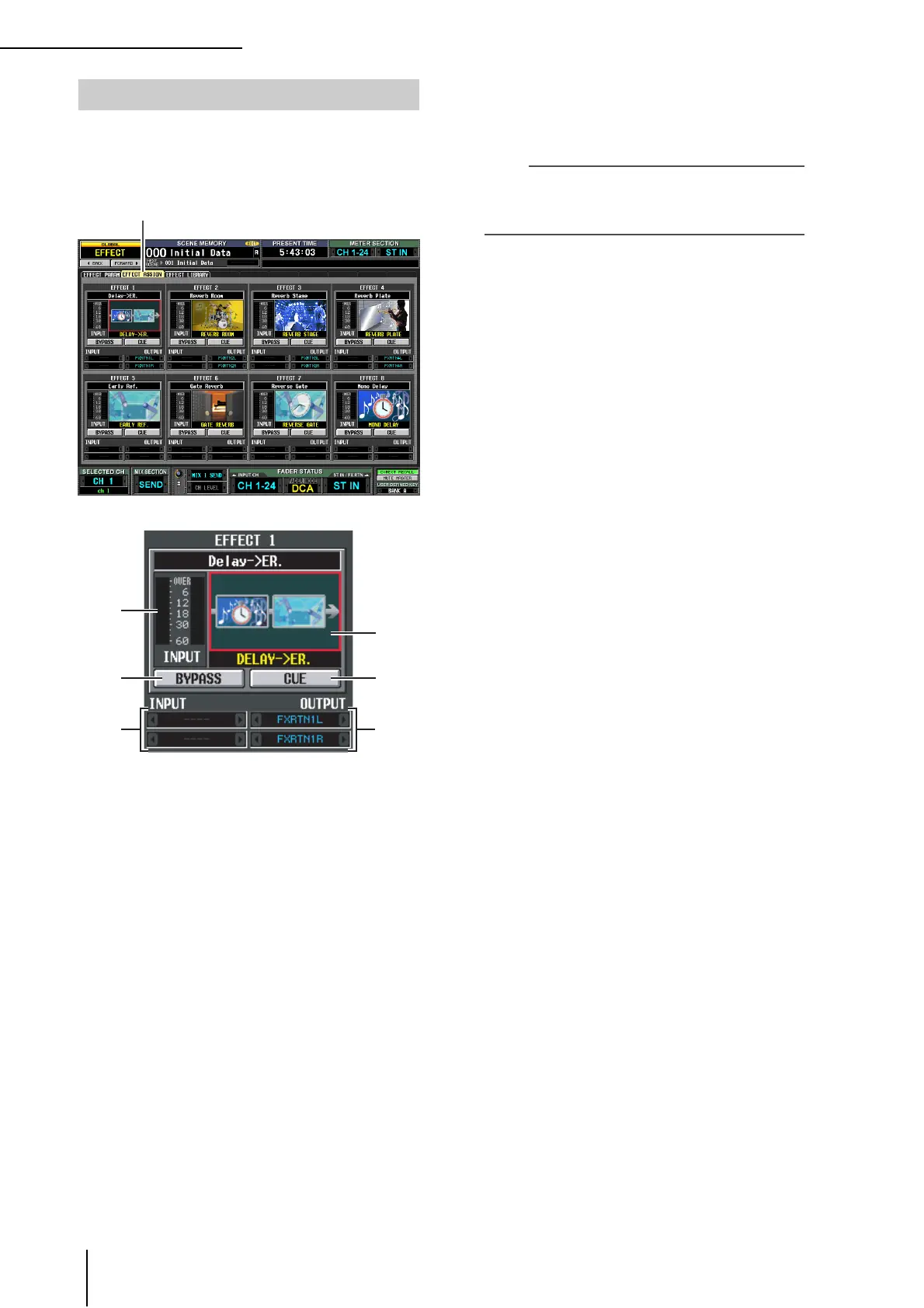
This screen lists the effect types used by internal effects 1–8,
and shows their input levels.. Here you can also assign sig-
nals to input/output channels, and make settings for
bypass and cue.
A Level meter
Indicates the input level to the effect.
B Effect type
Indicates the selected effect type, both by name and as a
graphic. When you click this area, the EFFECT
PARAM screen will appear. You can also drag and
drop this area onto another effect in this screen to copy
the effect settings.
C BYPASS
This button temporarily bypasses the effect.
D CUE
This button cue-monitors the effect output. Cue is
automatically defeated when you switch to a different
screen. (However, cue will be held if you switch to the
EFFECT PARAM screen of the corresponding effect.)
E Input patch
This box indicates the signal path that is patched to the
L/R input channels of the internal effect. You can also
directly assign the signal path in this box.
F Output patch
This box indicates the signal path that is patched to the
L/R output channels of the internal effect. You can also
directly assign the signal path in this box.
Note
Even if you’ve patched multiple channels in the INPUT
PATCH/OUTPUT PATCH function INSERT PATCH screen,
changing the input/output patch in this screen will turn off
patching to other channels.
EFFECT ASSIGN screen
EFFECT ASSIGN
1
3
5
4
6
2





 To Next Page