PM5D/PM5D-RH Owner’s Manual Operating section 85
10
Scene memory
❏ Other parameters
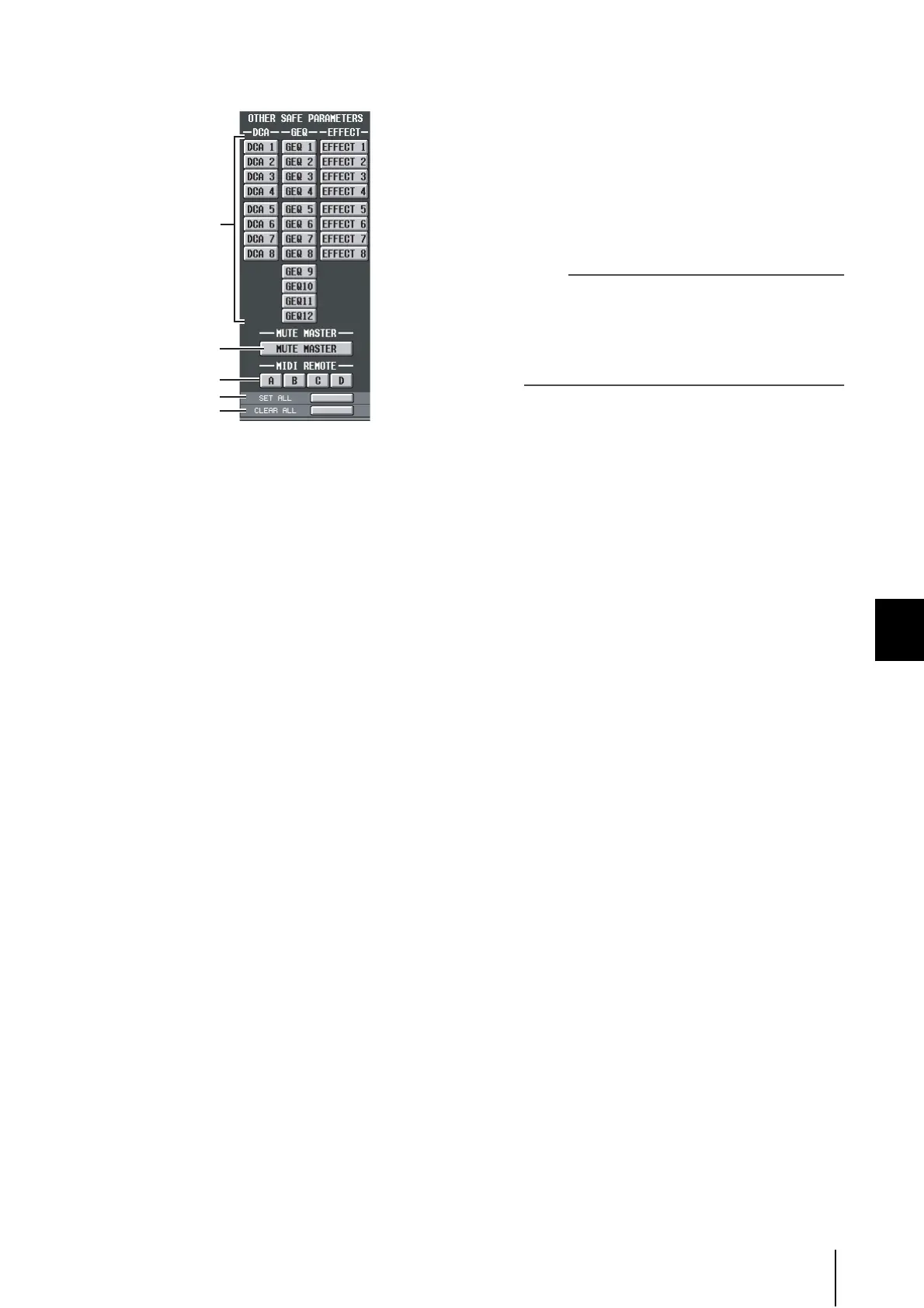
A DCA/GEQ/EFFECT
These buttons specify whether DCA groups, GEQ
modules, and internal effects will be excluded from (or
subject to) Recall.
B MUTE MASTER
This button specifies whether the Mute Master key on/
off status will be excluded from (or subject to) Recall.
C MIDI REMOTE
These buttons specify whether MIDI remote layers A–
D will be excluded from (or subject to) Recall.
D SET ALL
This button turns on all buttons for parameters 1–3.
E CLEAR ALL
This button turns off all buttons for parameters 1–3.
4
In the upper left of the screen, switch the
SELECTIVE RECALL ENABLE/DISABLE button to
ENABLE.
When this button is set to ENABLE, the Selective Recall
function will apply to subsequently-stored scenes.
5
Store the current scene.
The settings of the SELECTIVE RECALL screen will be
saved as part of the scene. When you recall this scene,
only the selected channels/parameters will be excluded
from (or subject to) Recall.
Note
• If you edit the settings of the SELECTIVE RECALL screen,
you must store that scene in order to make your changes
effective.
• Recall Safe and Selective Recall can be used together.
Channels/parameters excluded from recall operations by
either Recall Safe or Selective Recall (or both) will not be
recalled.
4
5
2
3
1





 To Next Page