PM5D/PM5D-RH Owner’s Manual Operating section 27
4
Connections and setup
This chapter explains how to make audio input/output connections, and how to perform the setup
required when starting the PM5D for the first time.
Audio connections
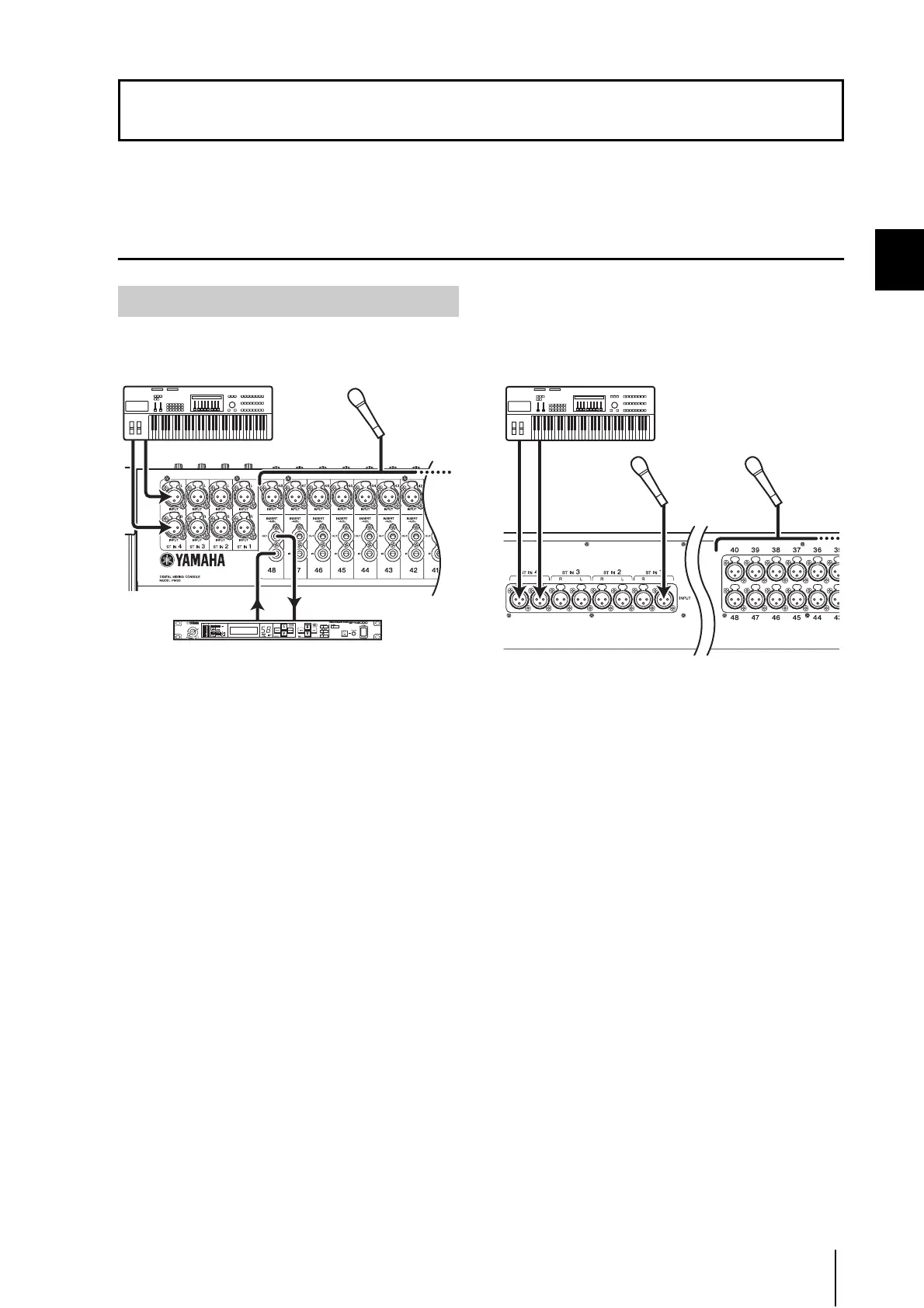
PM5D model
INPUT jacks 1–48 are used mainly to connect micro-
phones or monaural line-level devices. ST IN jacks 1–4 are
used mainly to connect stereo line-level devices.
Input signal sensitivity, pad on/off, and phantom power
(+48V) on/off are controlled from the top panel AD IN
section (➥ p.36).
PM5D-RH model
INPUT jacks 1–48 and ST IN jacks 1–4 can both be used to
connect microphones or line-level devices.
Input signal sensitivity and phantom power (+48V) on/off
are controlled from within the display (➥ p.36). However,
all phantom power can be switched on/off as a whole by
the rear panel [+48V MASTER] switch.
On either model, the default state is for the input signals
from INPUT jacks 1–48 to be patched to input channels 1–
48 and the input signals from ST IN jacks 1–4 to be
patched to the ST IN channels. However, this can be
changed if desired. (For details on returning the patching
to its default state ➥ p.32)
4 Connections and setup
Analog audio connections
Synthesizer Microphone
Effect processor
Synthesizer
MicrophoneMicrophone




 To Next Page