PM5D/PM5D-RH Owner’s Manual Reference section 209
Information shown
in the display
Function
menu
Global
functions
Output
functions
Input
functions
Appendices
METER function
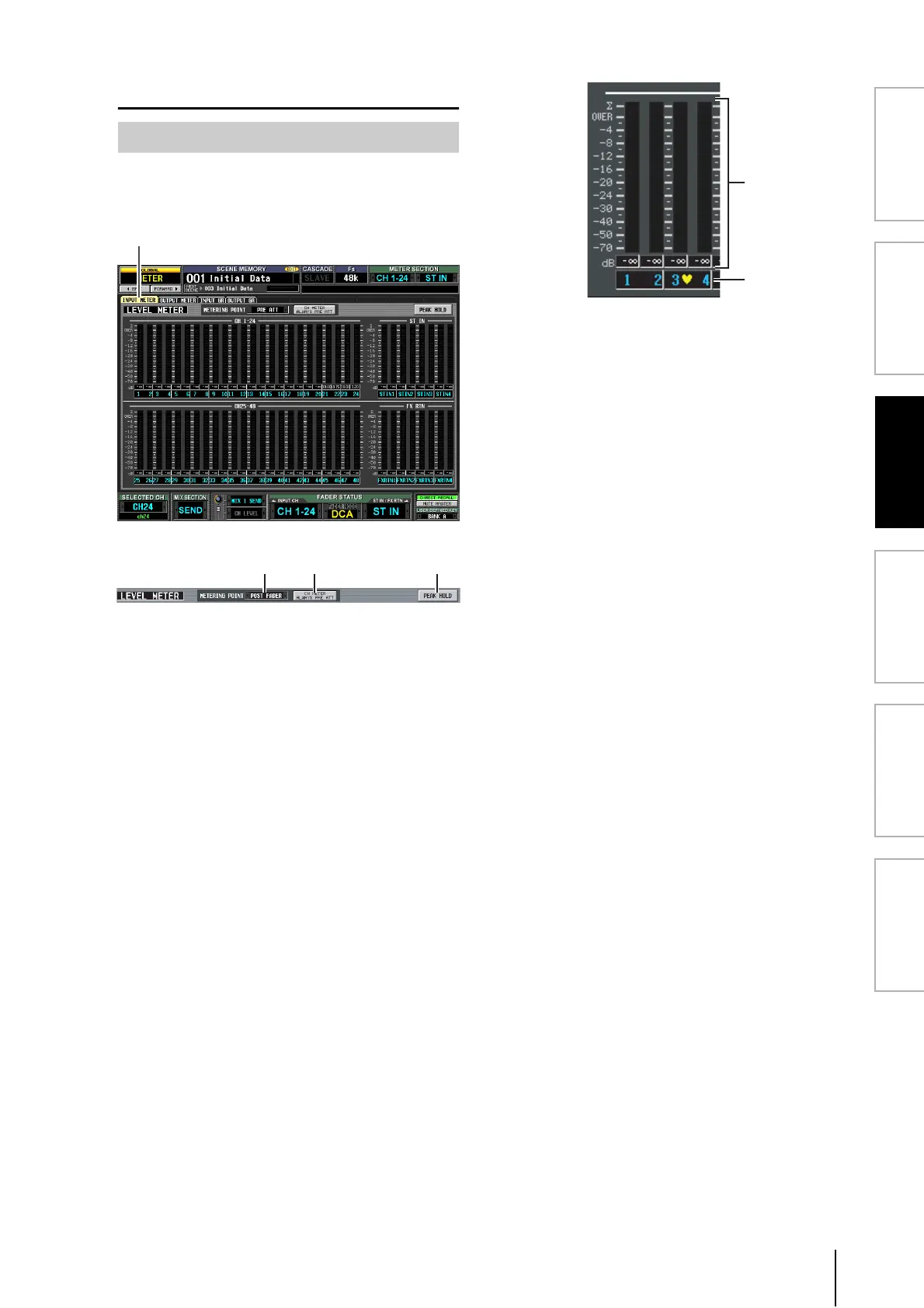
This screen contains meters that show the input level of the
input channels (input channels 1–48, ST IN channels 1–4,
FXTRN channels 1–4).
A METERING POINT
Select one of the following as the point at which the
input level will be detected. This setting also applies to
the meters on the panel.
PRE ATT . . . . . . . . . Immediately before the
attenuator
PRE GATE . . . . . . . Immediately before the internal
gate
PRE FADER . . . . . . Immediately before the fader
POST FADER . . . . . Immediately after the fader
POST ON . . . . . . . . Immediately after the [ON] key
B CH METER ALWAYS PRE ATT
If this button is on, the input channel meters of the
panel will always show the pre-attenuator levels.
C PEAK HOLD
If this button is on, the peak level of each meter will be
held. When you turn this button off, the peak level
indication that had been held will be cleared. Peak hold
will be cleared when you change the metering point
(
1). This button is linked with the [PEAK HOLD] key
in the METER section of the top panel.
D Meters
These peak level meters indicate the input level of each
channel. The current fader value is shown in the box
below.
If clipping occurs at any point PRE ATT, POST EQ,
POST GATE, POST COMP, INSERT IN, or POST
FADER, the ∑ segment will light.
E Pair icon
This indicates the pairing status of two adjacent odd-
numbered/even-numbered channels.
INPUT METER screen
INPUT METER
4
5





 To Next Page