PM5D/PM5D-RH Owner’s Manual Operating section 95
11
Monitor and Cue
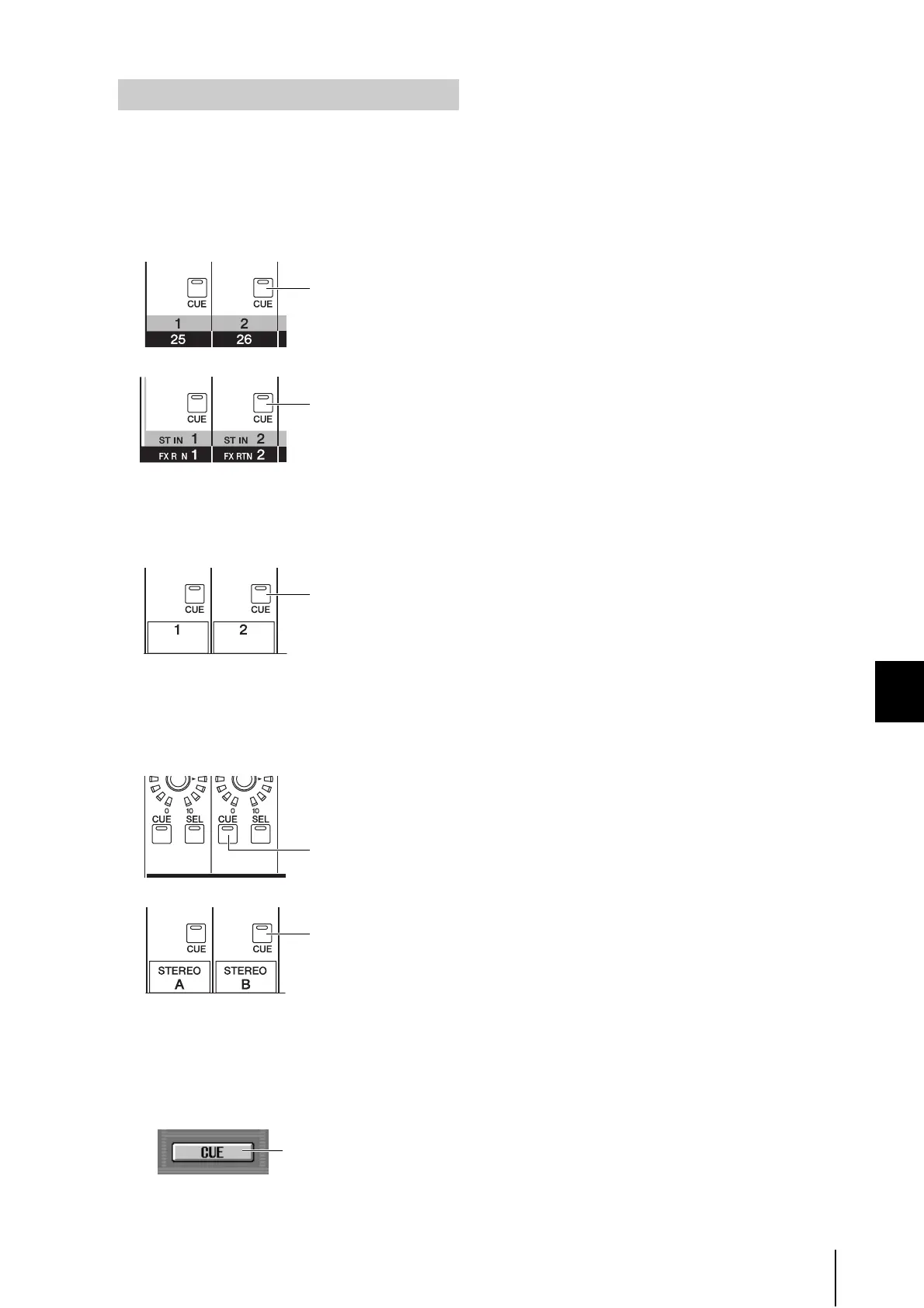
The PM5D’s cue and solo signals can be categorized into
the following four groups.
• INPUT CUE group
The cue/solo signals of input channels make up this
group. This group becomes active when a [CUE] key of
an input channel, ST IN channel, or FX RTN channel
is pressed to turn it on.
• DCA CUE group
The cue/solo signals of DCA groups make up this
group. This group becomes active when a [CUE] key in
the DCA strip is pressed to turn it on.
• OUTPUT CUE group
The cue/solo signals of output channels make up this
group. This group becomes active when a [CUE] key of
a MIX channel, MATRIX channel, or STEREO A/B
channel is pressed to turn it on.
• Other CUE group
This group consists of the cue/solo signals operated by
the CUE buttons in the display. This group becomes
active when you click to turn on a CUE button in the
EFFECT PARAM screen (EFFECT function) or GATE
PARAM screen (INPUT GATE/COMP function).
It is not possible to simultaneously turn on Cue
between different groups. Normally, the group to
which the most recently pressed [CUE] key (CUE but-
ton) belongs will take priority, and the [CUE] keys of
the previously selected group will be defeated.
However if you have switched cue/solo signal groups in
a certain order, the [CUE] key status of the previously
selected group will be recovered when you turn off the
[CUE] key (CUE button) to defeat the current cue/solo
selection.
The [CUE] key status can be recovered for the follow-
ing combinations of groups.
• OUTPUT CUE group → DCA CUE group
• OUTPUT CUE group → INPUT CUE group
• DCA CUE group → INPUT CUE group
• INPUT CUE / OUTPUT CUE / DCA CUE group →
Other CUE group
For example if you switch groups in the order of OUT-
PUT CUE group → DCA CUE group → INPUT CUE
group → Other CUE group, you can then successively
defeat the [CUE] keys (CUE buttons) to recover the
[CUE] key status of the previously selected group.
Cue and Solo groups
Input channel [CUE] key
ST IN/FX RTN channel
[CUE] key
DCA strip [CUE] key
MIX/MATRIX channel
[CUE] key
STEREO A/B channel
[CUE] key
CUE button in the display





 To Next Page