INPUT ø/EQ function
262 PM5D/PM5D-RH Owner’s Manual Reference section
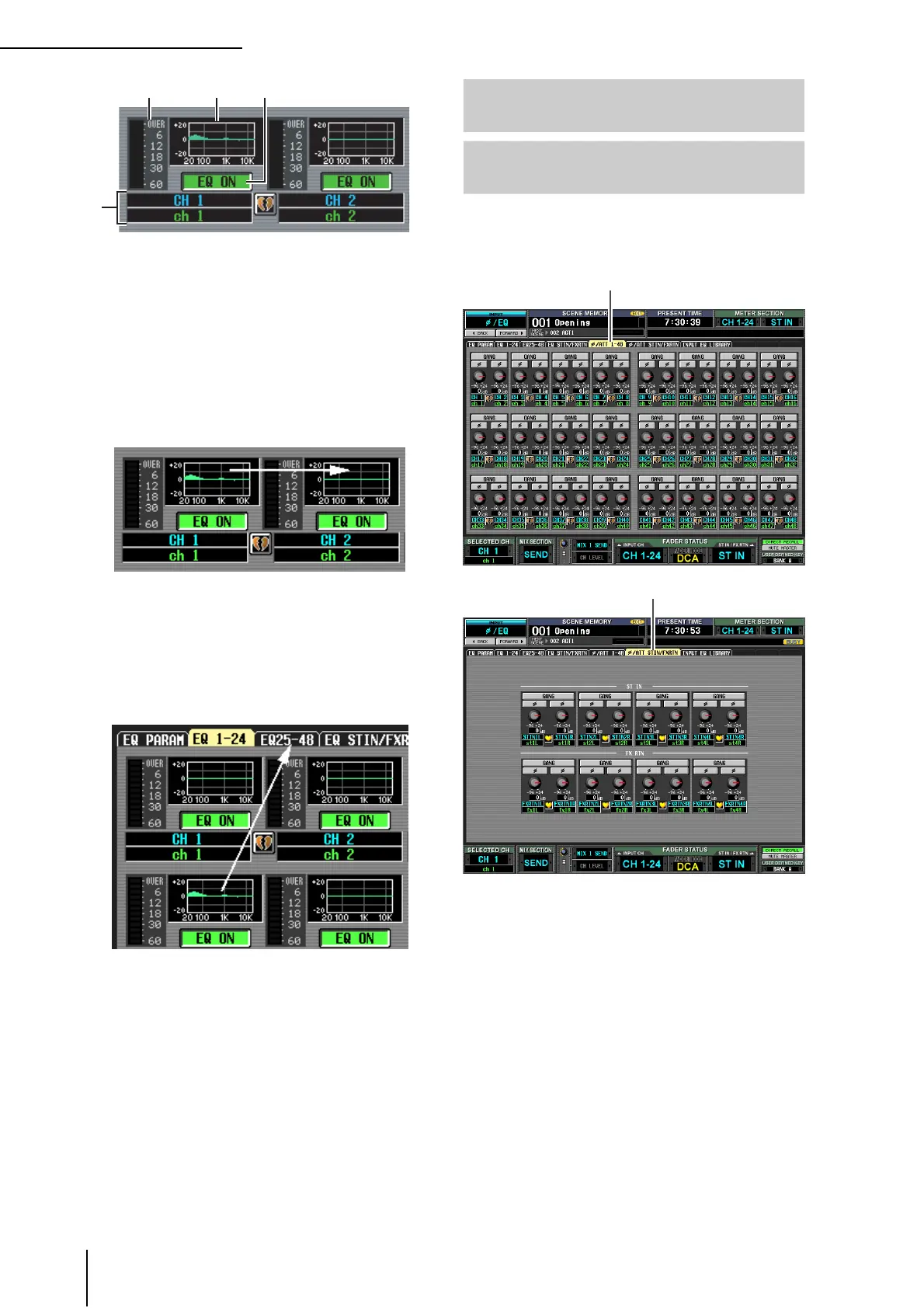
A EQ graph
This mini-graph shows the approximate EQ response
for each input channel.
When you click the graph at which the cursor is cur-
rently located, the EQ PARAM screen for that channel
will appear.
In this screen you can drag and drop the mini-graph
from the desired channel to copy its EQ settings.
(When you drag and drop the mini-graph, a window
will appear, asking you to confirm the copy operation.)
You can also copy EQ settings between the three
screens EQ 1-24, EQ 25-48, and EQ STIN/FXRTN.
First drag the mini-graph over the EQ 1-24, EQ 25-48,
or EQ STIN/FXRTN tabs in the screen (the screen will
switch). Then drag and drop the mini-graph onto the
desired channel, and a window will appear, asking you
to confirm the copy operation.
B EQ ON/OFF
Turns the EQ on/off for that channel. This is linked for
two paired channels.
C Channel
This is the number of the channel you are editing. Two
paired channels are indicated by a heart symbol dis-
played between them.
D Level meter
This meter indicates the peak level after EQ. If the sig-
nal clips, the OVER segment will light.
Here you can adjust the amount of attenuation/gain
immediately following AD conversion, and reverse the
phase.
3
ø/ATT 1-48 (Phase/Attenuation
1-48) screen
ø/ATT STIN/FXRTN (Phase/Attenua-
tion STIN/FXRTN) screen
ø /ATT 1-48
ø /ATT STIN/FXRTN




 To Next Page