PM5D/PM5D-RH Owner’s Manual Operating section 89
10
Scene memory
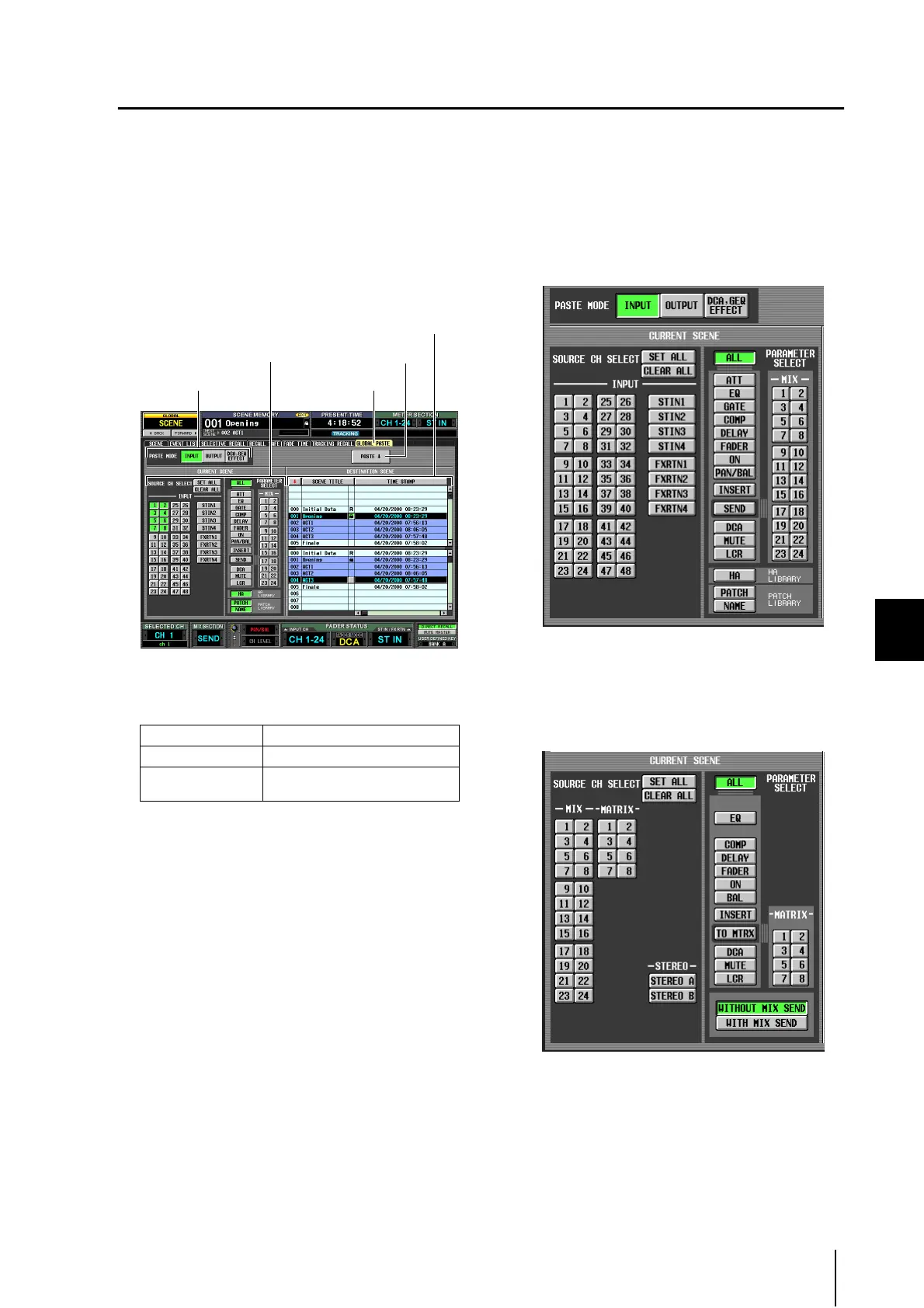
Using the Global Paste function
“Global Paste” is a function that lets you copy and paste settings of the desired channel or parameter from the current scene to
scene data in memory (multiple selections are allowed). This is a convenient way in which changes to the current scene can be
applied to scenes that have already been stored.
1
In the DISPLAY ACCESS section, press the
[SCENE] key several times to access the GLO-
BAL PASTE screen shown below.
In this screen you can select the copy-source channels/
parameters and specify the paste-destination scene
data.
2
Use the buttons in the PASTE MODE area to
select one of the following as the type of item
you want to paste.
3
In the CURRENT SCENE area, select the copy-
source channels or parameters.
The contents shown in the CURRENT SCENE area
will depend on what you select in the PASTE MODE
area (
1).
• When PASTE MODE = INPUT
Select input channels in the left area, and select param-
eters in the right area. (For details on the parameters
➥ p.170).
• When PASTE MODE = OUTPUT
Select output channels in the left area, and select
parameters in the right area. (For details on the param-
eters ➥ p.170).
INPUT Input channel parameters
OUTPUT Output channel parameters
DCA, GEQ, EFFECT
DCA level or mute on/off status,
GEQ settings, internal effect settings
GLOBAL PASTEPASTE MODE area
CURRENT SCENE area
DESTINATION SCENE area
PASTE button





 To Next Page