PM5D/PM5D-RH Owner’s Manual Operating section 39
5
Input channel operations
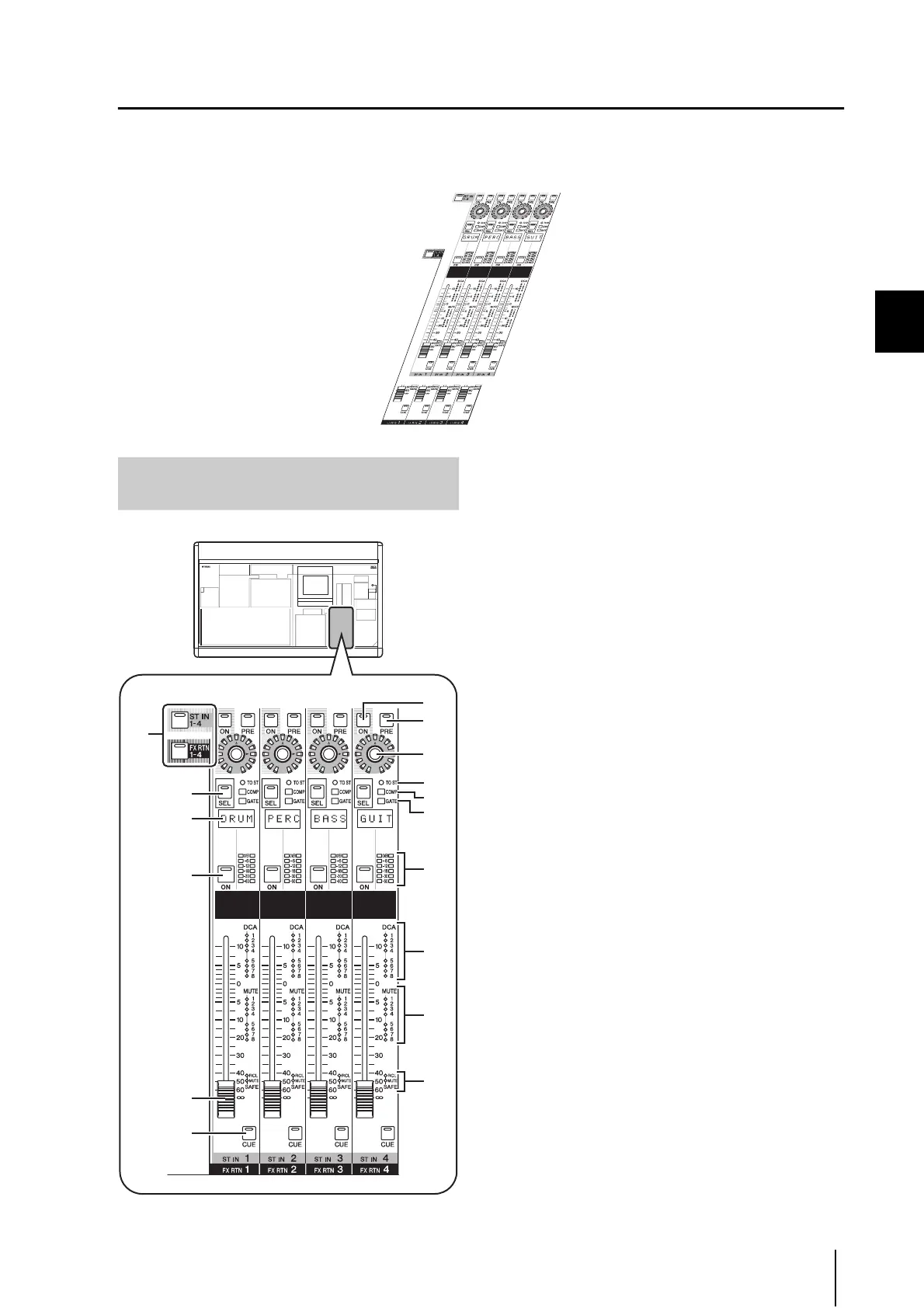
ST IN/FX RTN channel strip
In this section you can control the ST IN channels and FX RTN channels.
This section is layered as shown in the diagram below; choose the ST IN layer when you want to control the ST IN channels,
or the FX RTN layer when you want to control the FX RTN channels.
A [ST IN 1-4]/[FX RTN 1-4] keys
These keys select the layer that will be controlled by the
ST IN/FX RTN channel strip. Press the [ST IN 1-4] key
to control ST IN channels 1–4, or press the [FX RTN 1-
4] key to control FX RTN channels 1–4.
Items
2–P below are the same as in the INPUT channel
strip (➥ p.37). However since FX RTN channels do not
have a gate or compressor, the [GATE] LED (
L) and
[COMP] LED (
K) are not used.
B [PRE] key
C ENCODER [ON] key
D Encoder
E [SEL] key
F Name indicator
G CH [ON] key
H Fader
I [CUE] key
J [TO ST] LED
K [COMP] LED
L [GATE] LED
M Meter LEDs
N DCA assign LEDs
O MUTE assign LEDs
P [RCL SAFE]/[MUTE SAFE] LEDs
FX RTN 1-4 layer
ST IN 1-4 layer
Items in the ST IN/FX RTN channel
strip
8
7
6
5
1
9
4
2
3
M
P
O
N
J
K
L




 To Next Page