PM5D/PM5D-RH Owner’s Manual Operating section 53
6
Output channel operations
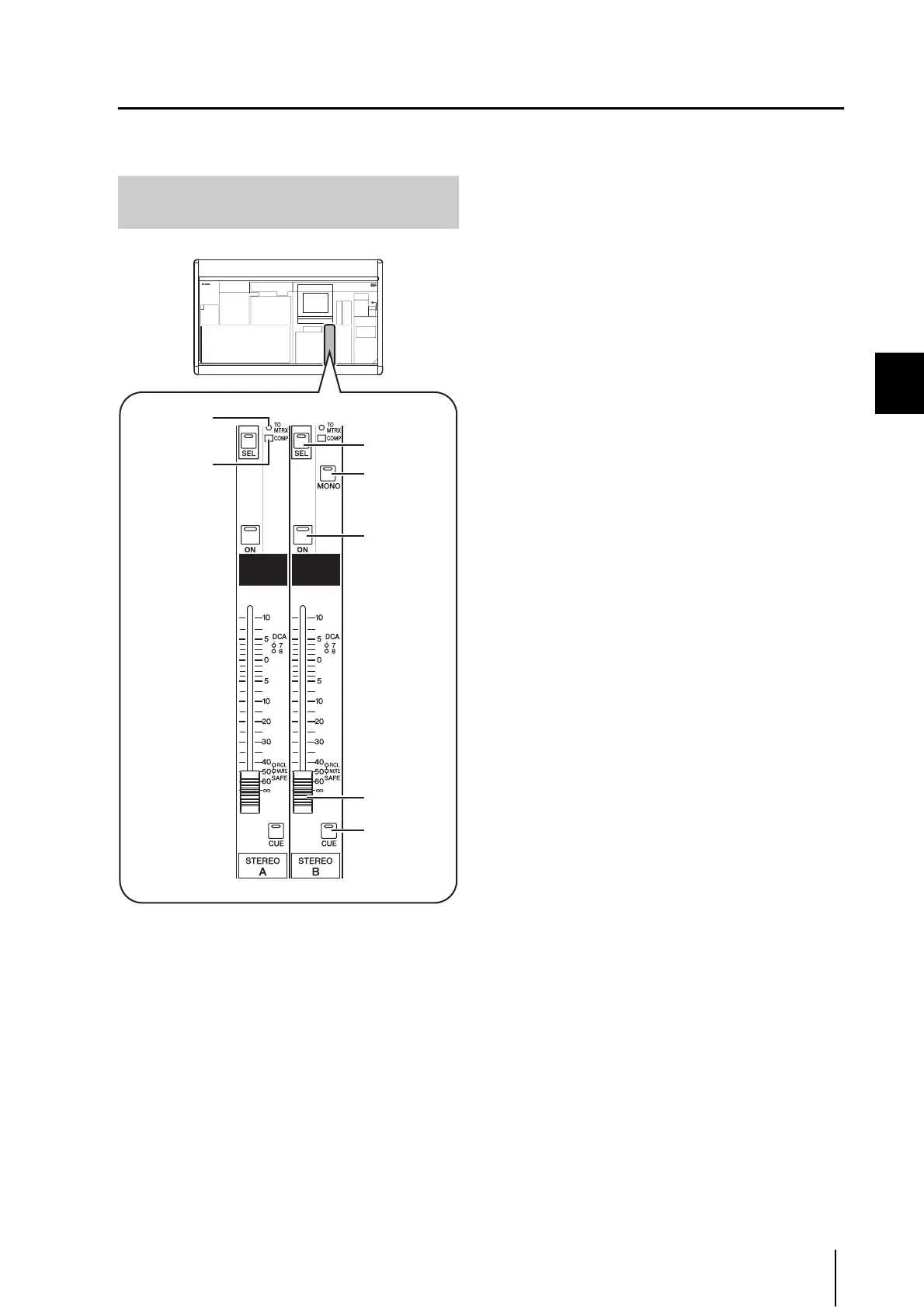
STEREO A/B channel strip
The STEREO A/B channel strip lets you send the signal of the STEREO A/B channels to the MATRIX bus, and adjust the out-
put level of the STEREO A/B channels.
A [TO MATRIX] LED
This LED will light when the signal sent from the STE-
REO channel to the MATRIX bus is on.
B [COMP] LED
This indicates the operating status of the compressor
for the STEREO channel. This will be dark when the
gain reduction amount is 0 dB, dimly lit when it is 0–
10 dB, and lit when it is greater than 10 dB.
C STEREO A/B [SEL] key
This selects the STEREO A or STEREO B L/R channels
for editing in the SELECTED CHANNEL section or
display. The L/R channels will alternate each time you
press the key.
D STEREO [MONO] key
This switches the STEREO B channel to monaural. The
status will alternate between monaural and stereo each
time you press the key.
E STEREO [ON] key
This switches the STEREO channel on/off. If this key is
off (LED dark), no signal will be output from that STE-
REO channel.
F STEREO fader
This 100 mm fader adjusts the output level of the STE-
REO channel.
G STEREO [CUE] key
This is used to monitor the STEREO A/B channel via
the Cue Monitor/Solo function.
Items in the STEREO A/B channel
strip
7
4
6
5
3
2
1




 To Next Page