SYS/W.CLOCK function
202 PM5D/PM5D-RH Owner’s Manual Reference section
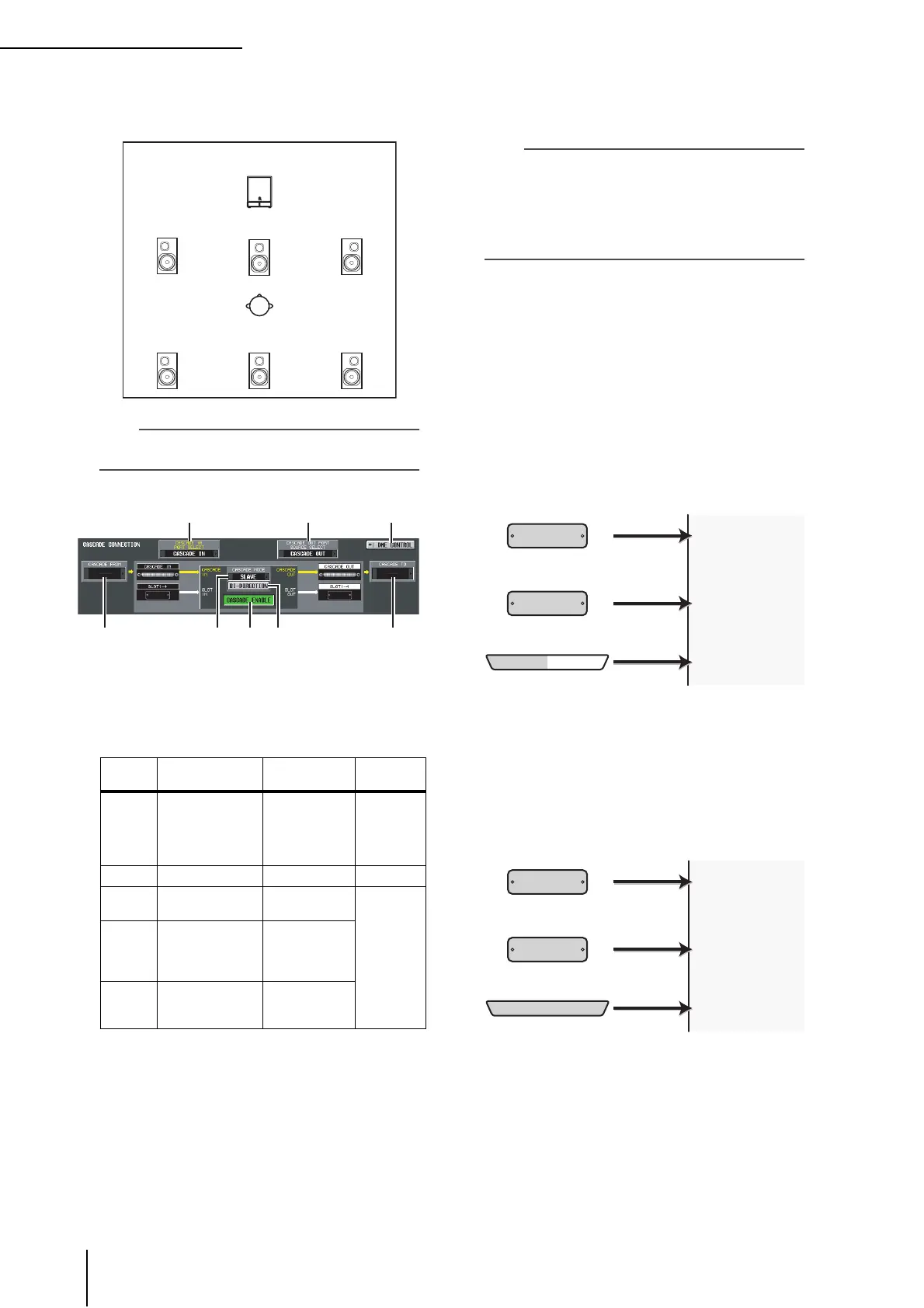
• 6.1ch
This mode uses seven channels: 5.1ch with the addi-
tion of Bs (rear center).
Hint
The graphic below the buttons will change according to the
mode you select.
G CASCADE FROM (Source when cascade-
connected)
Select one of the following as the external device that is
sending audio signals to the PM5D via a cascade
connection.
H CASCADE IN PORT SELECT
Select one of the following as the port that will receive
the audio signals from the cascade-connected device.
Hint
• If you select a choice other than CASCADE IN, the signal
from the slot will be assigned to the cascade input, and the
signal from the CASCADE IN connector will be assigned to
the corresponding slot input.
• The signal assigned from the CASCADE IN connector to the
slot input can be used as a patch source in the IN PATCH
screen.
• CASCADE IN
Up to 30 channels of audio signals can be received
from another PM5D via the rear panel CASCADE IN
connector. If PM5D is selected as the cascade source
(
7), control signals for parameter linkage will also be
transmitted and received.
• SLOT 4
Up to 16 channels of audio signals can be received via
input channels 1–16 of an I/O card installed in slot 4 of
the rear panel. If you choose this setting, the signals
from the CASCADE IN connector (channels 1–16) will
be assigned to channels 1–16 of the SLOT IN 4 port
instead.
• SLOT 3/4
Up to 30 channels of audio signals can be received via
input channels 1–16 of I/O cards installed in slots 3 and
4. (Since channels 15/16 of SLOT 4 are not used, only
30 channels are actually available.) If you choose this
setting, the signals from the CASCADE IN connector
(channels 1–32) will be assigned to channels 1–16 of
the SLOT IN 3/4 ports instead.
Display Source device
Available cas-
cade input port
Parame-
ter linkage
— Cascade disabled
CASCADE IN,
SLOT 3/4,
SLOT 1-4
[CH1-8], SLOT
1-4 [CH9-16]
Not
possible
PM5D another PM5D CASCADE IN Possible
*1
*1. Linked parameters are specified in the CASCADE
screen.
DM2000
/02R96
YAMAHA DM2000
or 02R96
CASCADE IN
Not
possible
MIXER
[30BUS]
A mixer other than
the above (maxi-
mum 30 bus)
SLOT 3/4,
SLOT 1-4
[CH1-8], SLOT
1-4 [CH9-16]
MIXER
[16BUS]
A mixer other than
the above (maxi-
mum 16 bus)
SLOT 4
LFE
(subwoofer)
Ls
(rear left)
Rs
(rear right)
L
(front left)
C
(front center)
R
(front right)
Bs
(rear center)
CASCADE IN
CH 1-16
SLOT 4
SLOT IN 1 (CH 1–16)
SLOT IN 2 (CH 1–16)
SLOT IN 3 (CH 1–16)
CH 1-16
SLOT 1-3
SLOT IN 4 (CH 1–16)
CASCADE IN
CH 1-16
16 channels
16 channels
CASCADE IN
CH 1-16
SLOT 3/4
CH 1-16
SLOT 1/2
CASCADE IN
CH 1-32
SLOT IN 1 (CH 1–16)
SLOT IN 2 (CH 1–16)
SLOT IN 3 (CH 1–16)
SLOT IN 4 (CH 1–16)
30 channels
32 channels





 To Next Page