PM5D/PM5D-RH Owner’s Manual Reference section 243
Information shown
in the display
Function
menu
Global
functions
Output
functions
Input
functions
Appendices
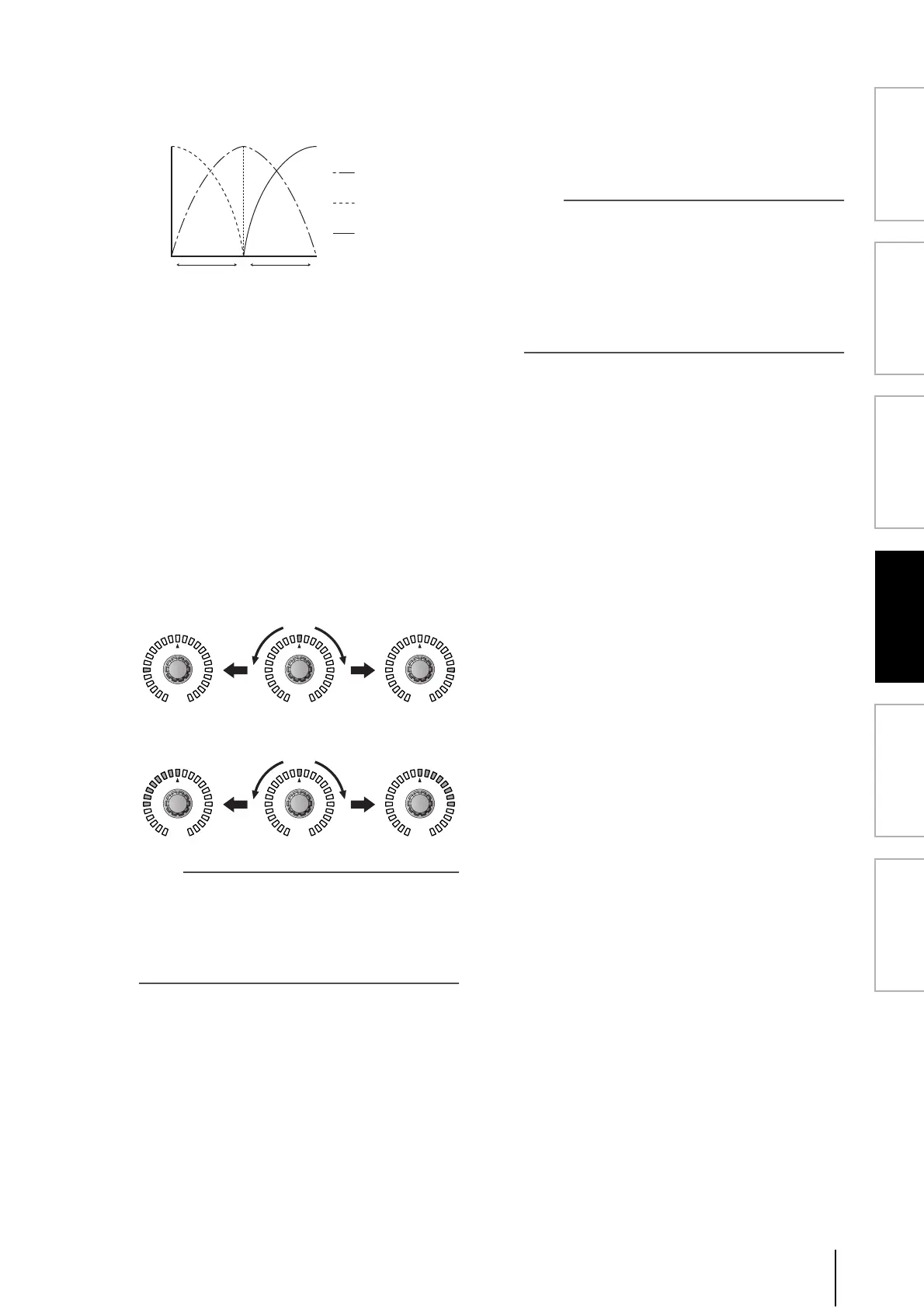
If CSR is set to 100%, turning the PAN knob ([PAN]
encoder) will change the signal levels of the L/R chan-
nels as shown below.
When the PAN knob ([PAN] encoder) is in the center
position, the signal level of the CENTER channel will
be at maximum, and no signal will be sent to the L/R
channels.
C LCR (LCR mode on/off)
For each MIX channel, this turns LCR mode on/off.
For channels where LCR mode is turned on, the PAN
knob in the MIX TO STEREO area of the MATRIX/ST
ROUTING screen can be used to simultaneously con-
trol the levels of the L/R channels and the CENTER
channel.
If you have selected a MIX channel for which LCR is
on, you can also use the [PAN] encoder in the
SELECTED CHANNEL section of the top panel. In
this case, the peripheral LEDs will change as follows
when you operate the [PAN] encoder.
• When LCR = off
• When LCR = on
Note
In order to use the LCR function, the USE AS CENTER BUS
button must be turned On in the MIXER SETUP screen (SYS/
W.CLOCK function) (
➥
p.201). Be aware that when this but-
ton is on, the CENTER channel signal is not sent to the
STEREO B bus, and will not play back appropriately. (In this
case, the STEREO B bus is sent the same signal as the STE-
REO A bus.)
D MIX channel
This is the number of the MIX channel you are edit-
ing. Paired MIX channels are indicated by a heart
symbol displayed at the right. You can click this sym-
bol to enable/disable pairing. The values of parameters
2–3 are linked for paired channels.
Hint
• The master level of the CENTER channel is controlled by
the STEREO B channel fader. You can also use the STE-
REO B channel EQ and compressor to process the signal.
• Use either one of the output jacks patched to the STEREO B
channel as the output jack for the CENTER channel. (When
the USE AS CENTER BUS button is On in the MIXER
SETUP screen, the L/R channels of the STEREO B bus out-
put the same signal.)
• By selecting LCR as the monitor source, you can monitor
the LCR signal from the MONITOR OUT jacks L/C/R.
CRL
[PAN] encoder
Signal sent to the
R channel
Signal sent to the
C channel
Signal sent to the
L channel
Signal level
RLRL RL
RLRL RL





 To Next Page