PREPARATIONS ➤ Connecting playback devices En 23
1
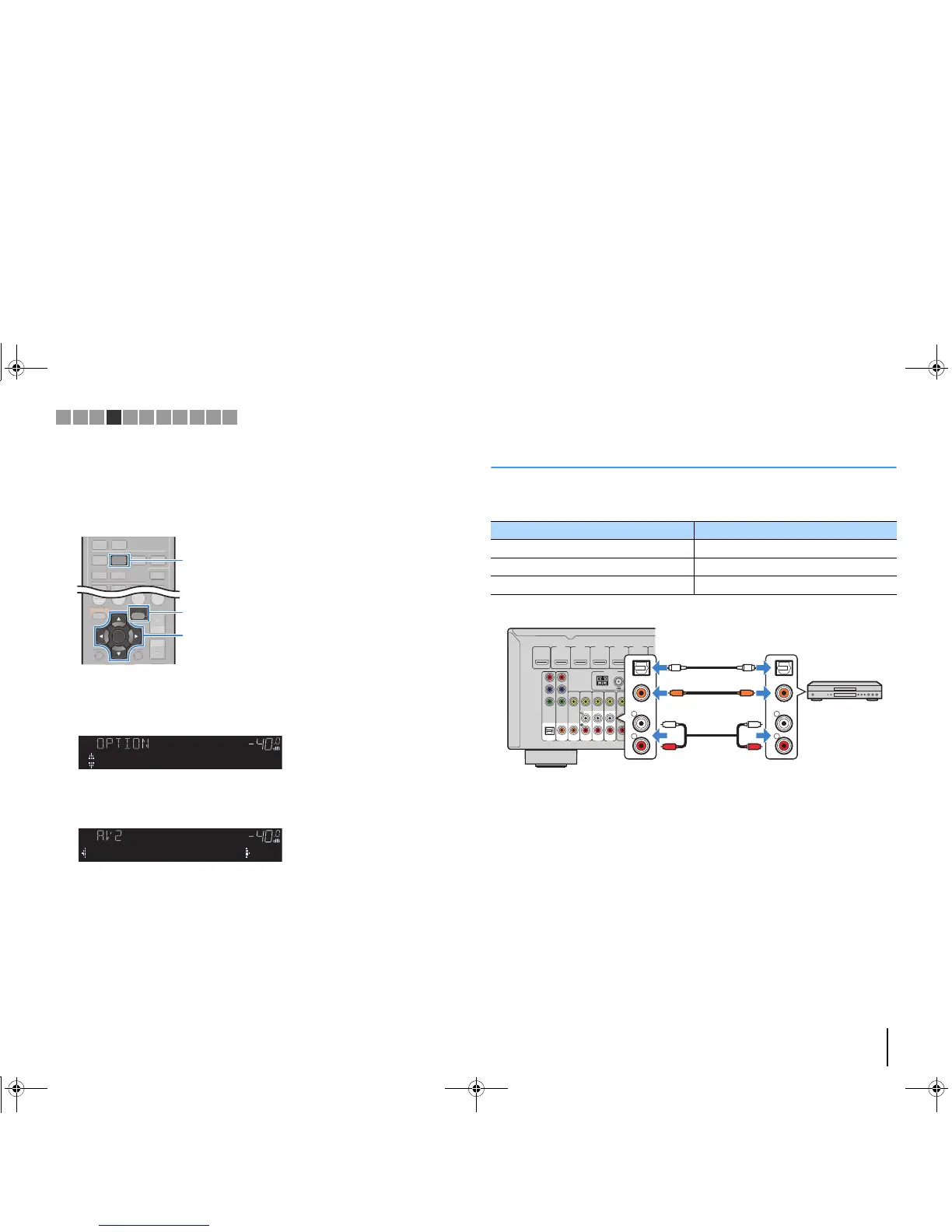
After connecting external devices (such as a TV and playback
devices) and power cable of the unit, turn on the unit.
2
Press AV 2 to select “AV 2” (video input jack to be used) as the input
source.
3
Press OPTION.
4
Use the cursor keys (q/w) to select “Audio In” and press ENTER.
5
Use the cursor keys (
e
/
r
) to select “AV 5” (audio input jack to be
used).
6
Press OPTION.
This completes the necessary settings.
If you select “AV 2” as the input source by pressing AV 2, the video/audio played back
on the video device will be output from the unit.
Connecting audio devices (such as CD players)
Connect audio devices such as CD players and MD players to the unit. Depending on
the audio output jacks available on your audio device, choose one of the following
connections.
If you select the input source by pressing AV 1–6, the audio played back on the audio
device will be output from the unit.
Audio output jacks on audio device Audio input jacks on the unit
Digital optical AV 1 (OPTICAL)
Digital coaxial AV 2–3 (COAXIAL)
Analog stereo AV 4–6 (AUDIO)
AV 1
AV 2
AV 3
AV 5
AV 6
OPTICAL COAXIAL COAXIAL
(
TV
)
COMPONENT
VIDEO
COMPONENT
VIDEO
P
B
Y
VIDEO
AV
MONITOR OUT
OUT
AV 4
P
R
P
B
Y
P
R
FM
ANTENNA
AM
HDMI 1
(
BD/DVD
)
HDMI 2
HDMI 3
HDMI 4
(
RADIO
)
SUBWOOFER
PRE OUT
2
1
HDMI 5



 To Next Page