FEATURES ➤ Part names and functions En 8
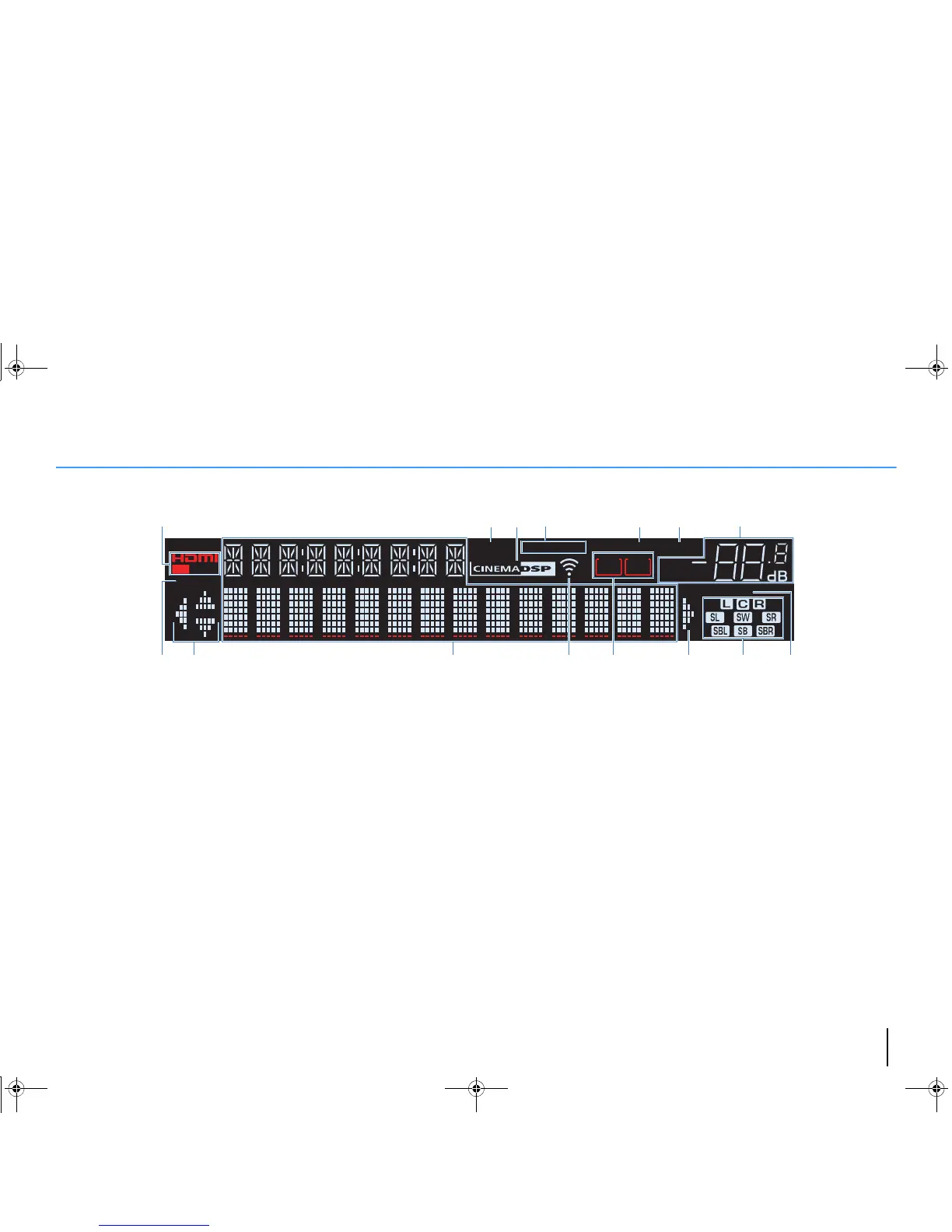
Front display (indicators)
1 HDMI
Lights up when HDMI signals are being input or output.
OUT
Lights up when HDMI signals are being output.
2 ENHANCER
Lights up when Compressed Music Enhancer (p.48) is
working.
3 CINEMA DSP
Lights up when CINEMA DSP (p.45) or CINEMA DSP 3D
(p.45) is working.
4 STEREO
Lights up when the unit is receiving a stereo FM radio signal.
TUNED
Lights up when the unit is receiving an FM/AM radio station
signal.
5 SLEEP
Lights up when the sleep timer is on.
6 MUTE
Blinks when audio is muted.
7 Volume indicator
Indicates the current volume.
8 ECO
Lights up when the eco mode (p.88) is enabled.
9 Cursor indicators
Indicate the remote control cursor keys currently operational.
0 Information display
Displays the current status (such as input name and sound
mode name). You can switch the information by pressing
INFO (p.71).
A Signal strength indicator (RX-V577 only)
Indicates the strength of the wireless signal (p.28).
B ZONE indicators (RX-V577 only)
Indicate the zone to which the sound is output (p.70).
C Speaker indicators
Indicate speaker terminals from which signals are output.
A Front speaker (L)
S Front speaker (R)
D Center speaker
F Surround speaker (L)
G Surround speaker (R)
H Surround back speaker (L)*
J Surround back speaker (R)*
K Surround back speaker*
L Subwoofer
* RX-V577 only
D ADAPTIVE DRC
Lights up when Adaptive DRC (p.73) is working.
1 2
PARTY
VIRTUAL
23
CHARGE
VOL.
MUTE
ENHANCER
STEREO
TUNED
SLEEP
OUT
ECO
ADAPTIVE DRC
ZONE
A
ZONE
B
SP IMP.••8 MIN
23 6541 7
9 908 CDB
A
00_RX-V477_V577_om_U.book Page 8 Monday, November 11, 2013 1:19 PM



 To Next Page