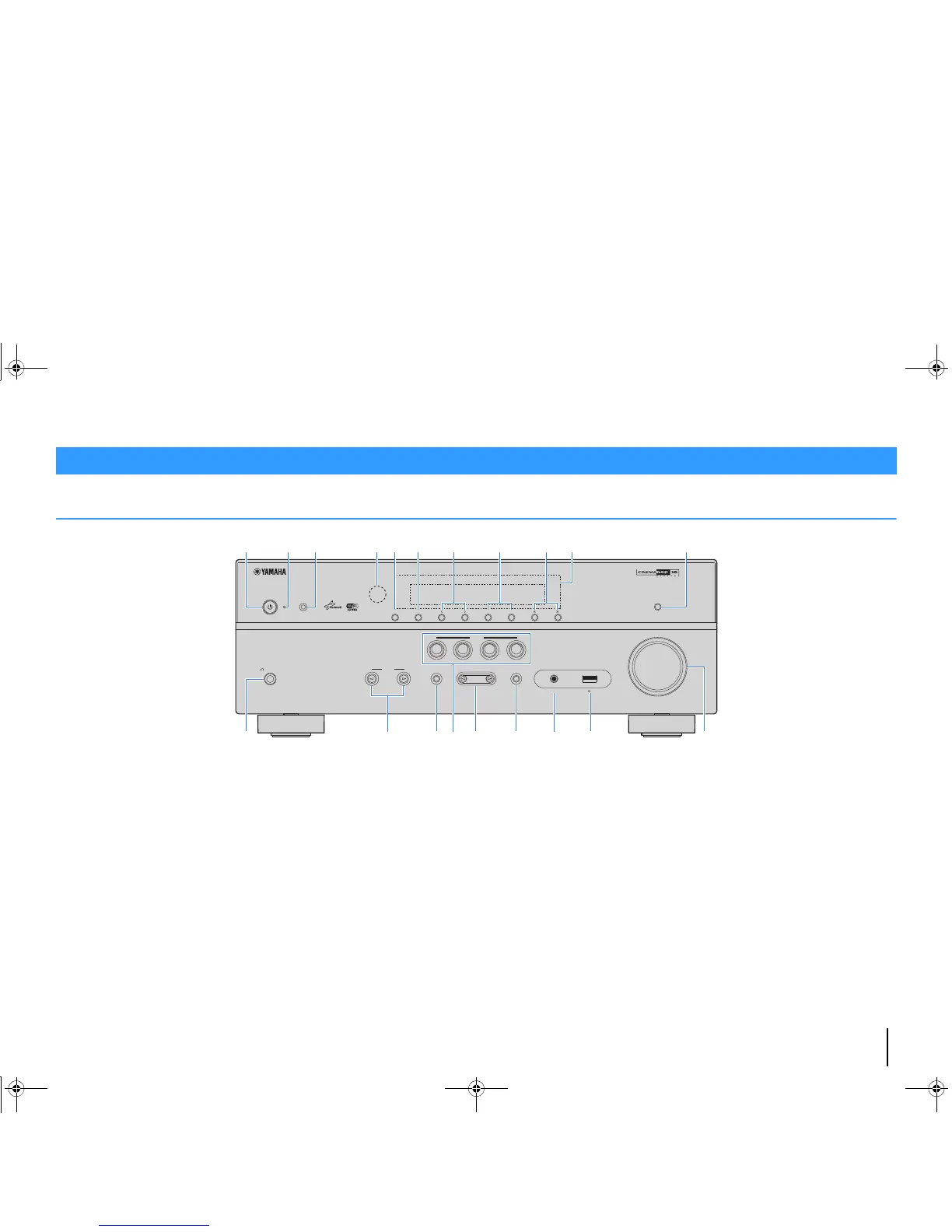
FEATURES ➤ Part names and functions En 7
Front panel
1 z (power) key
Turns on/off (standby) the unit.
2 Standby indicator
Lights up when the unit is in standby mode under any of the
following conditions.
• HDMI Control is enabled (p.83)
• Standby Through is enabled (p.83)
• Network Standby is enabled (p.92)
• An iPod is being charged (p.53)
3 YPAO MIC jack
For connecting the supplied YPAO microphone (p.38).
4 Remote control sensor
Receives remote control signals (p.4).
5 INFO (WPS) key
Selects the information displayed on the front display (p.71).
(RX-V577 only)
Enters the wireless LAN connection setup (WPS button
configuration) by holding down for 3 seconds (p.30).
6 MEMORY key
Registers FM/AM radio stations as preset stations (p.50).
7 PRESET keys
Select a preset FM/AM radio station (p.51).
8 FM and AM keys
Switch between FM and AM (p.49).
9 TUNING keys
Select the radio frequency (p.49).
0 Front display
Displays information (p.8).
A DIRECT key
Enables/disables the direct playback mode (p.48).
B PHONES jack
For connecting headphones.
C INPUT keys
Select an input source.
D TONE CONTROL key
Adjusts the high-frequency range and low-frequency range
of output sounds (p.73).
E SCENE keys
Select the registered input source and sound program with
one touch. Also, turns on the unit when it is in standby mode
(p.43).
F PROGRAM keys
Select a sound program or a surround decoder (p.44).
G STRAIGHT key
Enables/disables the straight decode mode (p.47).
H AUX jack
For connecting devices, such as portable audio players
(p.24).
I USB jack
For connecting a USB storage device (p.57) or an iPod
(p.53).
J VOLUME knob
Adjusts the volume.
Part names and functions



 To Next Page