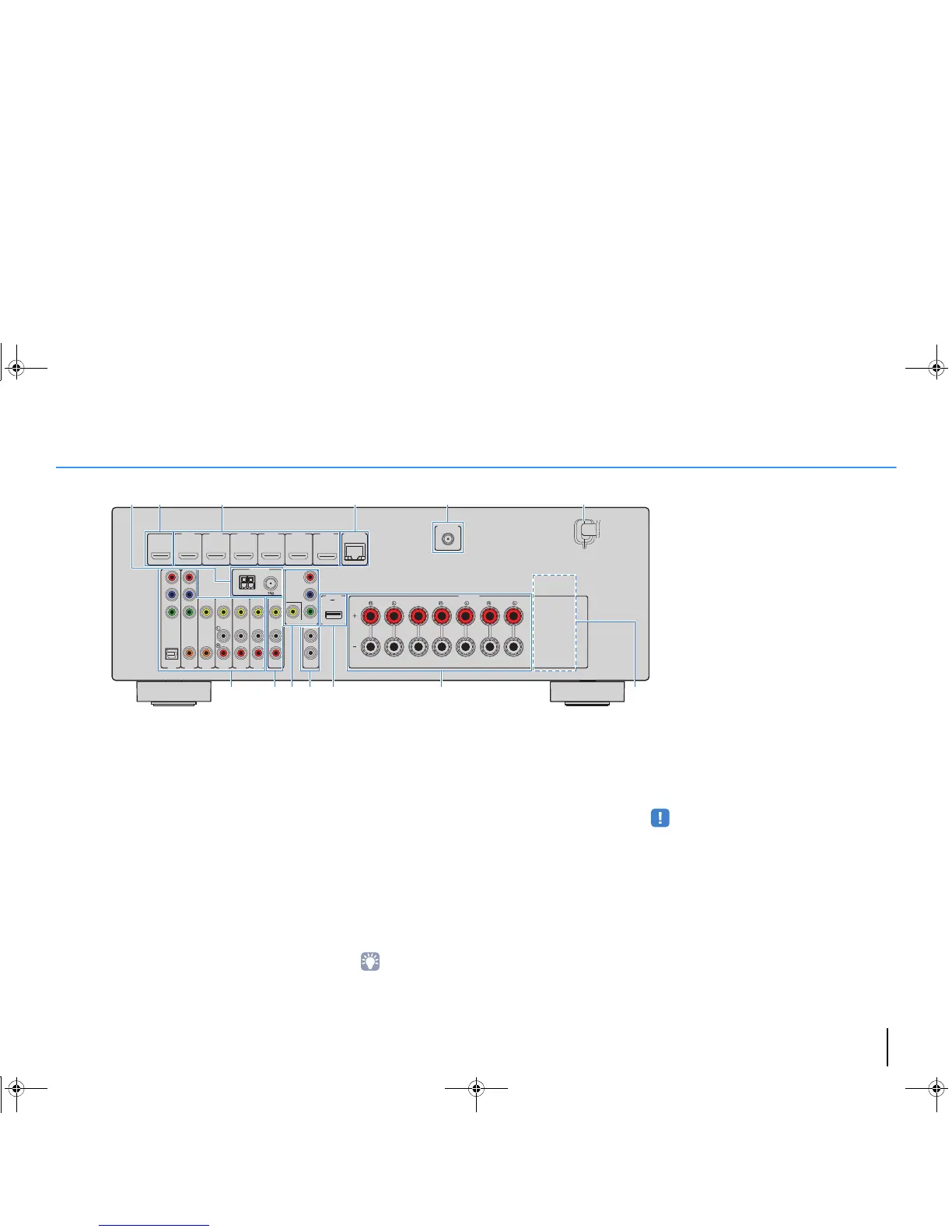
FEATURES ➤ Part names and functions En 9
Rear panel
1 ANTENNA jacks
For connecting to FM and AM antennas (p.24).
2 HDMI OUT jack
For connecting to an HDMI-compatible TV and outputting
video/audio signals (p.19). When using ARC, TV audio signal
can also be input through the HDMI OUT jack.
3 HDMI 1–6 jacks
For connecting to HDMI-compatible playback devices and
inputting video/audio signals (p.21).
4 NETWORK jack
For a wired connection to a network (p.25).
5 WIRELESS jack (RX-V577 only)
For connecting to the supplied wireless antenna (p.28).
6 Power cable
For connecting to an AC wall outlet (p.26).
7 AV 1–6 jacks
For connecting to video/audio playback devices and
inputting video/audio signals (p.21).
8 AV OUT jacks
For outputting video/audio to a recording device (such as a
VCR) (p.26).
9 MONITOR OUT jacks
COMPONENT VIDEO jacks:
For connecting to a TV that supports component video and
outputting video signals (p.21).
VIDEO jack:
For connecting to a TV that supports composite video and
outputting video signals (p.21).
0 SUBWOOFER PRE OUT 1–2 jacks (RX-V577)
SUBWOOFER PRE OUT jack (RX-V477)
For connecting to a subwoofer (with built-in amplifier) (p.16).
• (RX-V577 only)
You can connect 2 subwoofers (with built-in amplifier) to the
unit.
A DC OUT jack
For supplying power to a Yamaha AV accessory. For details
on connections, refer to the instruction manual of the AV
accessory.
B SPEAKERS terminals
For connecting to speakers (p.16).
• The SURROUND BACK/BI AMP/ZONE B jacks are available on
RX-V577 only.
C VOLTAGE SELECTOR
(General model only)
Selects the switch position according to your local voltage
(p.26).



 To Next Page