PLAYBACK ➤ Playing back iPod music En 53
You can play back iPod music on the unit using a USB cable
supplied with the iPod.
• You cannot play back iPod video on the unit.
• For details on playable iPod devices, see “Supported devices and file formats”
(p.109).
Connecting an iPod
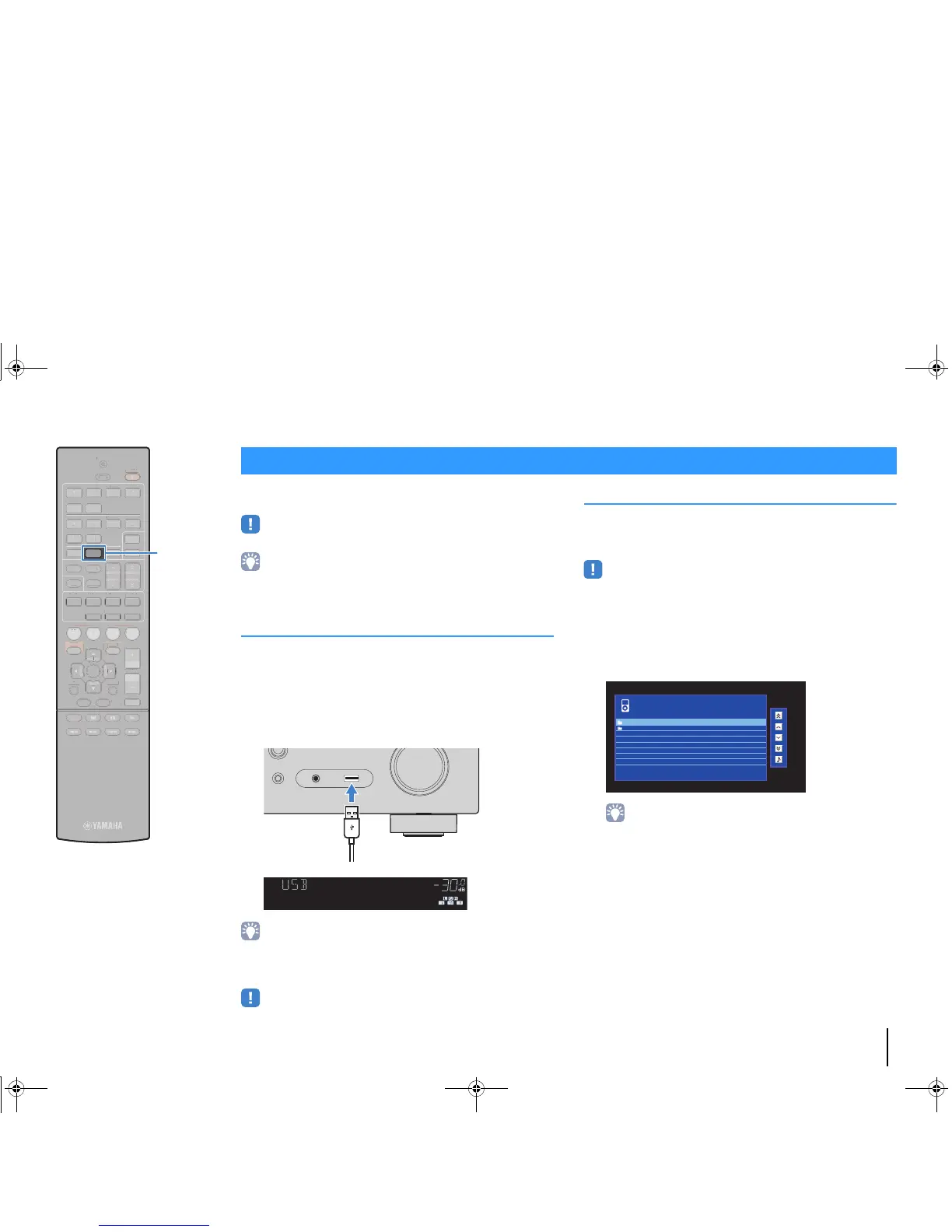
Connect your iPod to the unit with the USB cable supplied with the
iPod.
1
Connect the USB cable to the iPod.
2
Connect the USB cable to the USB jack.
• The iPod charges while it is connected to the unit. If you set the unit to standby
mode while the iPod is charging, the iPod continues to charge up to 4 hours.
If “Network Standby” (p.92) in the “Setup” menu is set to “On”, it continues to
change without limit.
• Disconnect the iPod from the USB jack when it is not in use.
Playback of iPod content
Follow the procedure below to operate the iPod contents and start
playback.
You can control the iPod with the menu displayed on the TV screen.
• Operations with TV screen are available only when your TV is connected to the
unit via HDMI. If not, carry out operations while viewing the front display, or directly
operate the iPod itself in the simple play mode (p.55).
• “_” (underscore) will be displayed for characters not supported by the unit.
1
Press USB to select “USB” as the input source.
The browse screen is displayed on the TV.
• If playback is ongoing on your iPod, the playback screen is displayed.
Playing back iPod music



 To Next Page