PLAYBACK ➤ Listening to Internet radio En 65
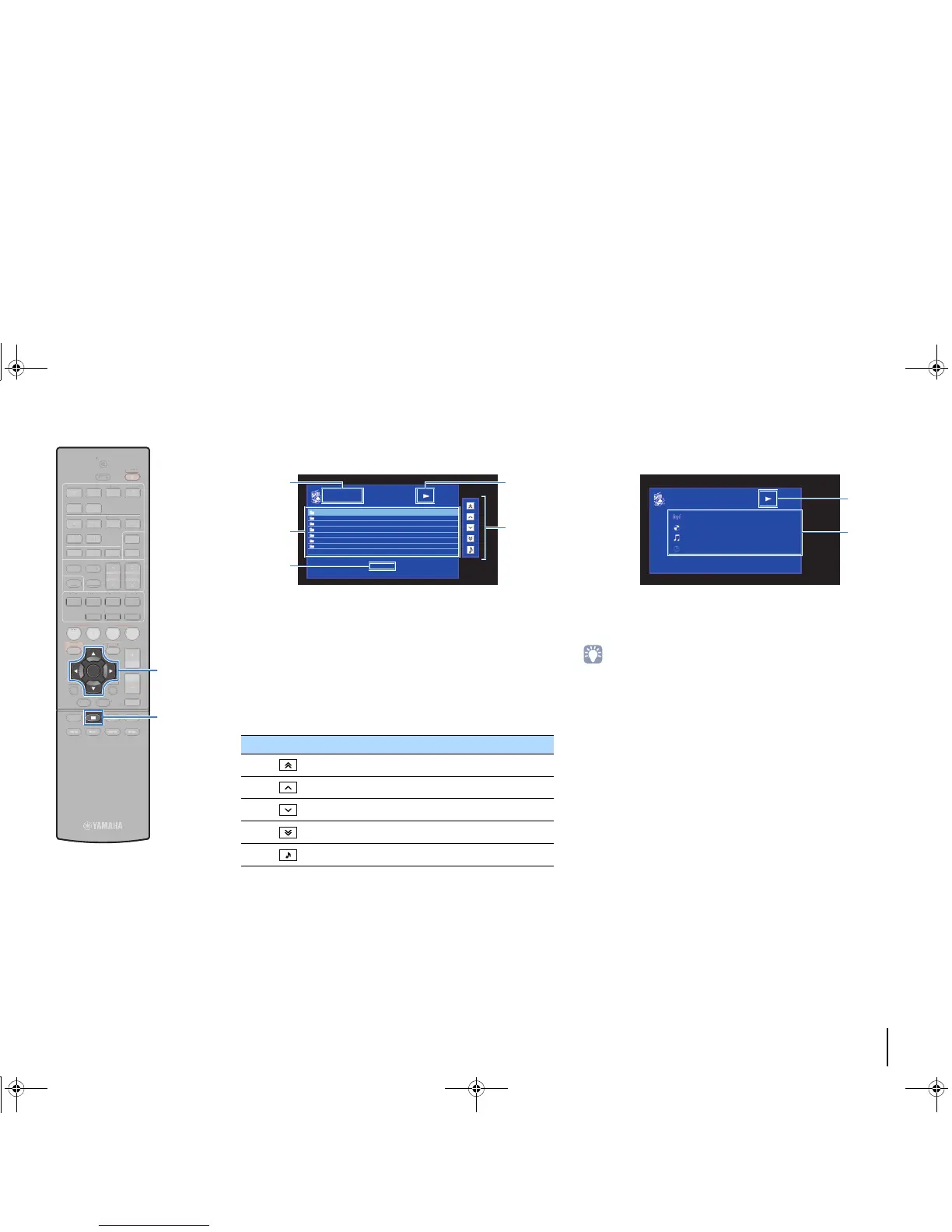
■ Browse screen
1 List name
2 Contents list
Displays the list of Internet radio content. Use the cursor keys to select an
item and press ENTER to confirm the selection.
3 Item number/total
4 Playback indicator
5 Operation menu
Press the cursor key (r) and then use the cursor keys (q/w) to select an
item. Press ENTER to confirm the selection.
■ Playback screen
1 Playback indicator
2 Playback information
Displays the station name, album name, song title, and elapsed time.
• Use the external device operation key (s) to stop playback.
• Some information may not be available depending on the station.
Icon Function
Moves 10 pages backward.
Moves to the previous page of the list.
Moves to the next page of the list.
Moves 10 pages forward.
Moves to the playback screen.
14
5
2
3



 To Next Page