EasyManua.ls Logo

Yamaha RX5 - Loading Data (Jobs #11- #15)

Yamaha RX5
81 pages
Print Icon
To Next Page IconTo Next Page
To Previous Page IconTo Previous Page
Loading...
г----
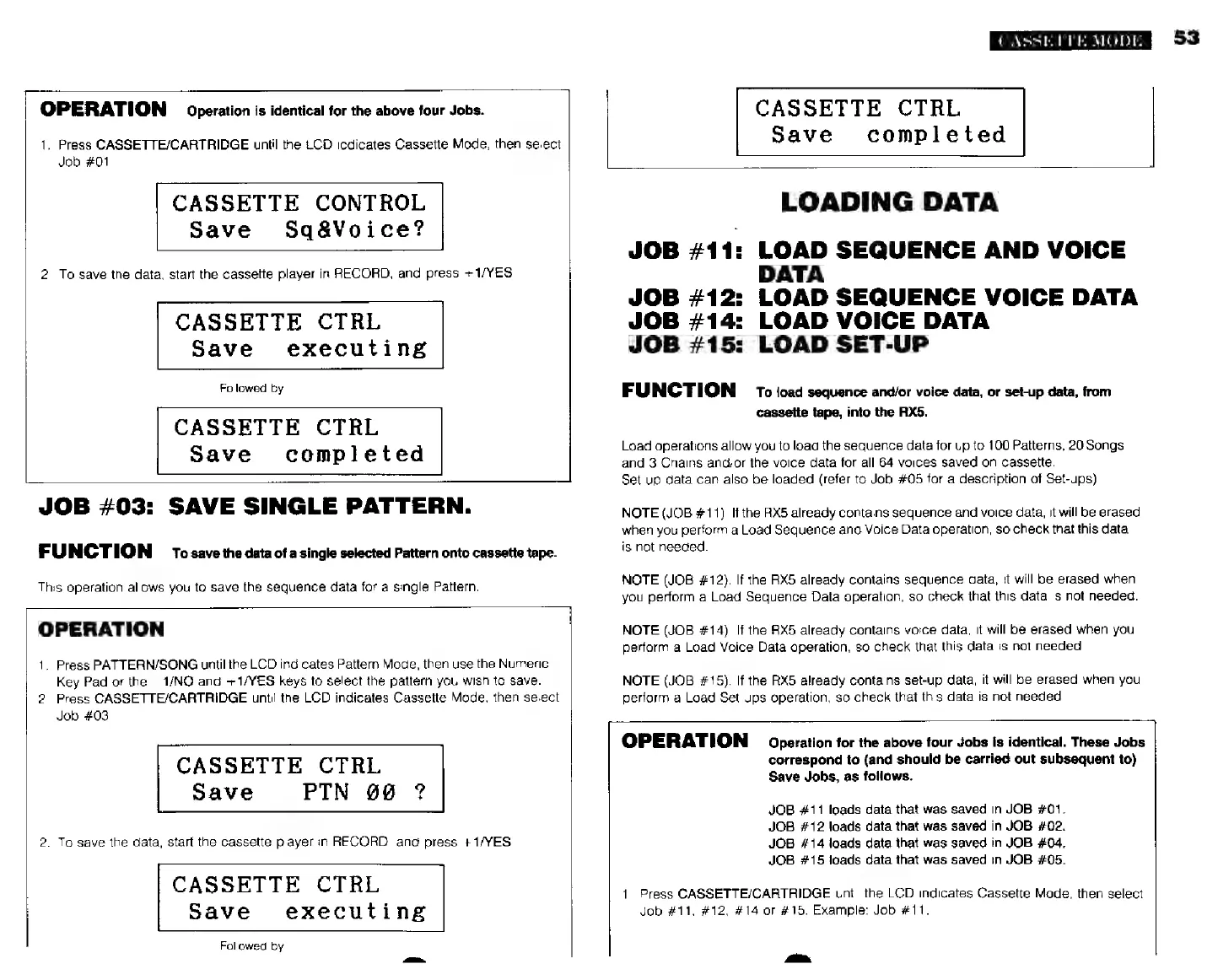
OPERATION
Operation
is
identical
for
the
above
four
Jobs.
1.
Press
CASSETTE/CARTRIDGE
until
the
LCD
icdicates
Cassette
Mode,
then
select
Job
#01
CASSETTE
CONTROL
Save
Sq&Voice?
2.
To
save
the
data,
start
the
cassette
player
in
RECORD,
and
press
+1/YES.
CASSETTE
CTRL
Save
executing
Followed
by
CASSETTE
CTRL
JOB
Z03:
SAVE
SINGLE
PATTERN.
FUNCTION
Tosavethedataota
single
selected
Pattern
onto
cassette
tape.
This
operation
allows
you
to
save
the
sequence
data
for
a
single
Pattern.
CASSETTE
MODE
CASSETTE
CTRL
completed
Save
Save
completed
OPERATION
1.
Press
PATTERN/SONG
until
the
LCD
indicates
Pattern
Mode,
then
use
the
Numeric
Key
Pad
or
the
-1/МО
and
+1/YES
keys
to
select
the
pattern
you
wish
to
save.
2.
Press
CASSETTE/CARTRIDGE
until
the
LCD
indicates
Cassette
Mode,
then
select
Job
#03.
CASSETTE
CTRL
РТМ
00
?
бауе
2.
To
save
the
data,
start
the
cassette
player
in
RECORD,
and
press
+1/YES.
CASSETTE
CTRL
Save
executing
Followed
by
LOADING
DATA
JOB
#11:
LOAD
SEQUENCE
AND
VOICE
DATA
JOB
#12:
LOAD
SEQUENCE
VOICE
DATA
JOB
#14:
LOAD
VOICE
DATA
JOB
#15:
LOAD
SET-UP
FUNCTION
то
ога
sequence
and/or
voice
data,
or
set-up
data,
from
cassette
tape,
into
the
RX5.
Load
operations
allow
you
to
load
the
sequence
data
for
up
to
100
Patterns,
20
Songs
and
3
Chains
and/or
the
voice
data
for
all
64
voices
saved
on
cassette.
Set-up
data
can
also
be
loaded
(refer
to
Job
#05
for
a
description
of
Set-ups).
NOTE
(JOB
#11):
If
the
RX5
already
contains
sequence
and
voice
data,
it
will
be
erased
when
you
perform
a
Load
Sequence
and
Voice
Data
operation,
so
check
that
this
data
is
not
needed.
NOTE
(JOB
#12):
If
the
RX5
already
contains
sequence
data,
it
will
be
erased
when
you
perform
a
Load
Sequence
Data
operation,
so
check
Ihat
this
data
is
not
needed.
NOTE
(JOB
#14):
If
the
RX5
already
contains
voice
data,
it
will
be
erased
when
you
perform
a
Load
Voice
Data
operation,
so
check
that
this
data
is
not
needed.
NOTE
(JOB
#15):
If
the
RX5
already
contains
set-up
data,
it
will
be
erased
when
you
perform
a
Load
Set-ups
operation,
so
check
that
this
data
is
not
needed
OPERATION
Operation
for
the
above
four
Jobs
is
identical.
These
Jobs
correspond
to
(and
should
be
carried
out
subsequent
to)
Save
Jobs,
as
follows.
JOB
#11
loads
data
that
was
saved
in
JOB
#01.
JOB
#12
loads
data
that
was
saved
in
JOB
#02.
JOB
#14
loads
data
that
was
saved
in
JOB
#04.
JOB
#15
loads
data
that
was
saved
in
JOB
#05.
1.
Press
CASSETTE/CARTRIDGE
until
the
LCD
indicates
Cassette
Mode,
then
select
Job
#11,
#12,
#14
or
#15.
Example:
Job
#11.
53