EasyManua.ls Logo

Yamaha RX5 - Sync Mode; Overview; Selecting Sync Modes; Tape Sync Applications

Yamaha RX5
81 pages
Print Icon
To Next Page IconTo Next Page
To Previous Page IconTo Previous Page
Loading...
SYNC
MODE
OVERVIEW
The
Sync
Mode
lets
you
select
four
different
ways
of
controlling
the
“Clock
Rate"
(speed
of
playback
or
recording)
and
Start/Stop/Continue
functions
on
the
RX5.
e
Internal
Sync
(the
RX5
runs
according
to
its
Internal
Clock).
*
MIDI
Sync
(the
НХ5
is
controlled
by
another
MIDI
device).
*
Tape
Sync
(the
RX5
is
controlled
by
а
synchronization
signal
recorded
on
tape).
e
External
Sync
(the
RX5
is
controlled
by
another
non-MIDI
device).
Ф
The
INT
SYNC
(Internal
Sync)
setting
is
the
normal
mode
for
the
RX5.
The
playback
speed
of
Patterns,
Songs
and
Chains,
and
the
Real
Time
Pattern
writing
speed,
are
controlled
by
the
RX5's
internal
Clock,
the
speed
of
which
is
set
by
the
Tempo
functions.
Playback
and
writing
are
operated
by
using
the
RX5's
STOP/CONTINUE
and
START
keys.
The
Internal
Sync
Mode
is
also
used
when
using
the
RX5
to
control
external
MIDI
devices
(the
MIDI
signal
is
transmitted
via
the
MIDI
OUT
termina!)
or
non-MIDI
devices
(the
control
signal
is
transmitted
via
the
EXT.
CLOCK
OUT
terminal)
or
to
record
a
Tape
Sync
signal
(the
sync
signal
is
transmitted
via
the
CASSETTE
terminat).
*
The
MIDI
SYNC
setting
lets
you
start,
stop
and
control
the
speed
of
playback
and
Real
Time
Pattern
writing
on
the
RX5
from
an
external
MIDI
device
such
as
a
QX5
Sequence
Recorder,
a
Music
Computer,
or
even
another
АХ5,
The
MIDI
control
signal
is
fed
into
the
RX5
via
the
MIDI
IN
terminal.
*
The
TAPE
SYNC
setting
lets
you
use
a
Tape
Sync
signal
to
start,
stop
and
control
the
speed
of
playback
and
Real
Time
Pattern
writing.
This
signal,
which
incorporates
a
pre-selected
tempo,
is
recorded
onto
tape
from
ihe
RX5,
or
from
MIDI
devices
capable
of
transmitting
a
Tape
Sync
signal
(for
example,
a
QX5).
When
the
tape
(containing
the
Tape
Sync
signal)
is
played
it
will
cause
the
RX5
to
commence
play
at
the
preselected
tempo,
and
subsequently
stop
play.
Refer
to
the
TAPE
SYNC
APPLICATIONS
section
later
in
this
chapter,
for
a
full
description
of
this
Sync
Mode.
e
The
EXT
SYNC
(External
Sync)
setting
lets
you
start,
stop
and
control
the
speed
of
playback
and
Real
Time
Pattern
writing
on
the
RX5
from
an
external
non-MIDI
device
which
transmits
a
gate-type
clock
or
trigger
signal.
The
control
signal
is
fed
into
the
RX5
via
the
External
Clock
In
terminal.
The
RX5
сап
also
control
this
type
of
externa!
device,
via
the
External
Clock
Out
terminal.
NOTE:
At
any
time,
you
can
instantly
see
which
Sync
Mode
the
НХ5
is
using,
by
checking
which
of
the
four
Sync
LED's
is
lit,
on
the
RX5's
contro!
panel.
SELECTING
SYNC
MODES
OPERATION
1.
Press
SYNC
to,
enter
the
Sync
Mode.
The
LCD
will
show
the
current
Sync
status
of
the
RX5
2.
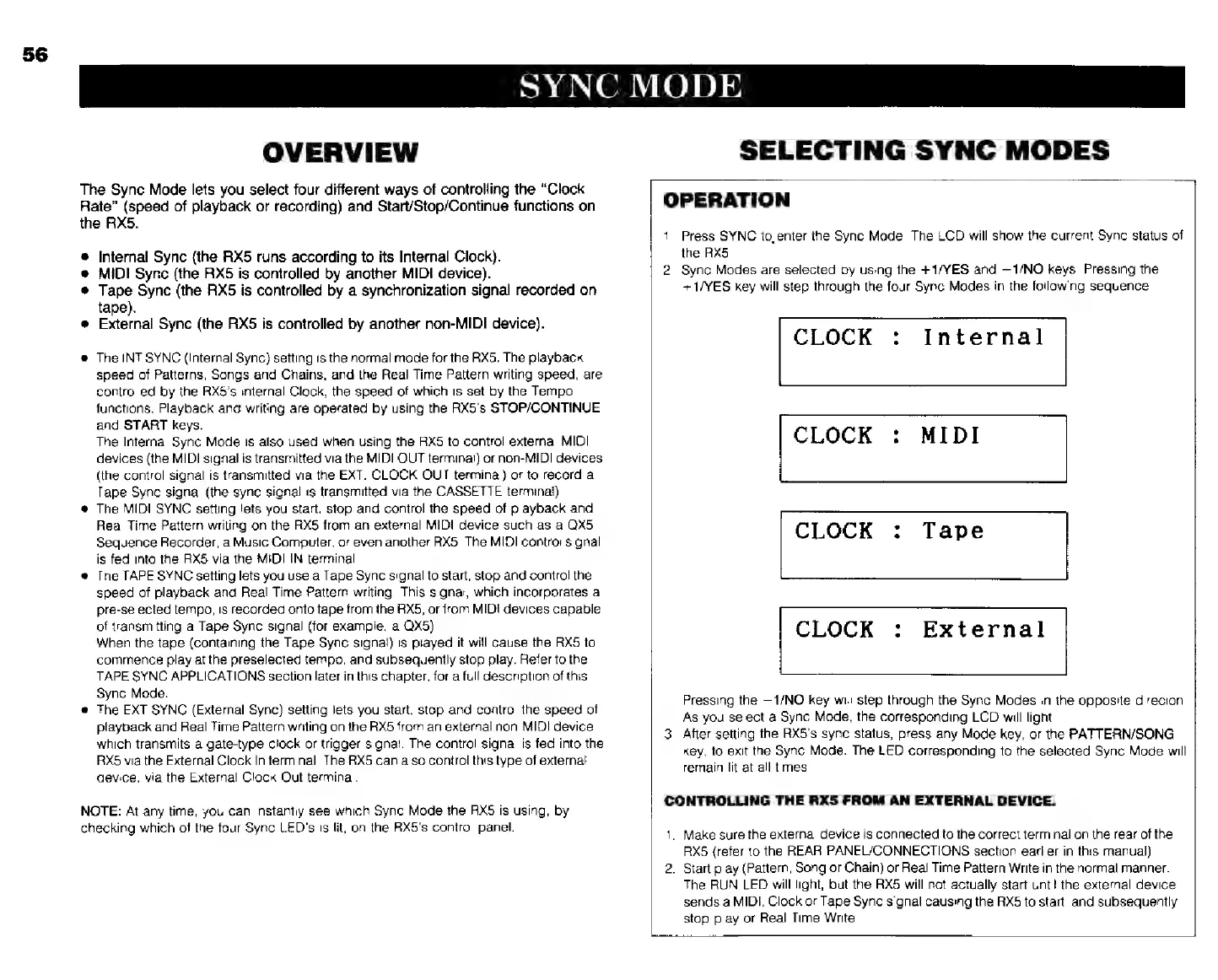
Sync
Modes
are
selected
by
using
the
+1/YES
and
—1/NO
keys.
Pressing
the
+1/YES
key
will
step
through
the
four
Sync
Modes
in
the
following
sequence
Internal
CLOCK
MIDI
CLOCK
:
Tape
External
Pressing
the
—1/NO
key
will
step
through
the
Sync
Modes
in
the
opposite
direcion.
As
you
select
a
Sync
Mode,
the
corresponding
LCD
will
light
3.
After
setting
the
RX5's
sync
status,
press
any
Mode
key,
or
the
PATTERN/SONG
key,
to
exit
the
Sync
Mode.
The
LED
corresponding
to
the
selected
Sync
Mode
will
remain
lit
at
all
times.
CONTROLLING
THE
RX5
FROM
AN
EXTERNAL
DEVICE.
1.
Make
sure
the
external
device
is
connected
to
the
correct
terminal
on
the
rear
of
the
RX5
{refer
to
the
REAR
PANEL/CONNECTIONS
section
earlier
in
this
manual)
2.
Start
play
(Pattern,
Song
or
Chain)
or
Real
Time
Pattern
Write
in
the
normal
manner.
The
RUN
LED
will
light,
but
the
RX5
will
not
actually
start
unti!
the
external
device
sends
а
MIDI,
Clock
or
Tape
Sync
signal
causing
the
RX5
to
start,
and
subsequently
stop
play
or
Real
Time
Write.