EasyManua.ls Logo

Yamaha RX5 - Saving Data (Jobs #01 - #04)

Yamaha RX5
81 pages
Print Icon
To Next Page IconTo Next Page
To Previous Page IconTo Previous Page
Loading...
46
CARTRIDGE
MODE
OVERVIEW
The
Cartridge
Mode
lets
you:
*
Save
Sequence
(Pattern/Song/Chain)
data
and
Voice
data
onto
Yamaha
RAM4
Data
Cartridge.
*
Verify
that
data
has
been
correctly
saved.
*
Load
data
from
cartridge
into
the
RX5.
*
Format
a
data
cartridge.
*
Prior
to
entering
this
Mode,
make
sure
that
a
RAM4
Data
Cartridge
is
firmly
inserted
into
the
Data
Cartridge
slot
on
the
RX5's
rear
panel.
*
Verify
operations
are
highly
recommended
after
every
Save
operation.
This
will
ensure
that
your
data
is
correctly
saved,
otherwise
you
may
lose
irreplaceable
data.
The
Verify
function
compares
the
data
saved
onto
cartridge
with
the
original
data
in
the
RX5.
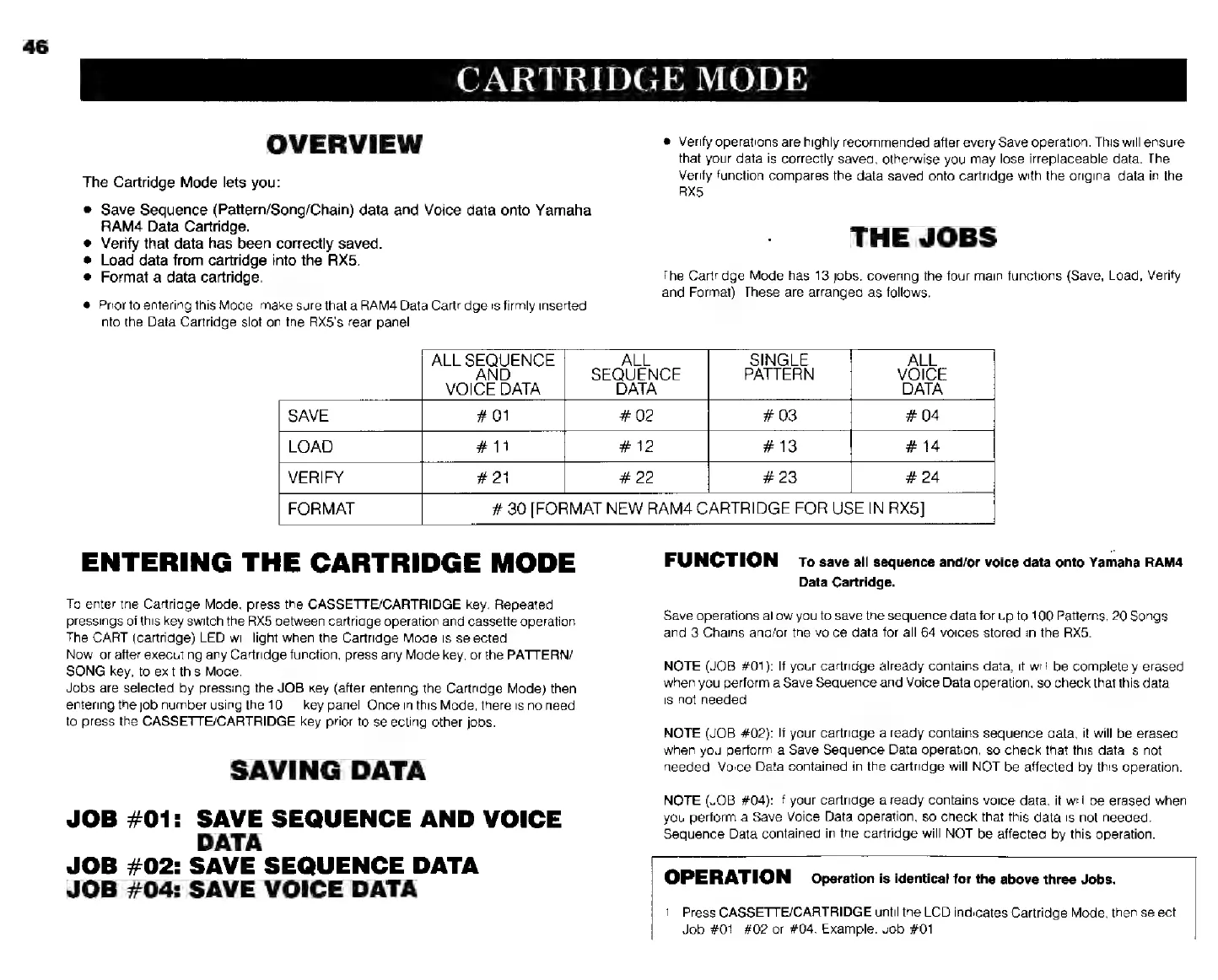
THE
JOBS
The
Cartridge
Mode
has
13
jobs,
covering
the
four
main
functions
(Save,
Load,
Verify
and
Format).
These
are
arranged
as
follows.
ENTERING
THE
CARTRIDGE
MODE
To
enter
the
Cartridge
Mode,
press
the
CASSETTE/CARTRIDGE
key.
Repeated
pressings
this
key
switch
the
RX5
between
cartridge
operation
and
cassette
operation.
The
CART
(cartridge)
LED
will
light
when
the
Cartridge
Mode
is
selected.
Now,
or
after
executing
any
Cartridge
function,
press
any
Mode
key,
orthe
PATTERN/
SONG
key,
to
exit
this
Mode.
Jobs
are
selected
by
pressing
the
JOB
key
(after
entering
the
Cartridge
Mode)
then
entering
the
job
number
using
the
10
key
panel.
Once
in
this
Mode,
there
is
no
need
to
press
the
CASSETTE/CARTRIDGE
key
prior
to
selecting
other
jobs.
SAVING
DATA
JOB
#01:
SAVE
SEQUENCE
AND
VOICE
DATA
JOB
#02:
SAVE
SEQUENCE
DATA
JOB
#04:
SAVE
VOICE
DATA
ALL
SEQUENCE
ALL
SINGLE
ALL
SEQUENCE
PATTERN
VOICE
VOICE
DATA
DATA
DATA
SAVE
#01
#03 #04
LOAD
#11
#13 #14
VERIFY
#21
#23
|
#24
FORMAT
#
30
[FORMAT
NEW
РАМА
CARTRIDGE
FOR
USE
IN
RX5]
FUNCTION
то
save
all
sequence
and/or
voice
data
onto
Yamaha
ВАМА
Data
Cartridge.
Save
aperations
allow
you
to
save
the
sequence
data
for
up
to
100
Patterns,
20
Songs
and
3
Chains
and/or
the
voice
data
for
all
64
voices
stored
in
the
RX5.
NOTE
(JOB
#01):
If
your
cartridge
already
contains
data,
it
will
be
completely
erased
when
you
perform
a
Save
Sequence
and
Voice
Data
operation,
so
check
that
this
data
is
not
needed.
NOTE
(JOB
#02):
И
your
cartridge
already
contains
sequence
data,
it
will
be
erased
when
you
perform
a
Save
Sequence
Data
operation,
so
check
that
this
data
is
not
needed.
Voice
Data
contained
in
the
cartridge
will
NOT
be
affected
by
this
operation.
NOTE
(JOB
#04):
If
your
cartridge
already
contains
voice
data,
it
will
be
erased
when
уси
perform
a
Save
Voice
Data
operation,
so
check
that
this
data
is
not
needed.
Sequence
Data
contained
in
the
cartridge
will
NOT
be
affected
by
this
operation.
OPERATION
Operation
is
identical
for
the
above
three
Jobs.
1.
Press
CASSETTE/CARTRIDGE
until
the
LCD
indicates
Cartridge
Mode,
then
select
Job
#01,
#02
or
#04.
Example:
Job
#01.