EasyManua.ls Logo

Yamaha RX5 - Page 49

Yamaha RX5
81 pages
Print Icon
To Next Page IconTo Next Page
To Previous Page IconTo Previous Page
Loading...
Destination
number
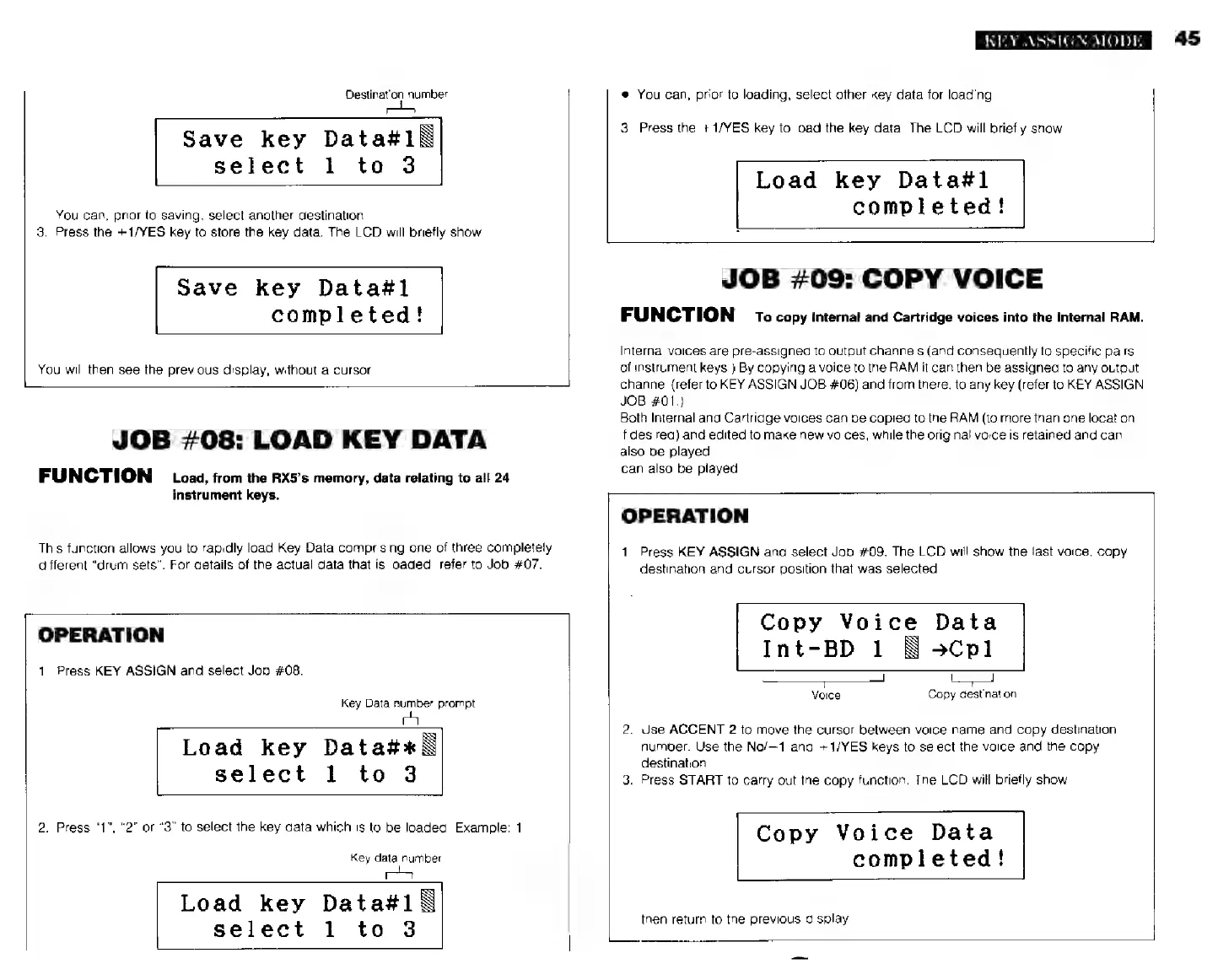
Save
key
Datas1E
select
1
to
3
You
can,
prior
to
saving,
select
another
destination.
3.
Press
the
+1/YES
key
to
store
the
key
data.
The
LCD
will
briefly
show
Save
key
Data#l
completed!
You
will
then
see
the
previous
display,
without
a
cursor.
LL
JOB
#08:
LOAD
KEY
DATA
FUNCTION
Load,
from
the
RX5's
memory,
data
relating
to
all
24
instrument
keys.
This
function
allows
you
to
rapidly
load
Key
Data
comprising
one
of
three
completety
different
"drum
sets".
For
details
of
the
actual
data
that
is
loaded,
refer
to
Job
#07.
OPERATION
1.
Press
KEY
ASSIGN
and
select
Job
#08.
Key
Data
number
prompt
Load
key
Data#+*
B
select
1
to
3
2.
Press
"1",
"2"
or
"3"
to
select
ihe
key
data
which
is
to
be
loaded,
Example:
1.
Key
data
number
Load
key
Data#1\
select
1
to
3
KEY
ASSIGN
MODE
*
You
can,
prior
to
loading,
select
other
key
data
for
loading
3.
Press
the
+1/YES
key
to
load
the
key
data.
The
LCD
will
briefly
show
Load
key
Data#l
completed!
JOB
#09:
COPY
VOICE
FUNCTION
ro
copy
Internal
and
Cartridge
voices
into
the
Internal
RAM.
Internal
voices
are
pre-assigned
to
output
channels
(and
consequently
to
specific
pairs
of
instrument
keys.)
By
copying
a
voice
to
the
RAM
it
can
then
be
assigned
to
any
output
channel
(refer
to
KEY
ASSIGN
JOB
#06)
and
from
there,
to
any
key
(refer
to
KEY
ASSIGN
JOB
#01.)
Both
Internal
and
Cartridge
voices
can
be
copied
to
the
RAM
(to
more
than
one
location,
if
desired)
and
edited
to
make
new
voices,
while
the
original
voice
is
retained
and
can
also
be
played
can
also
be
played.
OPERATION
1.
Press
KEY
ASSIGN
and
select
Job
#09.
The
LCD
will
show
the
last
voice,
copy
destination
and
cursor
position
that
was
selected
Copy
Voice
Data
Int-BD
1
Бәсрі
Voice
Copy
destination
2.
Use
ACCENT
2
to
move
the
cursor
between
voice
name
and
copy
destination
number.
Use
the
No/—1
and
+1/YES
keys
to
select
the
voice
and
the
copy
destination
3.
Press
START
to
carry
out
the
copy
function.
The
LCD
will
briefly
show
Copy
Voice
Data
completed!
then
return
to
the
previous
display
L.
45