EasyManua.ls Logo

Yamaha RX5 - Song Clear

Yamaha RX5
81 pages
Print Icon
To Next Page IconTo Next Page
To Previous Page IconTo Previous Page
Loading...
3.
Press
“1"
to
select
Up
(volume
increase)
or
“2”
to
select
Down
(volume
decrease).
As
the
operation
is
identical
for
both
types
of
Volume
Change,
мелі
describe
volume
increase
only.
The
only
difference
is
that
the
Volume
Change
value
is
shown
as
a
positive
number
for
volume
increase,
and
a
negative
number
for
volume
decrease.
EDIT
SONG
89
Part$81-
vol+@@N
Volume
Change
value
4.
Use
the
Numeric
Key
Pad
to
set
the
value
of
the
Volume
Change.
Range:
0—31.
®
If
more
than
one
Volume
Change
command
is
entered
into
a
Song,
the
resulting
volume
depends
on
the
combination
of
Volume
Changes.
For
example,
if
you
enter
a
Volume
Change
of
+5,
then
later
in
the
a
Song
enter
a
Volume
Change
of
—5,
the
combined
Volume
Change
is
zero,
so
the
final
level
of
the
Song
will
be
equat
to
its
original
level.
NOTE:
The
Volume
range
of
the
RX5
is
0—31.
The
Volume
Change
function
can
NOT
alter
the
volume
beyond
these
limits.
5.
The
Volume
Change
is
now
set,
and
you
can
press
+1/YES
to
move
on
to
the
next
Part
and
continue
editing,
or
press
PATTERN/SONG
to
exit
the
Edit
Song
Mode
e
Volume
Changes
can
be
entered
AFTER
ali
the
Pattern
numbers
have
been
entered
for
a
Song.
Refer
to
the
INSERT
FUNCTION
(described
earlier
in
this
chapter)
and
enter
the
Volume
Change
in
the
normal
way,
after
pressing
the
INSERT
key.
Remember
that
a
Volume
Change
will
create
a
new
Part,
and
move
all
subsequent
Parts
forward.
SONG
COPY
FUNCTION
то
copy
a
Song
to
another
destination.
The
Song
Copy
function
lets
you
сору
any
selected
Song
to
another
destination
in
the
RX5's
Song
memory.
This
is
useful
if
you
want
to
copy
a
Song
in
order
to
alter
it
to
create
a
new
Song,
while
retaining
the
original
Song.
SONG
OPERATIONS
@
If
the
Memory
Protect
is
ON,
the
LCD
will
show
“MEMORY
PROTECTED”
when
the
Copy
key
їз
pressed,
indicating
that
Song
Copy
cannot
be
carried
out.
Use
UTILITY
JOB
#03
to
turn
off
the
Memory
Protect
function.
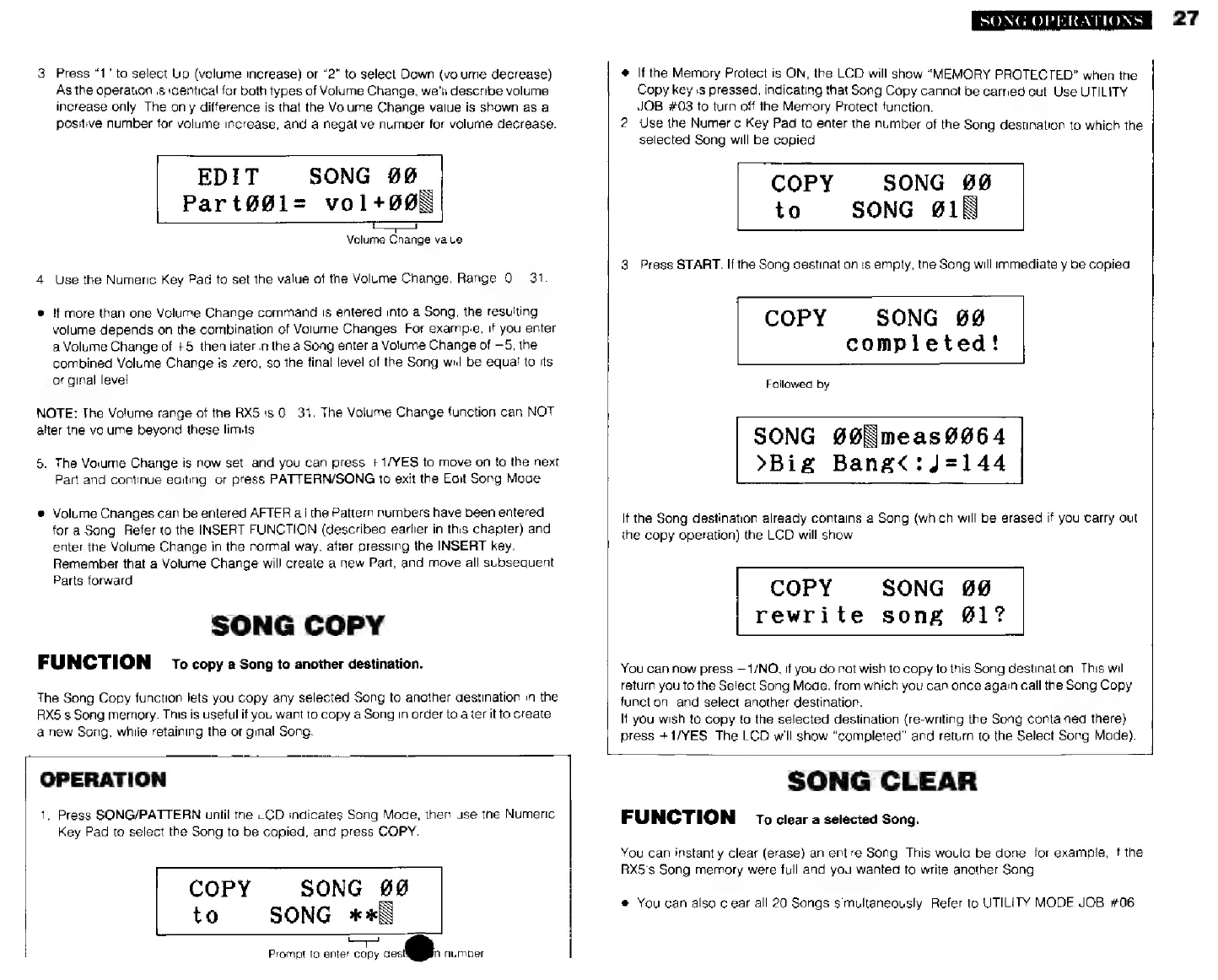
2.
Use
the
Numeric
Key
Pad
to
enter
the
number
of
the
Song
destination
to
which
the
selected
Song
will
be
copied.
COPY
SONG
00
to
SONG
£18
3.
Press
START.
If
the
Song
destination
is
empty,
the
Song
will
immediately
be
copied.
COPY
SONG
69
completed!
Followed
by
SONG
#@Nmeas
O64
>В1=
Bang<:J=144
If
the
Song
destination
already
contains
a
Song
(which
will
be
erased
if
you
Carry
out
the
copy
operation)
the
LCD
will
show
COPY
rewrite
song
@1?
SONG
00
You
can
now
press
1/NO,
if
you
do
not
wish
to
copy
to
this
Song
destination.
This
will
return
you
to
the
Select
Song
Mode,
from
which
you
can
once
again
call
the
Song
Copy
function,
and
select
another
destination.
If
you
wish
to
copy
to
the
selected
destination
(re-writing
the
Song
contained
there)
press
+1/YES.
The
LCD
will
show
"completed"
and
return
to
the
Select
Song
Mode).
1
OPERATION
1.
Press
SONG/PATTERN
until
the
LCD
indicates
Song
Mode,
then
use
the
Numeric
Key
Pad
to
select
the
Song
to
be
copied,
and
press
COPY.
COPY
SONG
йй
to
SONG
жж
=
Prompt
to
enter
copy
dest!
number
SONG
CLEAR
FUNCTION
то
clear
a
selected
Song.
You
can
instantly
clear
(erase)
an
entire
Song.
This
would
be
done,
for
example,
if
the
RX5's
Song
memory
were
full
and
you
wanted
to
write
another
Song
*
You
can
also
clear
all
20
Songs
simultaneously.
Refer
to
UTILITY
MODE
JOB
#06.
27