EasyManua.ls Logo

Yamaha RX5 - Page 30

Yamaha RX5
81 pages
Print Icon
To Next Page IconTo Next Page
To Previous Page IconTo Previous Page
Loading...
26
SONG
OPERATIONS
TEMPO
CHANGE
FUNCTION
FUNCTION
то
enter
gradual
tempo
changes
into
a
selected
Song.
This
function
allows
you
to
enter
a
graduai
change
of
tempo
in
a
Song.
The
tempo
сап
increase
(accelerando)
or
decrease
(ritardando).
You
can.set
the
overall
range
of
the
Tempo
Change,
and
the
duration
of
the
change.
А
Tempo
Change
counts
as
a
Part
of
a
Song.
*
If
you
enter
a
Tempo
Change
during
a
repeat
section,
the
Tempo
Change
will
also
be
repeated,
allowing
you
to
make
a
gradual
Tempo
Change
over
a
long
period
(longer
than
the
maximum
of
99
quarter-notes
which
can
be
set
for
a
single
Tempo
Change).
NOTE:
When
you
play
a
Song
that
contains
a
Tempo
Change,
the
final
tempo
of
the
Song
will
be
different
from
the
initial
tempo.
If
vou
have
not
set
an
Initial
Tempo
for
a
Song,
and
you
immediately
play
the
Song
again,
it
will
commence
play
at
the
new
tempo.
Therefore,
it
is
recommended
that
you
always
set
the
Initial
tempo
for
a
Song.
Refer
to
JOB
#04:
INITIAL
TEMPO.
OPERATION
1.
Press
PATTERN/SONG
until
the
LCD
indicates
Song
Mode,
then
use
the
10-keys
to
Select
a
Song.
2.
Press
REAL
TIME
WRITE/EDIT
SONG
to
enter
the
Edit
Song
Mode,
and
start
editing
a
Song.
When
you
reach
the
point
at
which
the
Tempo
Change
is
needed
press
CLICK/TEMPO
CHANGE.
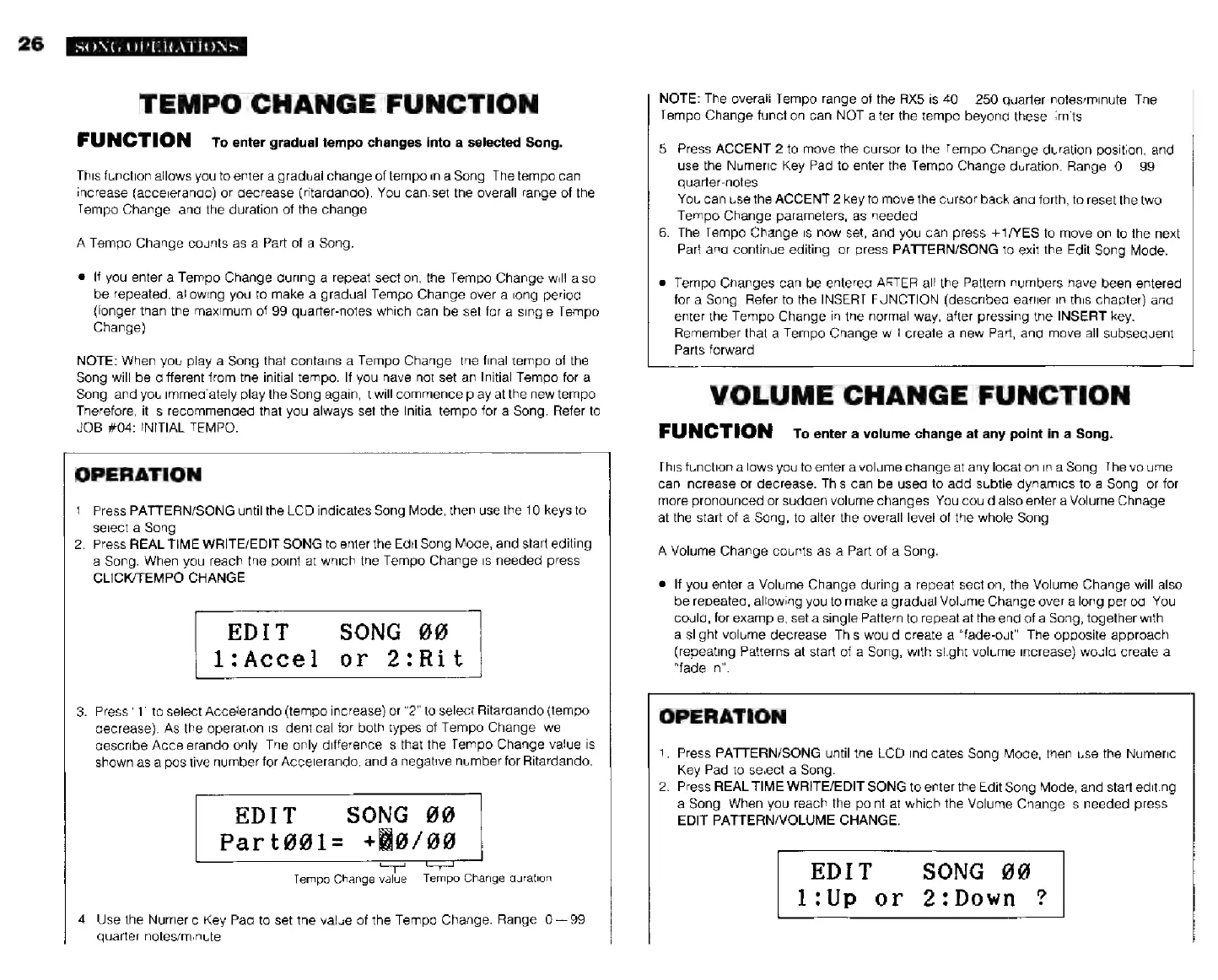
EDIT
SONG
00
1:
Ассе]
or
2:Rit
3.
Press
"1"
to
select
Accelerando
(tempo
increase)
or
"2"
to
select
Ritardando
(tempo
decrease).
As
the
operation
is
identical
tor
both
types
of
Tempo
Change,
we'll
describe
Accelerando
only.
The
only
difference
is
that
the
Tempo
Change
value
is
shown
as
a
positive
number
for
Accelerando,
and
a
negative
number
for
Ritardando.
EDIT
SONG
99
Part091-
+Й9/90
Tempo
Change
value
Tempo
Change
duration
4.
Use
the
Numeric
Key
Pad
to
set
the
value
of
the
Tempo
Change.
Range:
0-99
quarter-notes/minute.
NOTE:
The
оуегай
Tempo
range
ої
the
RX5
is
40—250
quarter-notes/minute.
The
Tempo
Change
function
can
NOT
alter
the
tempo
beyond
these
limits.
5.
Press
ACCENT
2
to
move
the
cursor
to
the
Tempo
Change
duration
position,
and
use
the
Numeric
Key
Pad
to
enter
the
Tempo
Change
duration.
Range:
0--99
quarter-notes.
You
can
use
the
ACCENT
2
key
to
move
the
cursor
back
and
forth,
to
reset
the
two
Tempo
Change
parameters,
as
needed.
6.
The
Tempo
Change
is
now
set,
and
you
can
press
+1/YES
to
move
on
to
the
next
Part
and
continue
editing,
or
press
PATTERN/SONG
to
exit
the
Edit
Song
Mode.
e
Tempo
Changes
can
be
entered
AFTER
all
the
Pattern
numbers
have
been
entered
for
a
Song.
Refer
to
the
INSERT
FUNCTION
(described
earlier
in
this
chapter)
and
enter
the
Tempo
Change
in
the
normal
way,
after
pressing
the
INSERT
key.
Remember
that
a
Tempo
Change
will
create
a
new
Part,
and
move
all
subsequent
Parts
forward.
VOLUME
CHANGE
FUNCTION
FUNCTION
т.
enter
а
volume
change
at
any
point
in
a
Song.
This
function
allows
you
to
enter
a
volume
change
at
any
location
in
a
Song.
The
volume
can
increase
or
decrease.
This
can
be
used
to
add
subtle
dynamics
to
a
Song,
or
for
more
pronounced
or
sudden
volume
changes.
You
could
also
enter
a
Volume
Chnage
at
the
start
of
a
Song,
to
alter
the
overall
level
of
the
whole
Song.
A
Volume
Change
counts
as
a
Part
of
a
Song.
*
If
you
enter
a
Volume
Change
during
a
repeat
section,
the
Volume
Change
will
also
be
repeated,
allowing
you
to
make
a
gradual
Volume
Change
over
a
long
period.
You
could,
for
example,
set
a
single
Pattern
to
repeat
at
the
end
of
a
Song,
together
with
a
slight
volume
decrease.
This
would
create
a
"fade-out".
The
opposite
approach
(repeating
Patterns
at
start
of
a
Song,
with
slight
volume
increase)
would
create
a
"fade-in".
OPERATION
1.
Press
PATTERN/SONG
until
the
LCD
indicates
Song
Mode,
then
use
the
Numeric
Key
Pad
to
select
a
Song.
2.
Press
REAL
TIME
WRITE/EDIT
SONG
to
enter
the
Edit
Song
Mode,
and
start
editing
a
Song.
When
you
reach
the
point
at
which
the
Volume
Change
is
needed
press
EDIT
PATTERN/VOLUME
CHANGE.
EDIT
SONG
99
1:0р
or
2:Down
?