EasyManua.ls Logo

Yamaha RX5 - Verifying Data (Jobs #21-24)

Yamaha RX5
81 pages
Print Icon
To Next Page IconTo Next Page
To Previous Page IconTo Previous Page
Loading...
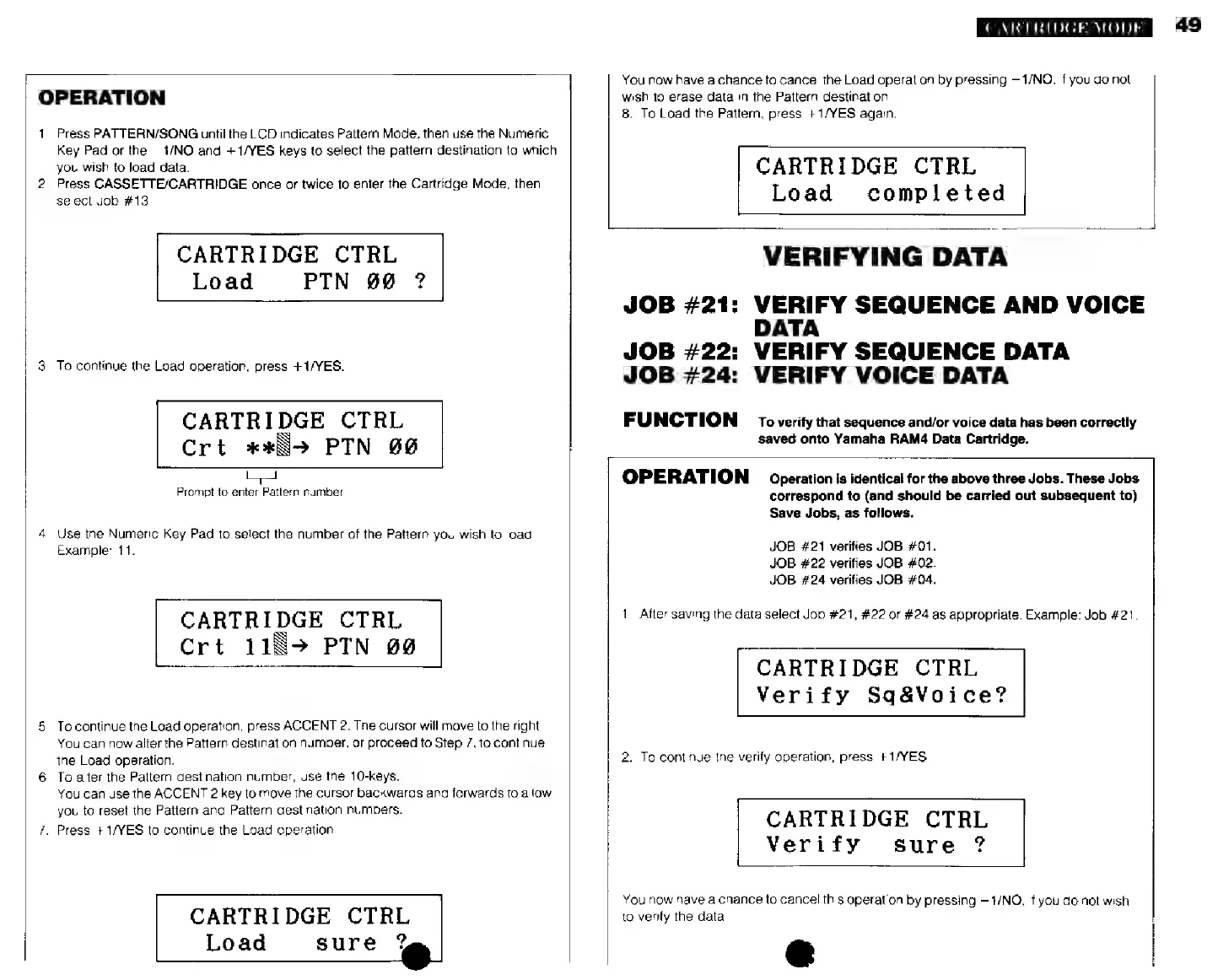
OPERATION
1.
Press
PATTERN/SONG
until
the
LCD
indicates
Pattern
Mode,
then
use
the
Numeric
Key
Pad
or
the
—1/NO
and
+1/YES
keys
to
select
the
pattern
destination
to
which
you
wish
to
load
data.
2.
Press
CASSETTE/CARTRIDGE
once
or
twice
to
enter
the
Cartridge
Mode,
then
select
Job
#13.
CARTRIDGE
CTRL
Load
РТМ
00
?
3.
To
continue
the
Load
operation,
press
+1/YES.
CARTRIDGE
CTRL
Crt
жж]
РТМ
66
Prompt
to
enter
Pattern
number
4.
Use
the
Numeric
Key
Pad
to
select
the
number
of
the
Pattern
you
wish
to
load.
Example:
11.
CARTRIDGE
CTRL
Crt
118»
РТМ
00
5.
To
continue
the
Load
operation,
press
ACCENT
2.
The
cursor
will
move
to
the
right.
You
can
now
alter
the
Pattern
destination
number,
or
proceed
to
Step
7,10
continue
ihe
Load
operation.
6.
To
aller
the
Pattern
destination
number,
use
the
10-keys.
You
can
use
the
ACCENT
2
key
1o
move
the
cursor
backwards
and
forwards
to
allow
you
to
reset
the
Pattern
and
Pattern
destination
numbers.
7.
Press
+1/YES
to
continue
the
Load
operation.
CARTRIDGE
CTRL
sure
?
Load
CARTRIDGE
MODE
You
now
have
a
chance
to
cancel
the
Load
operation
by
pressing
-1/МО,
if
you
do
not
wish
to
erase
data
in
the
Pattern
destination.
8.
To
Load
the
Pattern,
press
+1/YES
again.
CARTRIDGE
CTRL
Load
completed
VERIFYING
DATA
JOB
#21:
VERIFY
SEQUENCE
AND
VOICE
DATA
JOB
#22:
VERIFY
SEQUENCE
DATA
JOB
#24:
VERIFY
VOICE
DATA
FUNCTION
то
verify
that
sequence
and/or
voice
data
has
been
correctly
saved
onto
Yamaha
НАМ4
Data
Cartridge.
OPERATION
Operation
is
identical
for
the
above
three
Jobs.
These
Jobs
correspond
to
(and
should
be
carried
out
subsequent
to)
Save
Jobs,
as
follows.
JOB
#21
verifies
JOB
#01.
JOB
#22
verifies
JOB
#02.
JOB
#24
verifies
JOB
#04.
1.
After
saving
the
data
select
Job
#21,
#22
or
#24
as
appropriate.
Example:
Job
#21.
CARTRIDGE
CTRL
Verify
Sq&Voice?
2.
To
continue
the
verify
operation,
press
+1/YES.
CARTRIDGE
CTRL
Verify
sure
?
You
now
have
a
chance
to
cancel
this
operation
by
pressing
-1/МО,
if
you
do
not
wish
to
verify
the
data.
49