EasyManua.ls Logo

Yamaha RX5 - Job 404: Change Voice; Job #05; Clear All Patterns

Yamaha RX5
81 pages
Print Icon
To Next Page IconTo Next Page
To Previous Page IconTo Previous Page
Loading...
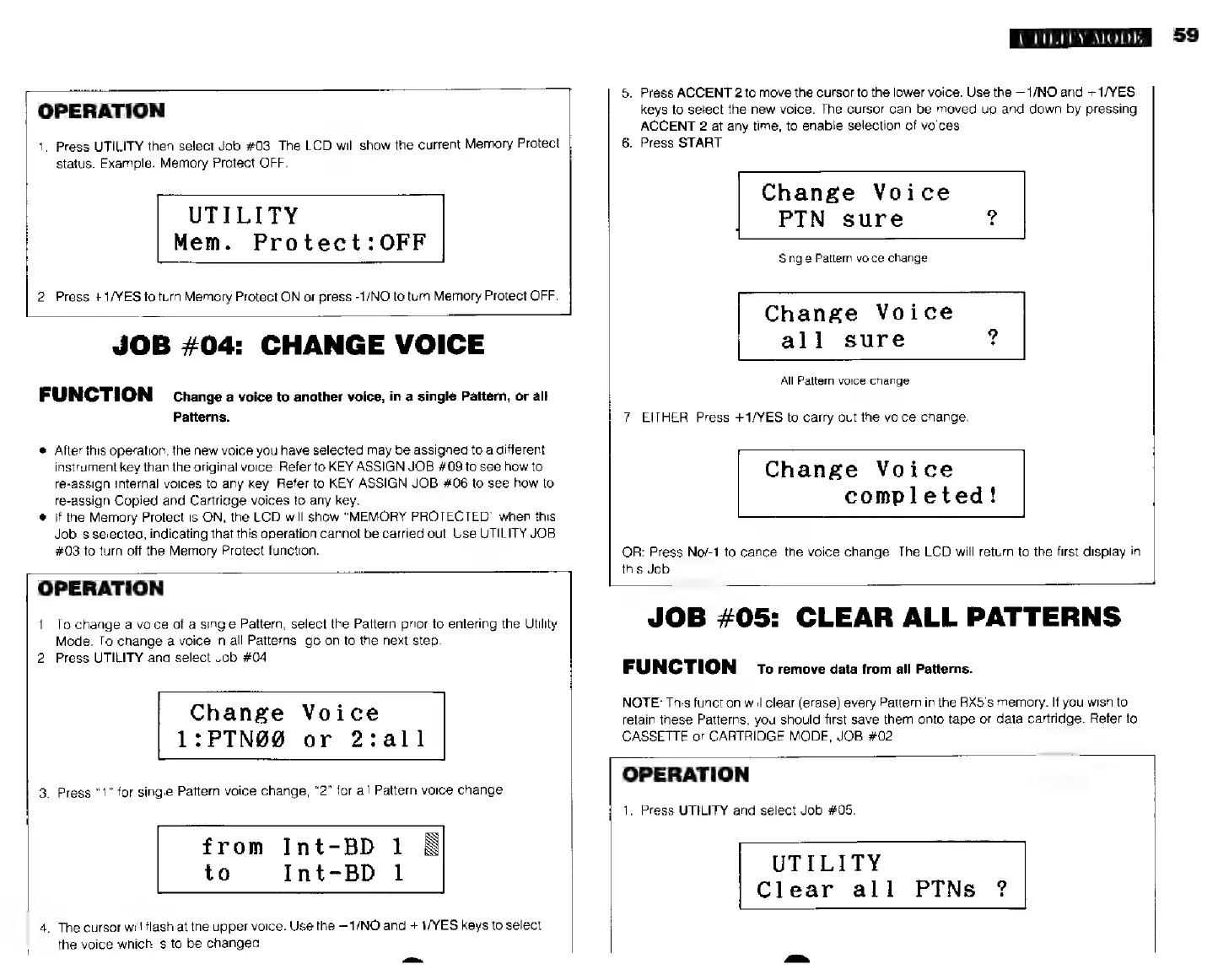
OPERATION
1.
Press
UTILITY
then
select
Job
#03.
The
LCD
will
show
the
current
Memory
Protect
status.
Example:
Memory
Protect
OFF.
UTILITY
Mem.
Protect:OFF
2,
Press
+1/YES
to
turn
Memory
Protect
ON
or
press
-1/NO
to
turn
Memory
Protect
OFF.
JOB
#04:
CHANGE
VOICE
FUNCTION
Change
a
voice
to
another
voice,
in
a
single
Pattern,
or
all
Patterns.
After
this
operation,
the
new
voice
you
have
selected
may
be
assigned
to
a
different
instrument
key
than
the
original
voice.
Refer
to
KEY
ASSIGN
JOB
#039
to
see
how
to
re-assign
Internal
voices
to
any
key.
Refer
to
KEY
ASSIGN
JOB
#06
to
see
how
to
re-assign
Copied
and
Cartridge
voices
to
any
key.
*
if
the
Memory
Protect
is
ON,
the
LCD
will
show
"MEMORY
PROTECTED"
when
this
Job
is
selected,
indicating
that
this
operation
cannot
be
carried
out.
Use
UTILITY
JOB
#03
to
turn
off
the
Memory
Protect
function.
OPERATION
1.
Ta
change
a
voice
of
a
single
Pattern,
select
the
Pattern
prior
to
entering
the
Utility
Mode.
To
change
a
voice
in
all
Patterns,
go
on
to
the
next
step.
2.
Press
UTILITY
and
select
Job
#04.
Change
Voice
1:PTN89
or
2:all
3.
Press
"1"
for
single
Pattern
voice
change,
"2"
for
all
Pattern
voice
change.
from
Int-BD
1
E
to
Int-BD
1
4.
The
cursor
will
flash
а
the
upper
voice.
Use
the
—1/NO
and
+1/YES
keys
to
select
the
voice
which
is
to
be
changed.
UTILITY
MODE
5.
Press
ACCENT
2
to
move
the
cursor
to
the
lower
voice.
Use
the
—1/NO
and
--1/ҮЕ8
keys
to
setect
the
new
voice.
The
cursor
can
be
moved
up
and
down
by
pressing
ACCENT
2
at
any
time,
to
enable
selection
of
voices.
6.
Press
START.
Change
Voice
PTN
sure
Single
Pattern
voice
change
Change
Voice
all
sure
All
Pattern
voice
change
7.
EITHER:
Press
+1/YES
to
carry
out
the
voice
change.
Change
Voice
completed!
OR:
Press
No/-1
to
cancel
the
voice
change.
The
LCD
will
return
to
the
first
display
in
this
Job.
JOB
#05:
CLEAR
ALL
PATTERNS
FUNCTION
70
remove
data
from
all
Patterns.
NOTE:
This
function
will
clear
(erase)
every
Pattern
in
the
RX5’s
memory.
If
you
wish
to
retain
these
Patterns,
you
should
first
save
them
onto
tape
or
data
cartridge.
Refer
to
CASSETTE
or
CARTRIDGE
MODE,
JOB
#02.
OPERATION
1.
Press
UTILITY
and
select
Job
#05.
UTILITY
Clear
all
PTNs
?
59