EasyManua.ls Logo

Yamaha RX5 - Voice Mode

Yamaha RX5
81 pages
Print Icon
To Next Page IconTo Next Page
To Previous Page IconTo Previous Page
Loading...
за
EDIT
VOICE
MODE
OVERVIEW
The
Edit
Voice
Mode
lets
you:
®
Edit
any
voice
that
has
been
assigned
to
an
instrument
key,
to
create
a
new
voice.
*
Initialize
any
voice
(automatically
return
its
parameters
to
their
original
settings).
*
Store
an
edited
voice
to
the
same
memory
location
as
the
selected
voice.
е
Recall
the
last
voice
you
were
editing.
e
Compare
an
edited
voice
with
its
previous
version.
e
Refer
to
the
EDIT
VOICE
BLOCK
DIAGRAM
near
the
end
of
this
manual,
for
a
visual
explanation
of
how
voice
data
is
edited
on
the
RX5.
e
Any
voice
selected
for
editing
will
be
affected
by
the
Parameter
Assign
functions
corresponding
to
its
instrument
key
(refer
to
KEY
ASSIGN
JOB
#02).
For
example,
if
the
pitch
at
the
selected
key
is
set
to
+3
semitones,
any
voice
assigned
to
that
key
will
have
its
pitch
raised
by
3
semitones.
This
pitch
change,
however,
will
NOT
show
on
the
LCD
in
this
Mode.
Also,
if
KEY
ASSIGN
JOB
#02
has
been
used
to
set
a
parameter
at
the
upper
or
lower
limit
of
its
range,
it
cannot
be
set
beyond
these
limits
using
the
Edit
Voice
Mode.
THE
JOBS
Job
#01:
SELECT
VOICE.
Select
any
voice
which
has
already
been
assigned
to
an
instrument
key,
for
editing.
Job
#02:
PITCH.
Edit
the
pitch
of
the
selected
voice.
Job
#03:
E.G.
(Envelope
Generator).
Edit
six
parameters
releating
to
the
envelope
of
the
selected
voice
Job
#04:
BEND.
Alter
the
Pitch
Bend
Rate
and
Pitch
Bend
Range
of
the
selected
voice
Job
#05:
VOICE
LEVEL.
Alter
the
level
of
the
selected
voice.
Job
#06:
LOOP.
Turn
on/off
the
loop
section
of
the
selected
voice
Job
#07:
STORE
VOICE.
Store
the
edited
voice
into
the
RX5's
Voice
Edit
Memory,
at
the
same
location
as
the
selected
voice,
Job
#08:
INITIALIZE
VOICE.
Return
ail
parameters
of
an
edited
voice
to
their
original
values
Job
#09;
RECALL
EDIT.
ENTERING
THE
EDIT
VOICE
MODE
To
enter
the
Edit
Voice
Mode,
press
the
EDIT
VOICE
key.
The
EDIT
VOICE
LED
will
light.
The
LCD
will
show
the
last
instrument
key,
job
and
parameter
value
selected
in
this
Mode.
EDIT
VOICE
:keyA
Pitch=+
Я
сеп+
Now,
or
after
setting
any
Edit
Voice
parameter
or
function,
press
any
Mode
key,
ог
the
PATTERN/SONG
key,
to
exit
this
Mode.
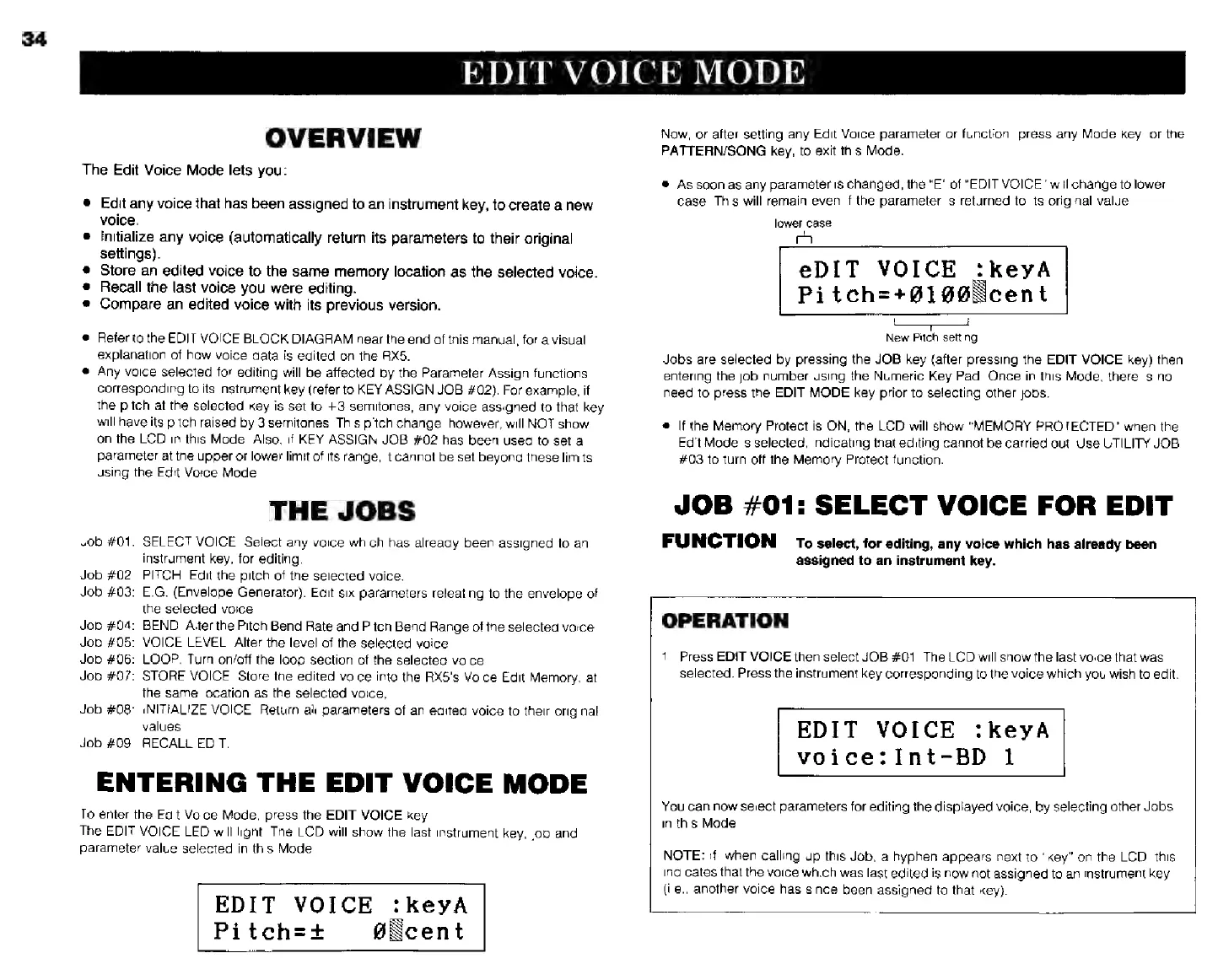
*
As
soon
as
any
parameter
is
changed,
the
"E"
of
“EDIT
VOICE"
will
change
to
lower
case.
This
will
remain
even
if
the
parameter
is
returned
to
its
original
value.
lower
case
еріт
VOICE
:keyA
Ріїісһ=
+0190
{сепі
New
Pitch
setting
Jobs
are
selected
by
pressing
the
JOB
key
(after
pressing
the
EDIT
VOICE
key)
then
entering
the
job
number
using
the
Numeric
Key
Pad.
Once
in
this
Mode,
there
is
no
need
to
press
the
EDIT
MODE
key
prior
to
selecting
other
jobs.
*
If
the
Memory
Protect
is
ON,
the
LCD
will
show
"MEMORY
PROTECTED"
when
the
Edit
Mode
is
selected,
indicating
that
editing
cannot
be
carried
out,
Use
UTILITY
JOB
#03
to
turn
off
the
Memory
Protect
function.
JOB
#01:
SELECT
VOICE
FOR
EDIT
FUNCTION
ro
select,
for
editing,
any
voice
which
has
already
been
assigned
to
an
instrument
key.
OPERATION
1.
Press
EDIT
VOICE
then
select
JOB
#01.
The
LCD
will
show
the
last
voice
that
was
Selected.
Press
the
instrument
key
corresponding
to
the
voice
which
you
wish
to
edit.
EDIT
VOICE
:keyA
voice:Int-BD
1
You
can
now
select
parameters
for
editing
the
displayed
voice,
by
selecting
other
Jobs
in
this
Mode.
NOTE:
if,
when
calling
up
this
Job,
a
hyphen
appears
next
to
"key"
on
the
LCD,
this
indicates
thal
the
voice
which
was
last
edited
is
now
not
assigned
to
an
instrument
key
(i.e.,
another
voice
has
since
been
assigned
to
that
key).