EasyManua.ls Logo

Yamaha RX5 - Page 37

Yamaha RX5
81 pages
Print Icon
To Next Page IconTo Next Page
To Previous Page IconTo Previous Page
Loading...
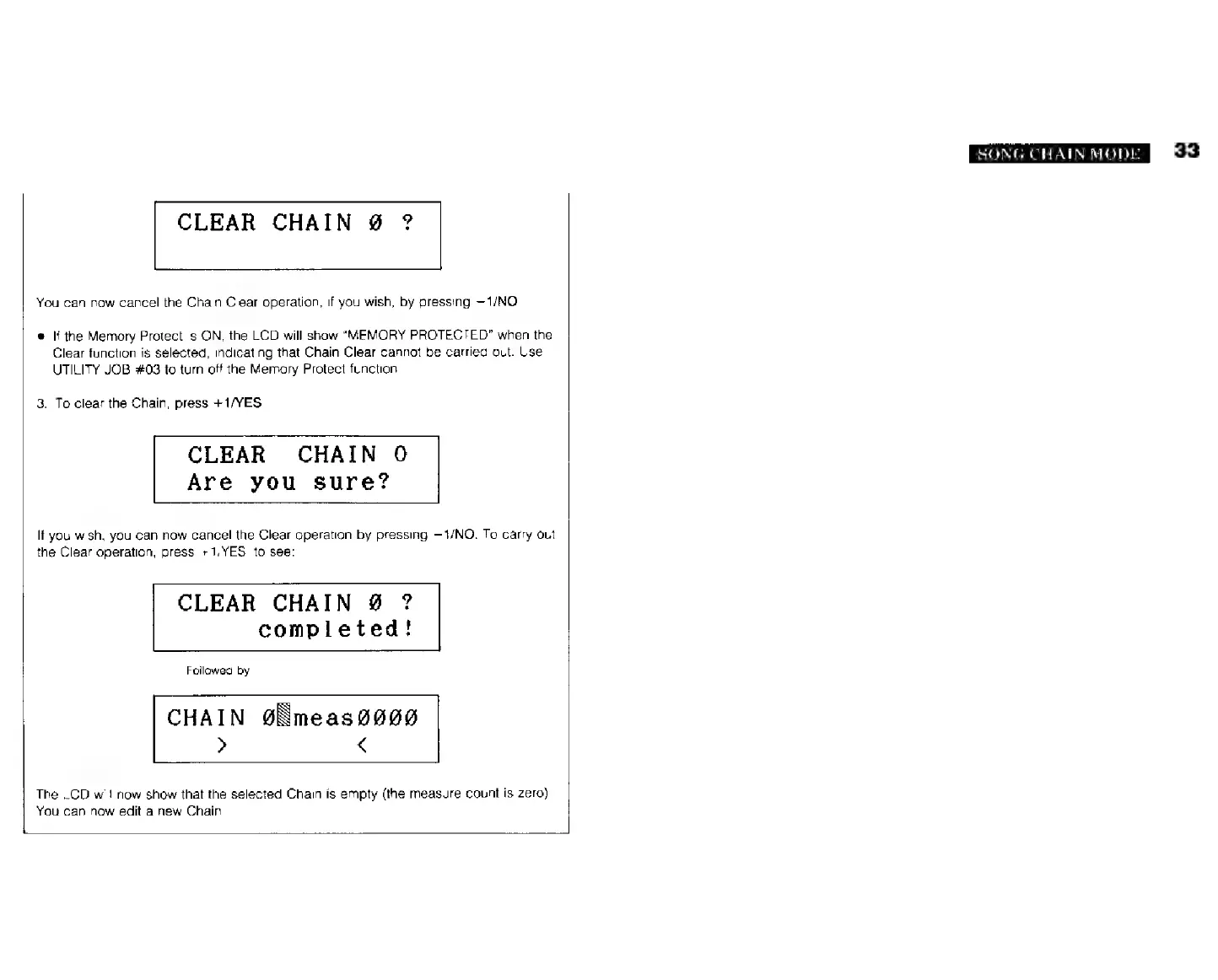
CLEAR
CHAIN
9
?
You
сап
now
cancel
the
Chain
Clear
operation,
if
you
wish,
by
pressing
—1/NO.
e
If
the
Memory
Protect
is
ON,
the
LCD
will
show
"MEMORY
PROTECTED"
when
the
Clear
function
is
selected,
indicating
that
Chain
Clear
cannot
be
carried
out.
Use
UTILITY
JOB
#03
to
turn
off
the
Memory
Protect
function.
3.
To
clear
the
Chain,
press
+1/YES.
CLEAR
CHAIN
О
Are
you
sure?
If
you
wish,
you
can
now
cancel
the
Clear
operation
by
pressing
-1/МО.
To
carry
out
the
Clear
operation,
press
+1/YES,
to
see:
CLEAR
CHAIN
9
?
completed!
Followed
by
CHAIN
@Ëmeas0000
> <
The
LCD
will
now
show
that
the
selected
Chain
is
empty
(the
measure
count
is
zero).
You
can
now
edit
a
new
Chain
SONG
CHAIN
MODE
33