EasyManua.ls Logo

Yamaha RX5 - Page 36

Yamaha RX5
81 pages
Print Icon
To Next Page IconTo Next Page
To Previous Page IconTo Previous Page
Loading...
32
SONG
CHAIN
MODE
CHAIN
@Smeas0000
>
<
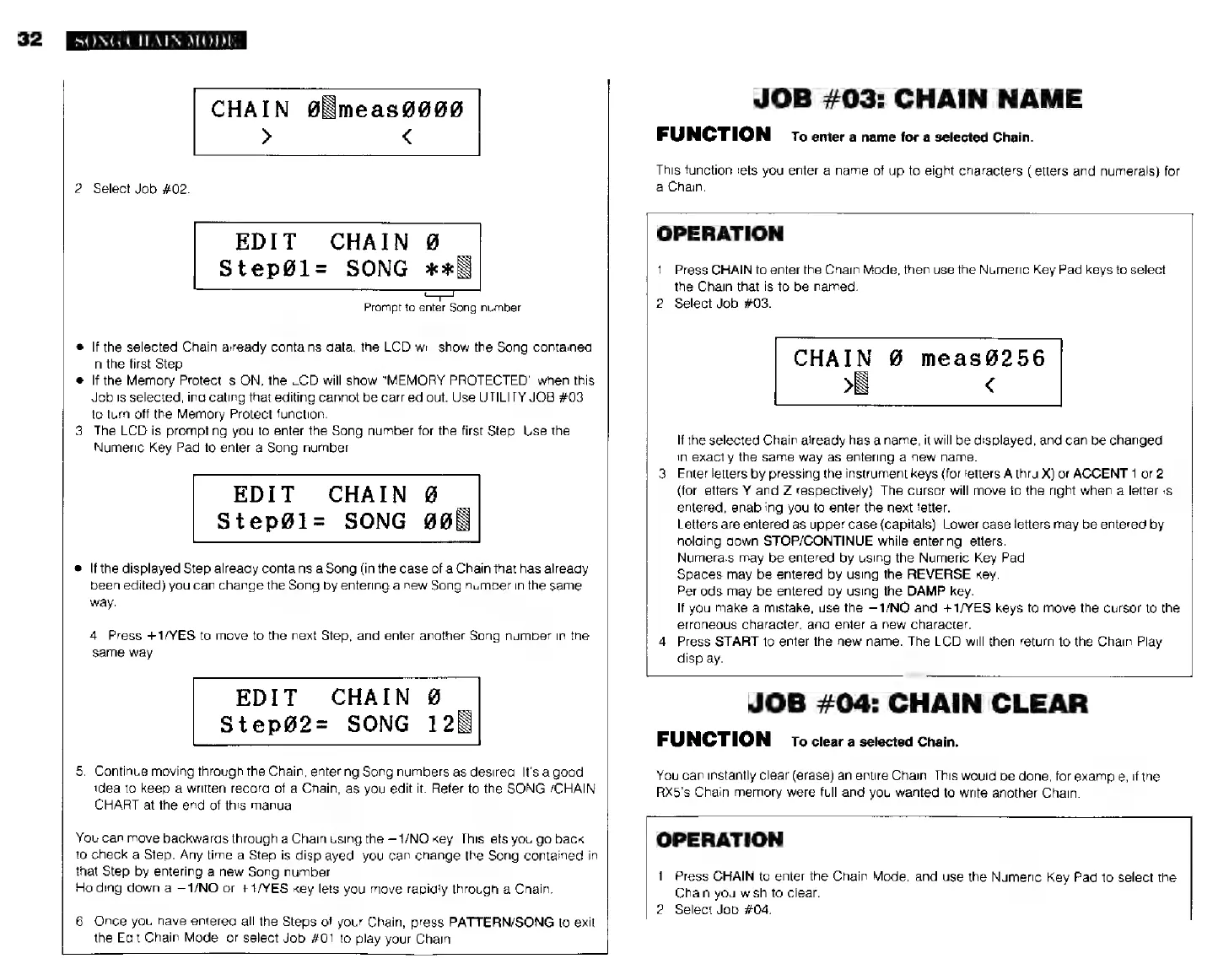
2.
Select
Job
#02.
EDIT
CHAIN
0
`
StepGl=
SONG
жж
Prompt
to
enter
Song
number
*
If
the
selected
Chain
already
contains
data,
the
LCD
will
show
the
Song
contained
in
the
first
Step.
ж
|f
the
Memory
Protect
is
ON,
the
LCD
will
show
"MEMORY
PROTECTED"
when
this
Job
is
selected,
incicating
that
editing
cannot
be
carried
out.
Use
UTILITY
JOB
#03
to
turn
off
the
Memory
Protect
function.
3.
The
LCD
is
prompting
you
to
enter
the
Sang
number
for
the
first
Step.
Use
the
Numeric
Key
Pad
to
enter
a
Song
number.
EDIT
CHAIN
й
Step@l=
SONG
908
®
If
the
displayed
Step
already
contains
a
Song
(in
the
case
of
a
Chain
that
has
already
been
edited)
you
can
change
the
Song
by
entering
a
new
Song
number
in
the
same
мау.
4.
Press
+1/YES
to
move
to
the
next
Step,
and
enter
another
Song
number
in
the
same
way.
EDIT
CHAIN
£
StepG2=
SONG
128
5.
Continue
moving
through
the
Chain,
entering
Song
numbers
as
desired.
It's
a
good
idea
to
keep
a
written
record
of
a
Chain,
as
you
edit
it.
Refer
to
the
SONG
/CHAIN
CHART
at
the
end
of
this
manual
You
can
move
backwards
through
a
Chain
using
the
ИМО
key.
This
lets
you
go
back
10
check
a
Step.
Any
time
a
Step
is
displayed,
you
can
change
the
Song
contained
in
that
Step
by
entering
a
new
Song
number
Holding
down
a
—1/NO
or
--1/YES
key
lets
you
move
rapidly
through
a
Chain.
6.
Once
you
have
entered
all
the
Steps
of
your
Chain,
press
PATTERN/SONG
to
exil
the
Edit
Chain
Mode,
or
select
Job
#01
to
play
your
Chain.
JOB
703:
CHAIN
NAME
FUNCTION
ro
enter
a
name
tor
a
selected
Chain.
This
function
lets
you
enter
a
name
of
up
to
eight
characters
(letters
and
numerals)
for
a
Chain.
OPERATION
1.
Press
CHAIN
to
enter
the
Chain'Mode,
then
use
the
Numeric
Key
Pad
keys
to
select
the
Chain
that
is
to
be
named.
2.
Select
Job
#03.
CHAIN
Ø
meas8256
ES
>N
<
If
the
selected
Chain
already
has
a
name,
it
will
be
displayed,
and
сап
be
changed
in
exactly
the
same
way
as
entering
a
new
name.
3.
Enter
letters
by
pressing
the
instrument
keys
(for
letters
А
thru
X)
or
ACCENT
1
or
2
(for
letters
Y
and
Z
respectively}.
The
curser
will
move
io
the
right
when
a
letter
is
entered,
enabling
you
to
enter
the
next
letter.
Letters
are
entered
as
upper
case
(capitals).
Lower
case
letters
may
be
entered
by
holding
down
STOP/CONTINUE
while
entering
letters.
Numerals
may
be
entered
by
using
the
Numeric
Key
Pad.
Spaces
may
be
entered
by
using
the
REVERSE
key.
Periods
may
be
entered
by
using
the
DAMP
key.
If
you
make
а
mistake,
use
the
—1/NO
and
+1/YES
keys
to
move
the
cursor
to
the
erroneous
character,
and
enter
а
new
character.
4.
Press
START
to
enter
the
new
name.
The
LCD
will
then
return
to
the
Chain
Play
display.
JOB
#04:
CHAIN
CLEAR
FUNCTION
то
clear
а
selected
Chain.
You
can
instantly
clear
(erase)
an
entire
Chain.
This
would
be
done,
for
example,
if
the
RX5's
Chain
memory
were
full
and
you
wanted
to
write
another
Chain.
OPERATION
1.
Press
CHAIN
to
enter
the
Chain
Mode,
and
use
the
Numeric
Key
Pad
to
select
the
Chain
you
wish
to
clear.
2.
Select
Job
#04.