EasyManua.ls Logo

Yamaha V50 - Page 17

Yamaha V50
81 pages
Print Icon
To Next Page IconTo Next Page
To Previous Page IconTo Previous Page
Loading...
6^
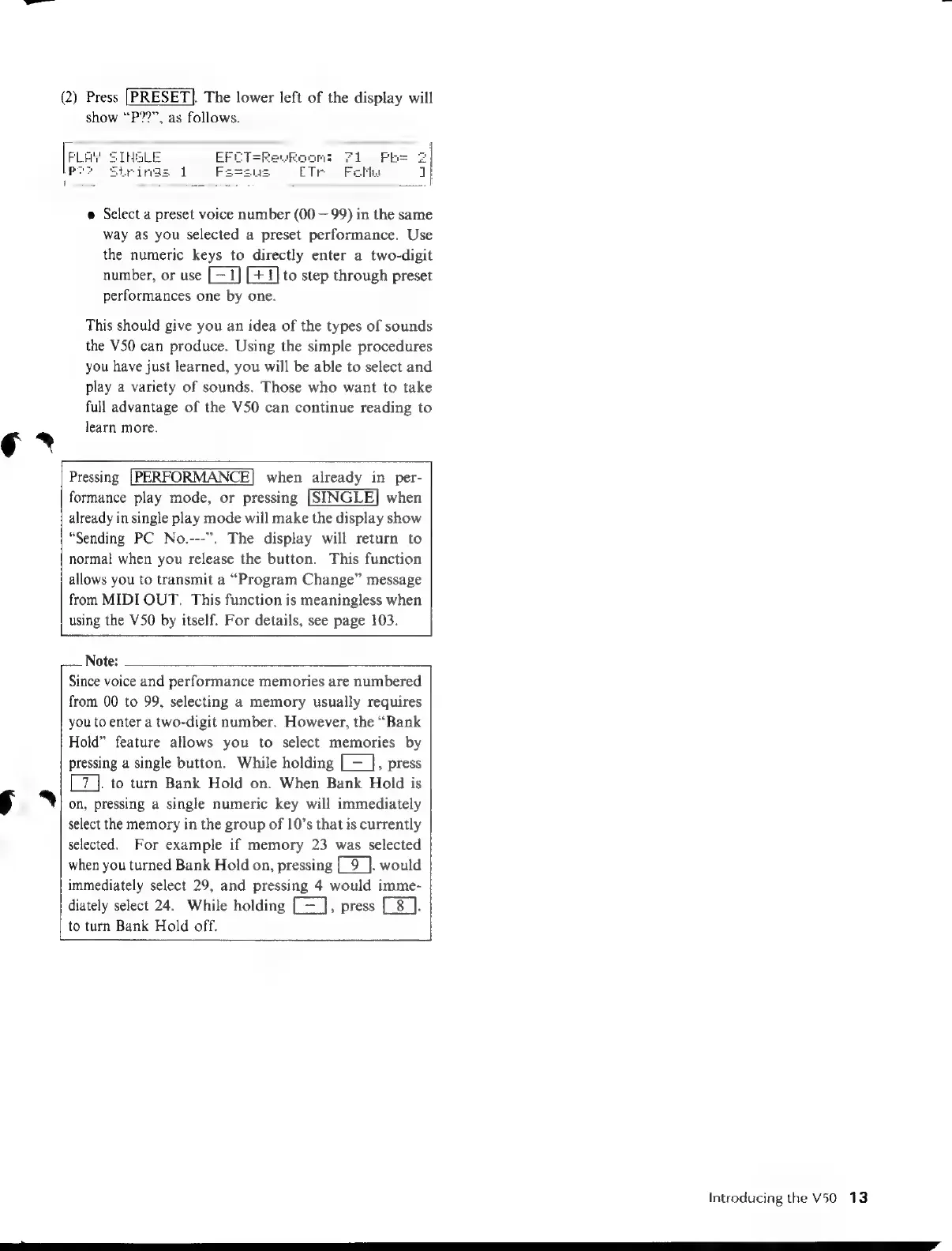
(2)
Press
[PRESET].
The
lower
left
of
the
display
will
show
“P??”,
as
follows.
FLAY
SIHGLE
EFI
Pe?
Strings
1
F
=KevRoom:
Fi
Fbs
2
CTr
Flt
1
è
Select
a
preset
voice
number
(00
—
99)
in
the
same
way
as
you
selected
a
preset
performance.
Use
the
numeric
keys
to
directly
enter
a
two-digit
number,
or
use
to
step
through
preset
performances
one
by
one.
This
should
give
you
an
idea
of
the
types
of
sounds
the
V50
can
produce.
Using
the
simple
procedures
you
have
just
learned,
you
will
be
able
to
select
and
play
a
variety
of
sounds.
Those
who
want
to
take
full
advantage
of
the
V50
can
continue
reading
to
learn
more.
Pressing
when
already
in
per-
formance
play
mode,
or
pressing
when
already
in
single
play
mode
will
make
the
display
show
“Sending
PC
No.---”.
The
display
will
return
to
normal
when
you
release
the
button.
This
function
allows
you
to
transmit
a
“Program
Change”
message
from
MIDI
OUT.
This
function
is
meaningless
when
using
the
V50
by
itself.
For
details,
see
page
103.
Note:
Since
voice
and
performance
memories
are
numbered
from
00
to
99,
selecting
a
memory
usually
requires
you
to
enter
a
two-digit
number.
However,
the
“Bank
Hold”
feature
allows
you
to
select
memories
by
pressing
a
single
button.
While
holding
[=
},
press
[7].
to
turn
Bank
Hold
on.
When
Bank
Hold
is
on,
pressing
a
single
numeric
key
will
immediately
select
the
memory
in
the
group
of
10’s
that
is
currently
selected.
For
example
if
memory
23
was
selected
when
you
turned
Bank
Hold
on,
pressing
[_9_].
would
immediately
select
29,
and
pressing
4
would
imme-
diately
select
24.
While
holding
[=],
press
[-8
].
to
turn
Bank
Hold
off.
Introducing
the
V50
13

Table of Contents