EasyManua.ls Logo

Yamaha V50 - Breath Controller; EG! Diash Hen Artes Suelo Eas Tise E E Ada Ih

Yamaha V50
81 pages
Print Icon
To Next Page IconTo Next Page
To Previous Page IconTo Previous Page
Loading...
Note:
Unless
the
sensitivity
AMS
setting
is
raised,
and
the
AME
of
the
appropriate
operators
is
on,
raising
this
setting
will
have
no
effect
(see
page
43).
If
you
do
not
want
to
control
tremolo
or
wah
using
the
foot
controller,
set
this
to
0.
Breath
controller
(pitch,
amplitude,
pitch
bias,
EG
bias)
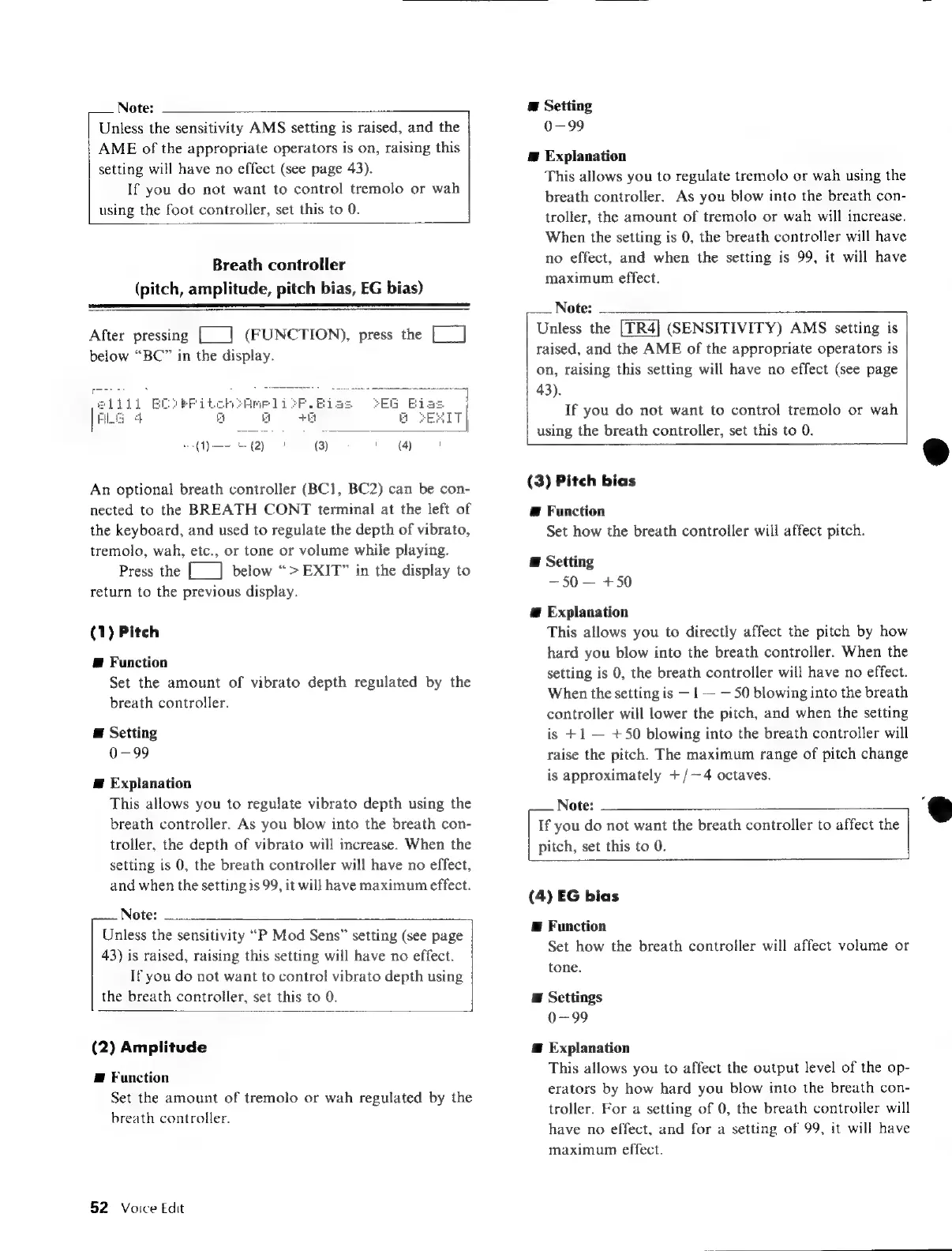
After
pressing
[___|
(FUNCTION),
press
the
Ea
below
“BC”
in
the
display.
An
optional
breath
controller
(BC1,
BC2)
can
be
con-
nected
to
the
BREATH
CONT
terminal
at
the
left
of
the
keyboard,
and
used
to
regulate
the
depth
of
vibrato,
tremolo,
wah,
etc.,
or
tone
or
volume
while
playing.
Press
the
[__]
below
“>
EXIT”
in
the
display
to
return
to
the
previous
display.
(1)
Pitch
@
Function
Set the
amount
of
vibrato
depth
regulated
by
the
breath
controller.
E
Setting
0-99
E
Explanation
This
allows
you
to
regulate
vibrato
depth
using
the
breath
controller.
As
you
blow
into
the
breath
con-
troller,
the
depth
of
vibrato
will
increase.
When
the
setting
is
0,
the
breath
controller
will
have
no
effect,
and
when
the
setting
is
99,
it
will
have
maximum
effect.
Note:
Unless
the
sensitivity
“P
Mod
Sens”
setting
(see
page
43)
is
raised,
raising
this
setting
will
have
no
effect.
If
you
do
not
want
to
control
vibrato
depth
using
the
breath
controller,
set
this
to
0.
(2)
Amplitude
E
Function
Set the
amount
of
tremolo
or
wah
regulated
by
the
breath
controller.
52
Voice
Edit
E
Setting
0-99
Æ
Explanation
This
allows
you
to
regulate
tremolo
or
wah
using
the
breath
controller.
As
you
blow
into
the
breath
con-
troller,
the
amount
of
tremolo
or
wah
will
increase.
When
the
setting
is
0,
the
breath
controller
will
have
no
effect,
and
when
the
setting
is
99,
it
will
have
maximum
effect.
Note:
Unless
the
(SENSITIVITY)
AMS
setting
is
raised,
and
the
AME
of
the
appropriate
operators
is
on,
raising
this
setting
will
have
no
effect
(see
page
43).
If
you
do
not
want
to
control
tremolo
or
wah
using
the
breath
controller,
set
this
to
0.
(3)
Pitch
bias
@
Function
Set
how
the
breath
controller
will
affect
pitch.
E
Setting
50
+50
a
Explanation
This
allows
you
to
directly
affect
the
pitch
by
how
hard
you
blow
into
the
breath
controller.
When
the
setting
is
0,
the
breath
controller
will
have
no
effect.
When
the
setting
is
1
50
blowing
into
the
breath
controller
will
lower
the
pitch,
and
when
the
setting
is
+1
+50
blowing
into
the
breath
controller
will
raise
the
pitch.
The
maximum
range
of
pitch
change
is
approximately
+/-—4
octaves.
Note:
If
you
do
not
want
the
breath
controller
to
affect
the
pitch,
set
this
to
0.
(4)
EG
bias
Æ
Function
Set
how
the
breath
controller
will
affect
volume
or
tone.
E
Settings
0-99
@
Explanation
This
allows
you
to
affect
the
output
level
of
the
op-
erators
by
how
hard
you
blow
into
the
breath
con-
troller.
For
a
setting
of
0,
the
breath
controller
will
have
no
effect,
and
for
a
setting
of
99,
it
will
have
maximum
effect.

Table of Contents

Other manuals for Yamaha V50

Related product manuals