EasyManua.ls Logo

Yamaha V50 - A Demonstration Playback; Playing the Internal Demo Csecsen; Playing the Disk Demo N

Yamaha V50
81 pages
Print Icon
To Next Page IconTo Next Page
To Previous Page IconTo Previous Page
Loading...
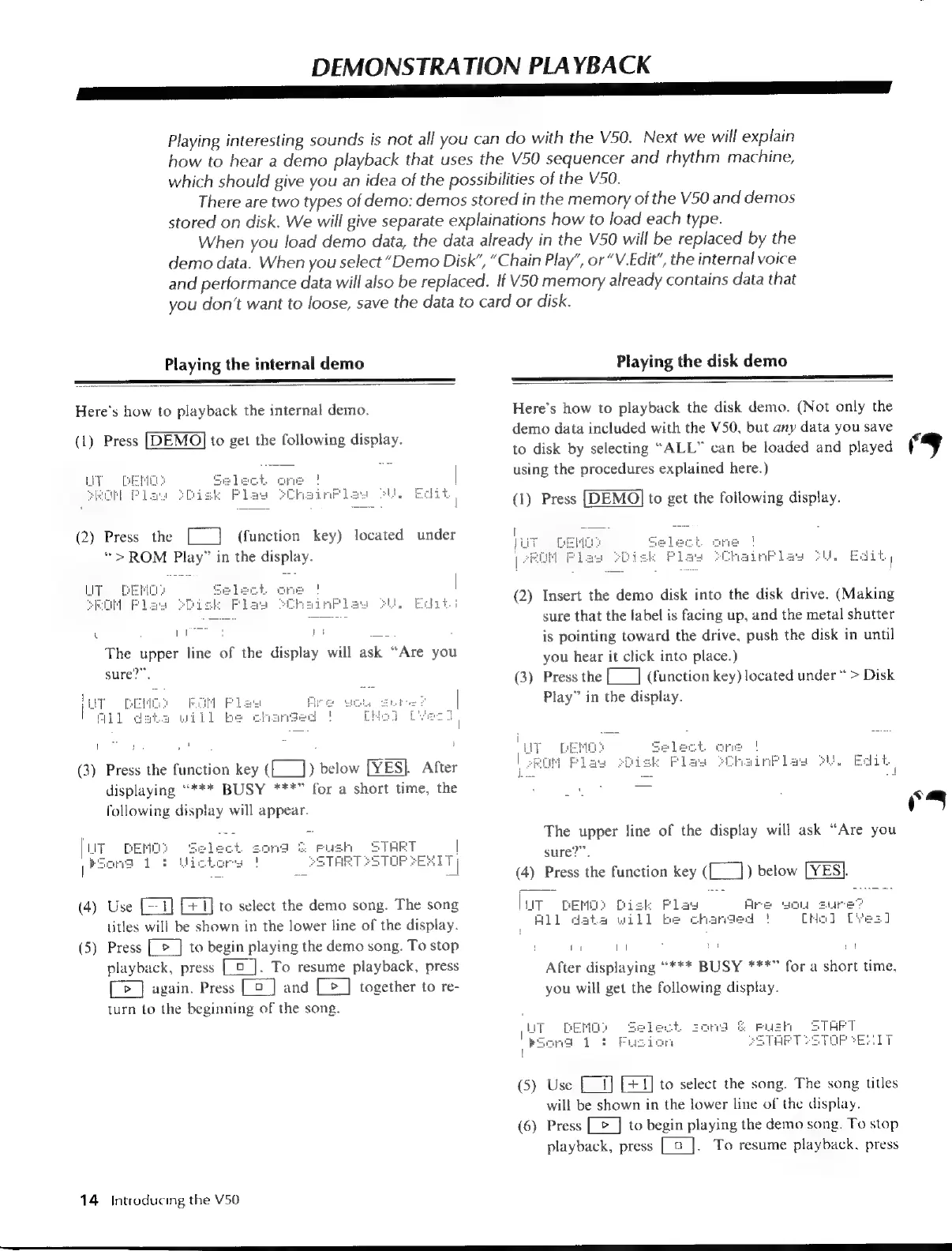
DEMONSTRATION
PLAYBACK
aE
ee
eee
ae
Playing
interesting
sounds
is
not
all
you
can
do
with
the
V50.
Next
we
will
explain
how
to
hear
a
demo
playback
that
uses
the
V50
sequencer
and
rhythm
machine,
which
should
give
you
an
idea
of
the
possibilities
of
the
V50.
There
are
two
types
of
demo:
demos
stored
in
the
memory
of
the
V50
and
demos
stored
on
disk.
We
will
give
separate
explainations
how
to
load
each
type.
When
you
load
demo
data,
the
data
already
in
the
V50
will
be
replaced
by
the
demo
data.
When
you
select
“Demo
Disk”,
“Chain
Play”,
or
“V.Edit”,
the
internal
voice
and
performance
data
will
also
be
replaced.
If
V50
memory
already
contains
data
that
you
don’t
want
to
loose,
save
the
data
to
card
or
disk.
Playing
the
internal
demo
Playing
the
disk
demo
Here’s
how
to
playback
the
internal
demo.
(1)
Press
[DEMO]
to
get
the
following
display.
(2)
Press
the
(function
key)
located
under
“>
ROM
Play”
in
the
display.
L
O
ROS
The
upper
line
of
the
display
will
ask
“Are
you
sure?”
par
R
ce
i
(3)
Press
the
function
key
(E_])
below
[YES].
After
displaying
“***
BUSY
***”
for
a
short
time,
the
following
display
will
appear.
IRT
START
STOP
2EXIT
|
[UT
DENG?
|
paom
Loe
(4)
Use
[£1]
to
select
the
demo
song.
The
song
titles
will
be
shown
in
the
lower
line
of
the
display.
(5)
Press
[_>_]
to
begin
playing
the
demo
song.
To
stop
playback,
press
[o].
To
resume
playback,
press
[>
]
again.
Press
[E]
and
[>]
together
to
re-
turn
to
the
beginning
of
the
song.
14
Introducing
the
V50
Here’s
how
to
playback
the
disk
demo.
(Not
only
the
demo
data
included
with
the
V50,
but
any
data
you
save
to
disk
by
selecting
“ALL”
can
be
loaded
and
played
using
the
procedures
explained
here.)
(1)
Press
[DEMO]
to
get
the
following
display.
ainPlaw
Pu.
Edit
|
(2)
Insert
the
demo
disk
into
the
disk
drive.
(Making
sure
that
the
label
is
facing
up,
and
the
metal
shutter
is
pointing
toward
the
drive,
push
the
disk
in
until
you
hear
it
click
into
place.)
(3)
Press
the
[___]
(function
key)
located
under
>
Disk
Play”
in
the
display.
The
upper
line
of
the
display
will
ask
“Are
you
sure?”.
(4)
Press
the
function
key
(L__])
below
[YES].
[uT
DEMO:
Disk
Flay
Are
D4
Sure
All
data
will
be
changed
!
CHol
Ti
1
`
by
il
After
displaying
“***
BUSY
***”
for
a
short
time,
you
will
get
the
following
display.
&
push
START
SSTHRTSETOPSERTT
|
GENO
va
dot
f
l
(5)
Use
E
[+1]
to
select
the
song.
The
song
titles
will
be
shown
in
the
lower
line
of
the
display.
(6)
Press
[>
]
to
begin
playing
the
demo
song.
To
stop
playback,
press
|_9
To
resume
playback,
press
Yo
j

Table of Contents

Other manuals for Yamaha V50

Related product manuals