EasyManua.ls Logo

Yamaha V50 - Operator and Oscillator Parameters

Yamaha V50
81 pages
Print Icon
To Next Page IconTo Next Page
To Previous Page IconTo Previous Page
Loading...
When
this
value
is
raised
for
a
carrier
operator,
aftertouch
or
breath
control
can
affect
the
volume.
When
this
value
is
raised
for
a
modulator
operator,
aftertouch
or
breath
controller
can
affect
the
tone.
Note:
If
the
AT
EG
Bias
setting
(see
page
53)
or
the
BC
EG
Bias
setting
(see
page
52)
are
not
raised,
this
EBS
setting
will
have
no
effect.
When
the
EBS
for
an
operator
is
raised,
the
overall
output
level
of
that
operator
will
decrease.
Aftertouch
or
breath
controller
will
then
be
able
to
raise
or
lower
the
output
level
of
the
operator,
and
affect
the
volume
or
tone.
(5)
KVS
(key
velocity
sensitivity)
E
Function
Allow
the
force
(velocity)
of
a
note
to
affect
operator
output
level.
E
Settings
—7—+7
@
Explanation
Settings
of
+1—+7
will
make
the
volume
(or
brightness)
increase
as
you
play
more
strongly.
Set-
tings
of
|—-—7
will
make
the
volume
(or
brightness)
decrease
as
you
play
more
strongly.
This
key
velocity
sensitivity
setting
is
made
in-
dependently
for
each
of
the
four
operators.
Repeat-
edly
press
[0
]
to
step
through
operators
1>+2-—3-—4,
and
program
the
values
for
each.
When
the
key
velocity
sensitivity
for
a
carrier
operator
is
raised,
the
force
with
which
a
note
is
played
will
affect
the
volume.
When
the
key
velocity
sensi-
tivity
for
a
modulator
operator
is
raised,
the
force
with
which
a
note
is
played
will
affect
the
tone.
Note:
If
the
operator
output
level
is
extremely
low,
this
setting
will
have
little
effect.
“Key
velocity”
is
actually
detected
by
measuring
the
“speed”
at
which
you
play
a
note.
44
Voice
Edit
Oscillator
(mode,
coarse,
fine,
wave,
detune,
shift,
range)
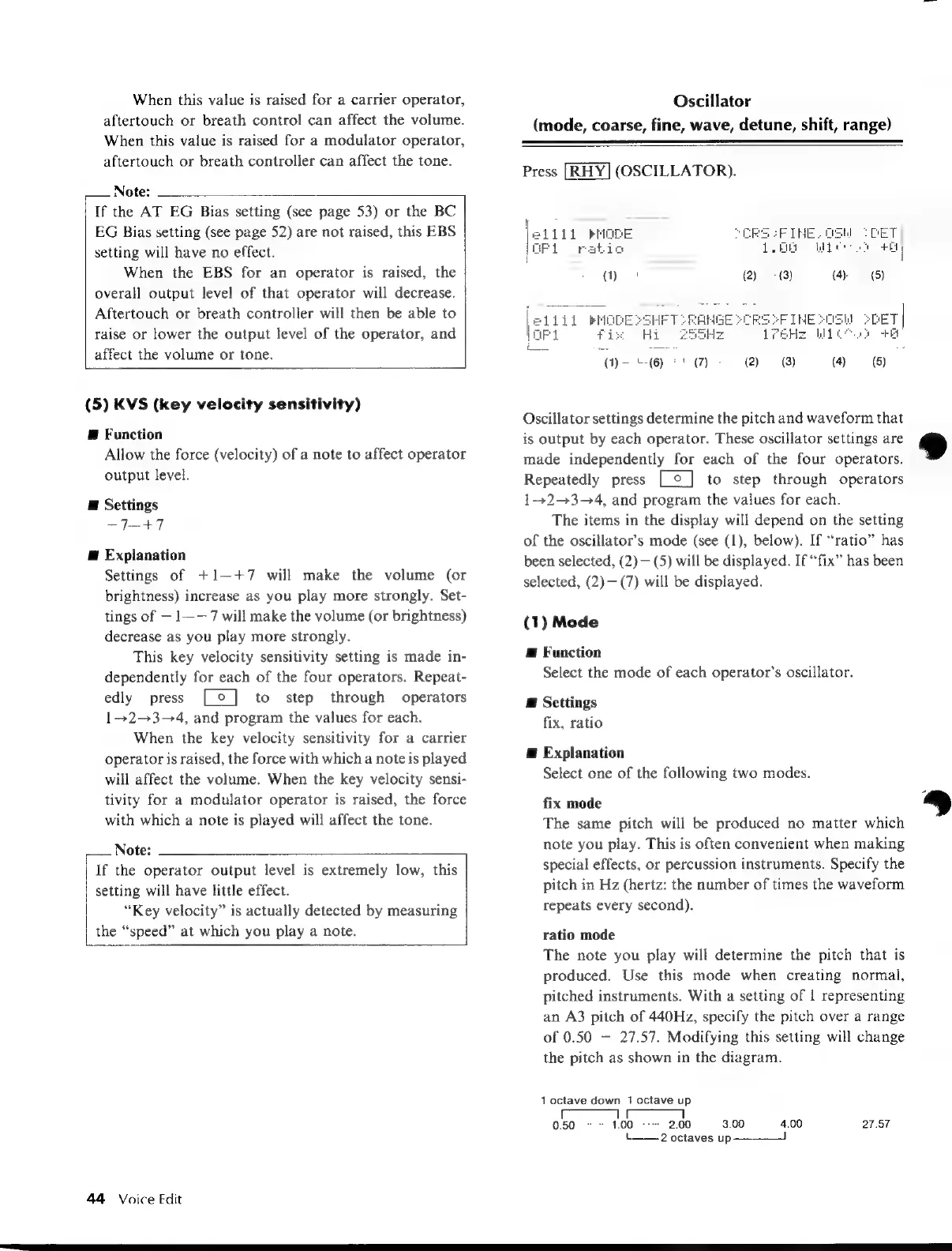
Press
(OSCILLATOR).
GPI
ratio
i
Oscillator
settings
determine
the
pitch
and
waveform
that
is
output
by
each
operator.
These
oscillator
settings
are
made
independently
for
each
of
the
four
operators.
Repeatedly
press
]
to
step
through
operators
1-+2-+3-4,
and
program
the
values
for
each.
The
items
in
the
display
will
depend
on
the
setting
of
the
oscillator’s
mode
(see
(1),
below).
If
“ratio”
has
been
selected,
(2)
(5)
will
be
displayed.
If
“fix”
has
been
selected,
(2)—(7)
will
be
displayed.
(1)
Mode
E
Function
Select
the
mode
of
each
operator’s
oscillator.
E
Settings
fix,
ratio
@
Explanation
Select
one
of
the
following
two
modes.
fix
mode
The
same
pitch
will
be
produced
no
matter
which
note
you
play.
This
is
often
convenient
when
making
special
effects,
or
percussion
instruments.
Specify
the
pitch
in
Hz
(hertz:
the
number
of
times
the
waveform
repeats
every
second).
ratio
mode
The
note
you
play
will
determine
the
pitch
that
is
produced.
Use
this
mode
when
creating
normal,
pitched
instruments.
With
a
setting
of
1
representing
an
A3
pitch
of
440Hz,
specify
the
pitch
over
a
range
of
0.50
27.57.
Modifying
this
setting
will
change
the
pitch
as
shown
in
the
diagram.
1
octave
down
1
octave
up
L_.
2
octaves
up
——

Table of Contents

Other manuals for Yamaha V50

Related product manuals