EasyManua.ls Logo

Yamaha V50 - Page 49

Yamaha V50
81 pages
Print Icon
To Next Page IconTo Next Page
To Previous Page IconTo Previous Page
Loading...
(2)
Coarse
E
Function
Set
the
approximate
frequency
(pitch)
E
Settings
0.5—
27.57
in
ratio
mode,
8
32640
in
fix
mode.
a
Explanation
This
determines
the
approximate
pitch
produced
by
the
operator.
(Make
exact
settings
using
the
next
item,
(3)
Fine.)
Note:
For
fix
mode,
the
“range”
and
“shift”
settings
give
you
additional
control
over
the
range
of
the
fixed
frequency.
See
page
44.
%
(3)
Fine
E
Function
Set
the
exact
frequency
(pitch).
E
Settings
0.5—
27.57
in
ratio
mode,
8
32640
in
fix
mode.
#
Explanation
This
adjusts
the
exact
pitch
produced
by
the
operator.
(The
size
of
each
step
will
depend
on
the
frequency
range
selected
by
the
coarse
setting.)
(4)
Wave
#@
Function
Select
the
wave
produced
by
each
operator.
B
Settings
W1-W8
a
a
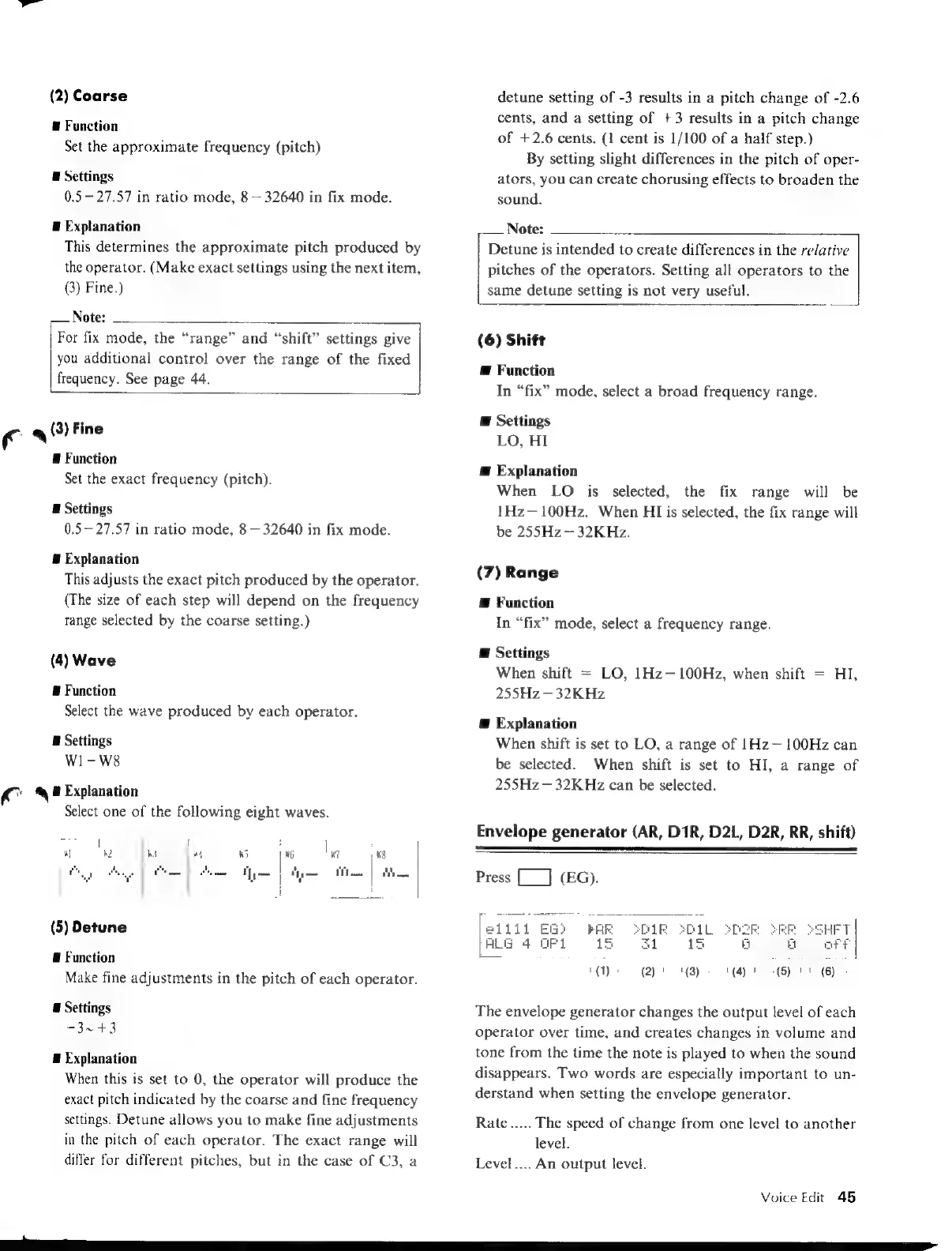
Explanation
Select
one
of
the
following
eight
waves.
(5)
Detune
E
Function
Make
fine
adjustments
in
the
pitch
of
each
operator.
E
Settings
-3~
+3
#
Explanation
When
this
is
set
to
0,
the
operator
will
produce
the
exact
pitch
indicated
by
the
coarse
and
fine
frequency
settings.
Detune
allows
you
to
make
fine
adjustments
in
the
pitch
of
each
operator.
The
exact
range
will
differ
for
different
pitches,
but
in
the
case
of
C3,
a
0
0
O)G)QG)GQ))Q)Q,G
EE
EEE
detune
setting
of
-3
results
in
a
pitch
change
of
-2.6
cents,
and
a
setting
of
+3
results
in
a
pitch
change
of
+2.6
cents.
(1
cent
is
1/100
of
a
half
step.)
By
setting
slight
differences
in
the
pitch
of
oper-
ators,
you
can
create
chorusing
effects
to
broaden
the
sound.
Note:
Detune
is
intended
to
create
differences
in
the
relative
pitches
of
the
operators.
Setting
all
operators
to
the
same
detune
setting
is
not
very
useful.
(6)
Shift
Æ
Function
In
“fix”
mode,
select
a
broad
frequency
range.
E
Settings
LO,
HI
Æ
Explanation
When
LO
is
selected,
the
fix
range
will
be
1Hz—100Hz.
When
HI
is
selected,
the
fix
range
will
be
255Hz
32KHz.
(7)
Range
@
Function
In
“fix”
mode,
select
a
frequency
range.
E
Settings
When
shift
=
LO,
1Hz—100Hz,
when
shift
=
HI,
255Hz—
32K
Hz
Æ
Explanation
When
shift
is
set
to
LO,
a
range
of
1Hz~
100Hz
can
be
selected.
When
shift
is
set
to
HI,
a
range
of
255Hz—32KHz
can
be
selected.
Envelope
generator
(AR,
D1R,
D2L,
D2R,
RR,
shift)
Press
[__]
(EG).
[et
Lil
1
FRR
ALG
4
OF1
15
(1)
(2)
'
'{3)
(4)
(5)
l
(6)
The
envelope
generator
changes
the
output
level
of
each
operator
over
time,
and
creates
changes
in
volume
and
tone
from
the
time
the
note
is
played
to
when
the
sound
disappears.
Two
words
are
especially
important
to
un-
derstand
when
setting
the
envelope
generator.
Rate
.....
The
speed
of
change
from
one
level
to
another
level.
Level....
An
output
level.
Voice
Edit
45

Table of Contents

Other manuals for Yamaha V50

Related product manuals