EasyManua.ls Logo

Yamaha V50 - A Scat Seta Aves; Assign Mode, Performance Name

Yamaha V50
81 pages
Print Icon
To Next Page IconTo Next Page
To Previous Page IconTo Previous Page
Loading...
PERFORMANCE
EDIT
eO
ES
Assign
mode,
performance
name
Performance
name
@
Function
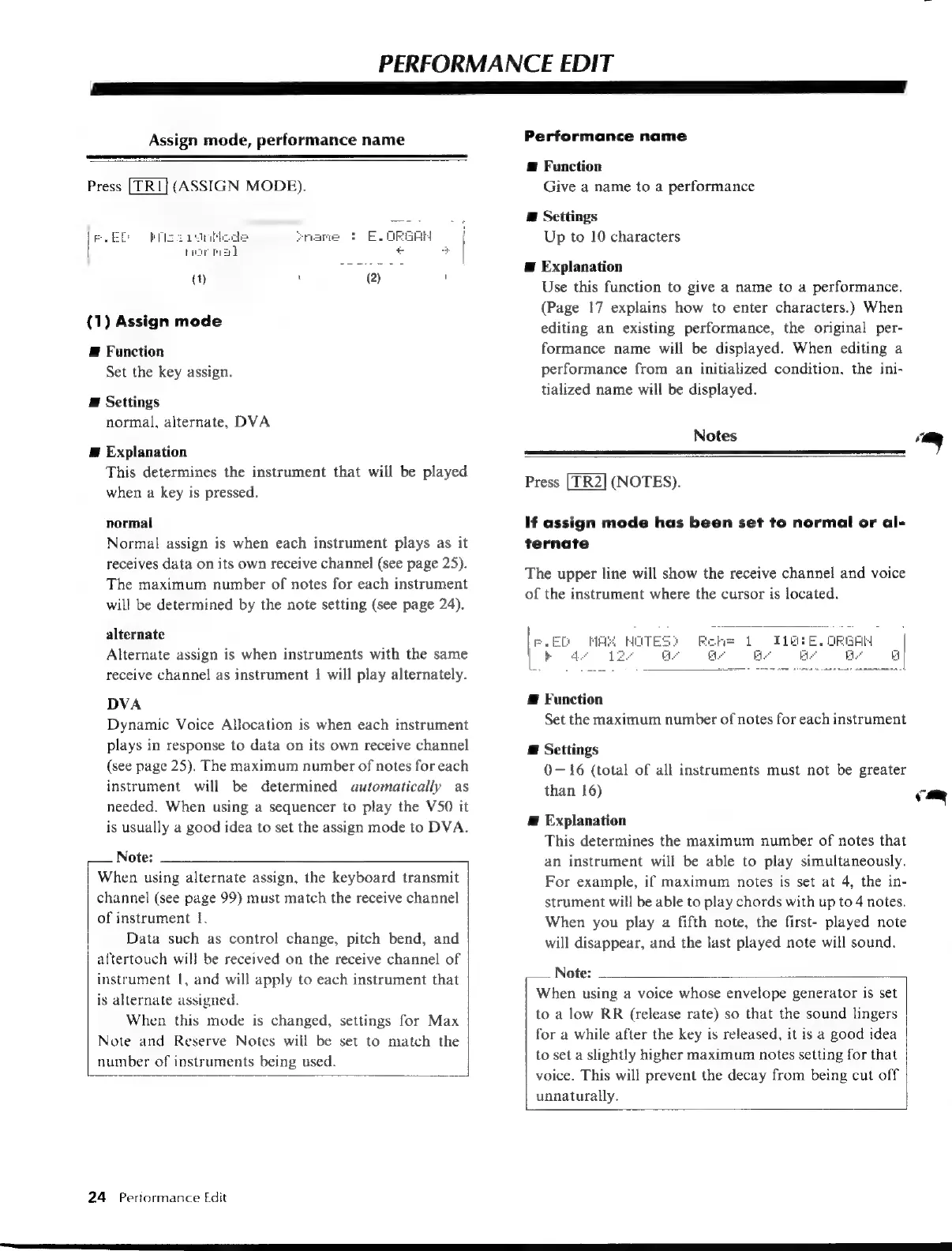
Press
(ASSIGN
MODE).
Give
a
name
to
a
performance
E
Settings
i
Up
to
10
characters
ciate
ey
-
,
E
Explanation
Use
this
function
to
give
a
name
to
a
performance.
7
(Page
17
explains
how
to
enter
characters.)
When
(1)
Assign
mode
editing
an
existing
performance,
the
original
per-
E
Function
formance
name
will
be
displayed.
When
editing
a
Set the
key
assign.
performance
from
an
initialized
condition,
the
ini-
i
tialized
name
will
be
displayed.
E
Settings
normal,
alternate,
DVA
Notes
on
E
Explanation
This
determines
the
instrument
that
will
be
played
when
a
key
is
pressed.
Press
[TR2]
(NOTES).
normal
If
assign
mode
has
been
set
to
normal
or
al-
Normal
assign
is
when
each
instrument
plays
as
it
ternate
receives
data
on
its
own
receive
channel
(see
page
25).
The
maximum
number
of
notes
for
each
instrument
will
be
determined
by
the
note
setting
(see
page
24).
The
upper
line
will
show
the
receive
channel
and
voice
of
the
instrument
where
the
cursor
is
located.
alternate
Alternate
assign
is
when
instruments
with
the
same
receive
channel
as
instrument
i
will
play
alternately.
DVA
E
Function
Dynamic
Voice
Allocation
is
when
each
instrument
Set the
maximum
number
of
notes
for
each
instrument
plays
in
response
to
data
on
its
own
receive
channel
E
Settings
(see
page
25).
The
maximum
number
of
notes
for
each
0—16
(total
of
all
instruments
must
not
be
greater
instrument
will
be
determined
automatically
as
than
16)
ç
needed.
When
using
a
sequencer
to
play
the
V50
it
S
@
Explanation
is
usually
a
good
idea
to
set
the
assign
mode
to
DVA.
y
.
i
This
determines
the
maximum
number
of
notes
that
Note:
an
instrument
will
be
able
to
play
simultaneously.
When
using
alternate
assign,
the
keyboard
transmit
For
example,
if
maximum
notes
is
set
at
4,
the
in-
channel
(see
page
99)
must
match
the
receive
channel
strument
will
be
able
to
play
chords
with
up
to
4
notes.
of
instrument
1.
When
you
play
a
fifth
note,
the
first-
played
note
Data
such
as
control
change,
pitch
bend,
and
will
disappear,
and
the
last
played
note
will
sound.
aftertouch
will
be
received
on
the
receive
channel
of
instrument
|,
and
will
apply
to
each
instrument
that
is
alternate
assigned.
When
this
mode
is
changed,
settings
for
Max
Note
and
Reserve
Notes
will
be
set
to
match
the
number
of
instruments
being
used.
Note:
When
using
a
voice
whose
envelope
generator
is
set
to
a
low
RR
(release
rate)
so
that
the
sound
lingers
for
a
while
after
the
key
is
released,
it
is
a
good
idea
to
set
a
slightly
higher
maximum
notes
setting
for
that
voice.
This
will
prevent
the
decay
from
being
cut
off
unnaturally.
24
=
Performance
Edit

Table of Contents

Other manuals for Yamaha V50

Related product manuals