EasyManua.ls Logo

Yamaha V50 - Page 63

Yamaha V50
81 pages
Print Icon
To Next Page IconTo Next Page
To Previous Page IconTo Previous Page
Loading...
j
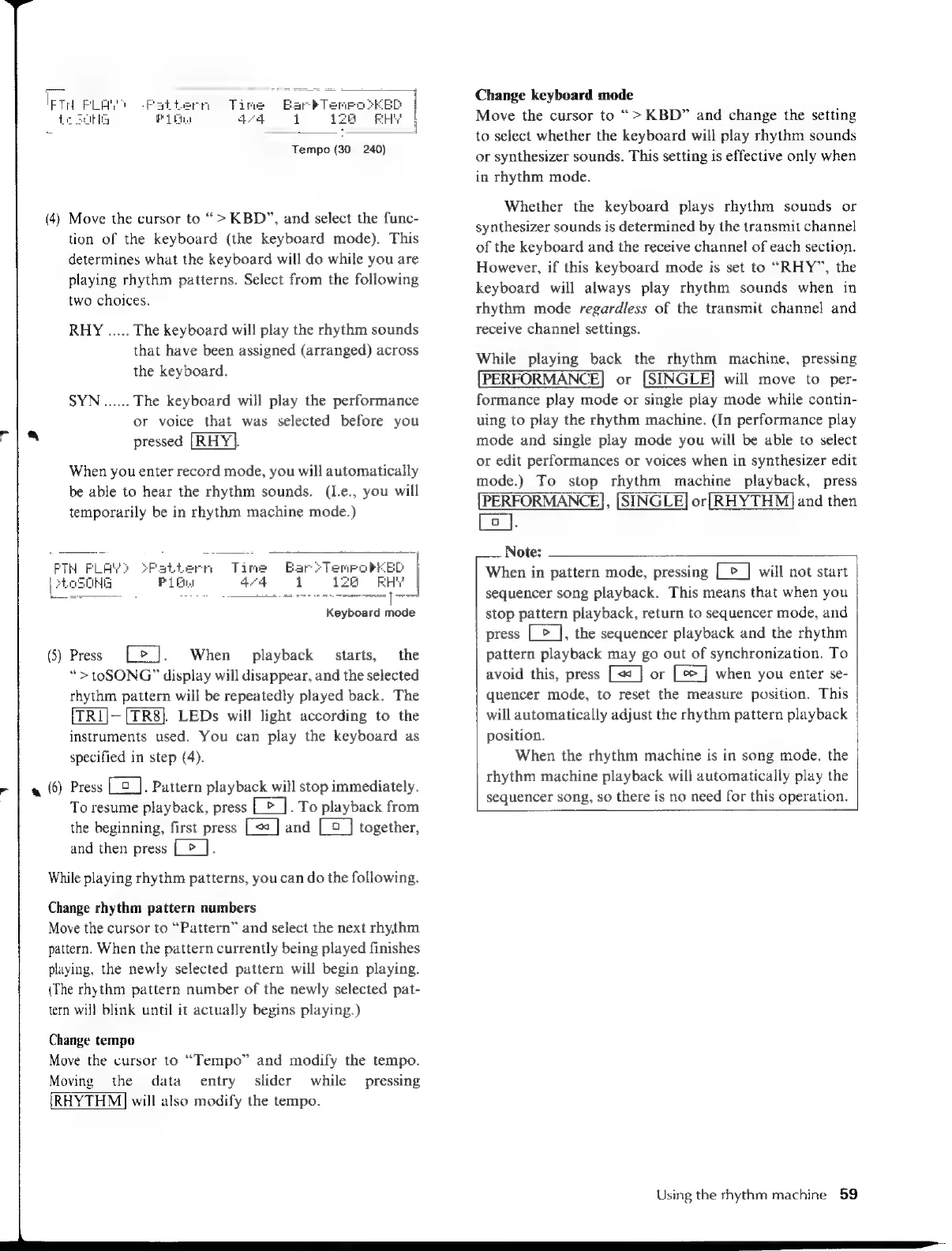
Tempo
(30—
240)
(4)
Move
the
cursor
to
>
KBD”,
and
select
the
func-
tion
of
the
keyboard
(the
keyboard
mode).
This
determines
what
the
keyboard
will
do
while
you
are
playing
rhythm
patterns.
Select
from
the
following
two
choices.
RHY
.....
The
keyboard
will
play
the
rhythm
sounds
that
have been
assigned
(arranged)
across
the
keyboard.
SYN
on
The
keyboard
will
play
the
performance
or
voice
that
was
selected
before
you
pressed
[RHY].
When
you
enter
record
mode,
you
will
automatically
be
able
to
hear
the
rhythm
sounds.
(I.e.,
you
will
temporarily
be
in
rhythm
machine
mode.)
LPH
FLAWS
SFPattern
Time
Baro
Teme
|
HG
PiE
44
1
?
(5)
Press
Le].
When
playback
starts,
the
“>
toSONG”
display
will
disappear,
and
the
selected
rhythm
pattern
will
be
repeatedly
played
back.
The
[TRI]—[TR8].
LEDs
will
light
according
to
the
instruments
used.
You
can
play
the
keyboard
as
specified
in
step
(4).
(6)
Press
Ca].
Pattern
playback
will
stop
immediately.
To
resume
playback,
press
Ce].
To
playback
from
the
beginning,
first
press
and
[_9_]
together,
and
then
press
[>
].
While
playing
rhythm
patterns,
you
can
do
the
following.
Change
rhythm
pattern
numbers
Move
the
cursor
to
“Pattern”
and
select
the
next
rhythm
pattern.
When
the
pattern
currently
being
played
finishes
playing,
the
newly
selected
pattern
will
begin
playing.
(The
rhythm
pattern
number
of
the
newly
selected
pat-
tern
will
blink
until
it
actually
begins
playing.)
Change
tempo
Move
the
cursor
to
“Tempo”
and
modify
the
tempo.
Moving
the
data
entry
slider
while
pressing
RHYTHM]
will
also
modify
the
tempo.
Change
keyboard
mode
Move
the
cursor
to
“>
KBD”
and
change
the
setting
to
select
whether
the
keyboard
will
play
rhythm
sounds
or
synthesizer
sounds.
This
setting
is
effective
only
when
in
rhythm
mode.
Whether
the
keyboard
plays
rhythm
sounds
or
synthesizer
sounds
is
determined
by
the
transmit
channel
of
the
keyboard
and
the
receive
channel
of
each
section.
However,
if
this
keyboard
mode
is
set
to
“RHY”,
the
keyboard
will
always
play
rhythm
sounds
when
in
rhythm
mode
regardless
of
the
transmit
channel
and
receive
channel
settings.
While
playing
back
the
rhythm
machine,
pressing
[PERFORMANCE]
or
[SINGLE]
will
move
to
per-
formance
play
mode
or
single
play
mode
while
contin-
uing
to
play
the
rhythm
machine.
(In
performance
play
mode
and
single
play
mode
you
will
be
able
to
select
or
edit
performances
or
voices
when
in
synthesizer
edit
mode.)
To
stop
rhythm
machine
playback,
press
[PERFORMANCE],
[SINGLE]
or
[RHYTHM]
and
then
Lo].
Note:
r
a
When
in
pattern
mode,
pressing
[>]
will
not
start
sequencer
song
playback.
This
means
that
when
you
stop
pattern
playback,
return
to
sequencer
mode,
and
press
Ce],
the
sequencer
playback
and
the
rhythm
pattern
playback
may
go
out
of
synchronization.
To
avoid
this,
press
or
when
you
enter
se-
quencer
mode,
to
reset
the
measure
position.
This
will
automatically
adjust
the
rhythm
pattern
playback
position.
When
the
rhythm
machine
is
in
song
mode,
the
rhythm
machine
playback
will
automatically
play
the
sequencer
song,
so
there
is
no
need
for
this
operation.
Using
the
rhythm
machine
59

Table of Contents

Other manuals for Yamaha V50

Related product manuals