23
4. OPERATION PROCEDURE
Sterilize
STERILIZE operation process
Confirm the following:
① Is the drain valve closed? P.8
② Is the drain filter installed? P.7
③ Is the bottom plate in place? P.7
④ Is the drain bottle in place? P.9
⑤ Does chamber have proper amount of water? P.10
⑥
Is the lid closed completely? Pg.11
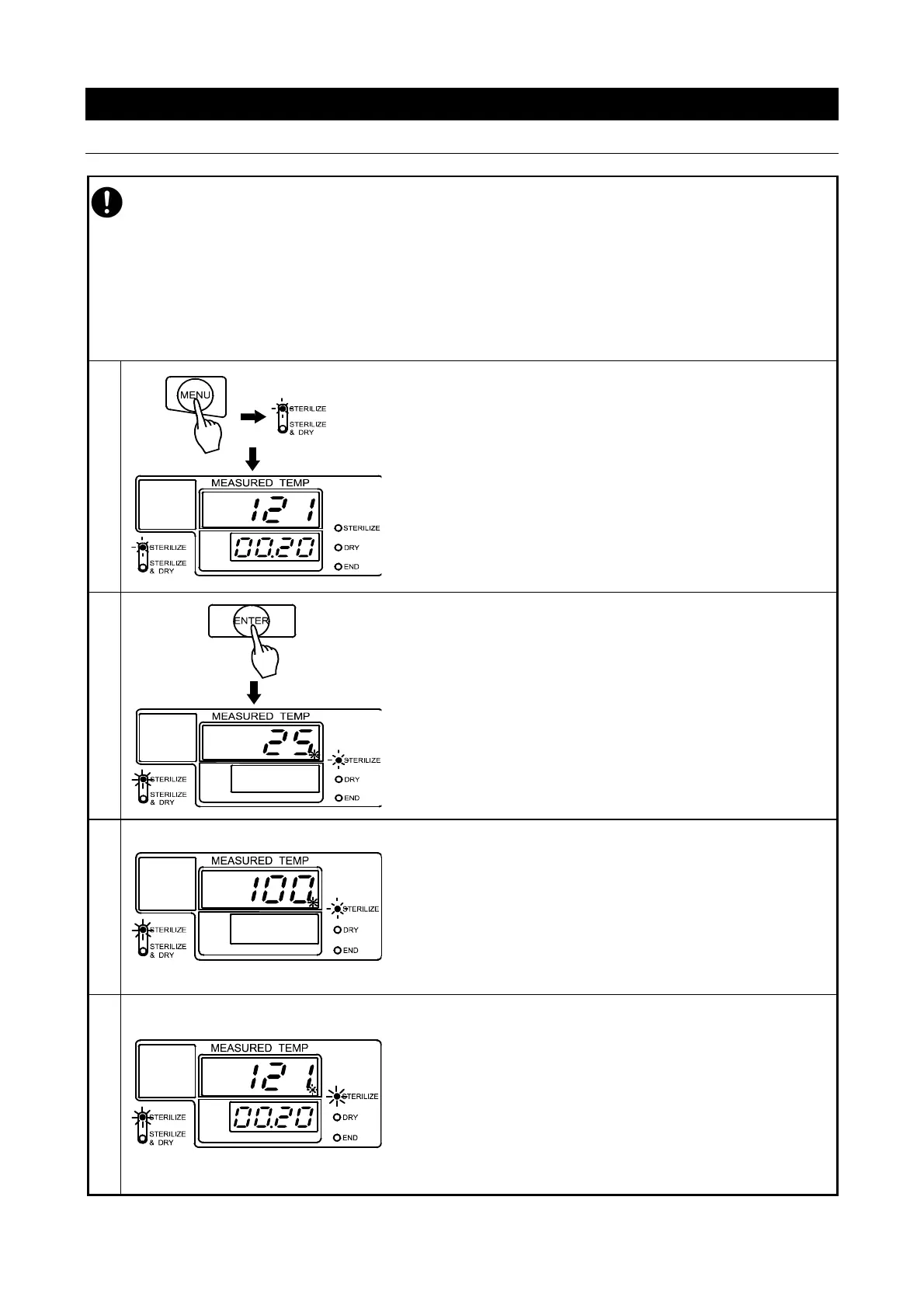
♦Turn on main power switch.
♦Press “MENU” key and select “STERILIZE” (See P.22).
♦Set the sterilization temperature and time as desired
(See P.21).
→Main display flashes temperature setting.
→Sub display flashes time setting.
→Sterilize menu lamp flashes.
♦Press “ENTER”.
Operation begins. Sterilization heater turns on.
The solenoid exhaust valve opens. Air is purged from chamber.
(Approximately 20-25 minutes)
→Main display shows water temp and heater lamp status.
→Sub display remains blank.
→Sterilize process lamp (right) flashes.
→Sterilize menu lamp (left) lights.
When air purge stage is completed, the solenoid exhaust valve
closes, and pressurization stage begins.
(Approximately 20-25 minutes)
→Main display shows chamber temperature.
→Sterilize process lamp lamp flashes.
→Sterilize menu lamp lights.
When the chamber temperature reaches temperature setting,
sterilization process begins and the timer begins counting.
At this point, sub display shows remaining sterilization time.
→Main display shows chamber temperature.
→Sub display shows remaining time.
→Sterilize process lamp is lights.
→Sterilize menu lamp is lights.



 To Next Page