24
4. OPERATION PROCEDURE
Sterilize
STERILIZE process (continued)
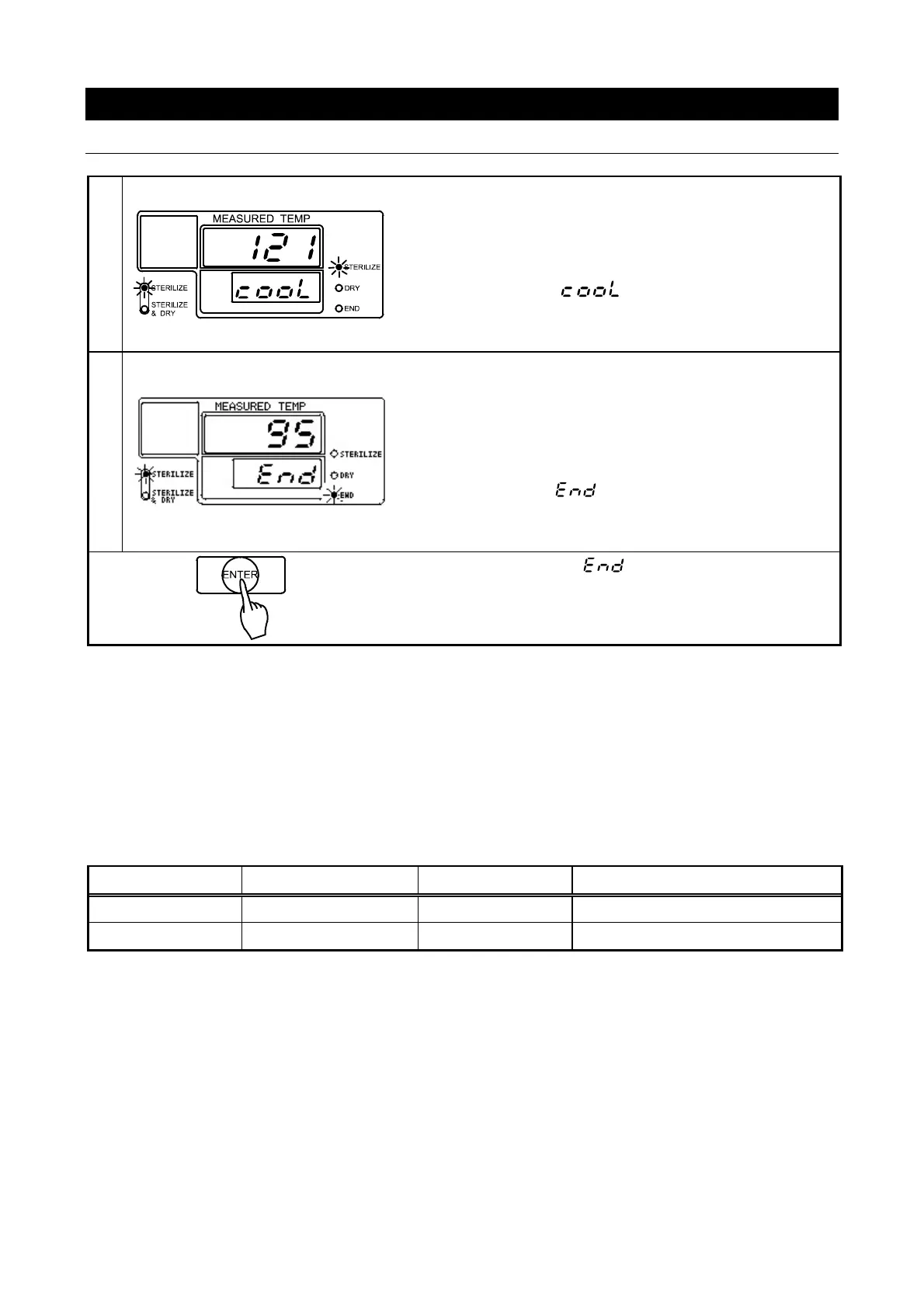
Cooling
Cooling begins when sterilization time ends and heater
automatically turns off.
→Main display shows chamber temperature.
→Sub display flashes .
→Sterilize process lamp lights.
→Sterilize menu lamp lights.
End
To prevent sudden boilups (bumping), the solenoid exhaust
valve opens once the chamber temperature falls below the
boiling point.
→Main display shows chamber temperature.
→Sub display shows .
→End lamp lights.
→Sterilize menu lamp lights.
♦Press “ENTER” to clear and return to standby screen.
Another cycle may now be run.
STERILIZE operation using a sterilization bag
①Leave bag unsealed and open so that steam will be able to enter.
②Be sure that bag height reaches no more than 2/3 the height of chamber. If bag is allowed to
exceed this height, steam will be unable to circulate efficiently and exhaust port may be obstructed,
resulting in substandard sterilization.
③Do not set temperatures higher than the capacity of sterilization bag to resist heat.
④Time settings will depend on quality and quantity of items being sterilized. Give due diligence to
inquiring after and confirming item specifications, so that proper temperatures and times are used.
Examples
Sample Temperature Time Quantity
Gauze 121°C 30min. Five rolls gauze (approx 3.3m
2
ea.)
Petri Dish 121°C 40min. 30 petri dishes with lids
♦Above data is for reference only. Sterilization results may vary.
♦Never place items directly on top of heater or bottom plate. Always use sterilizer basket.



 To Next Page