MyPBX Standard User Manual
www.yeastar.com Page 92
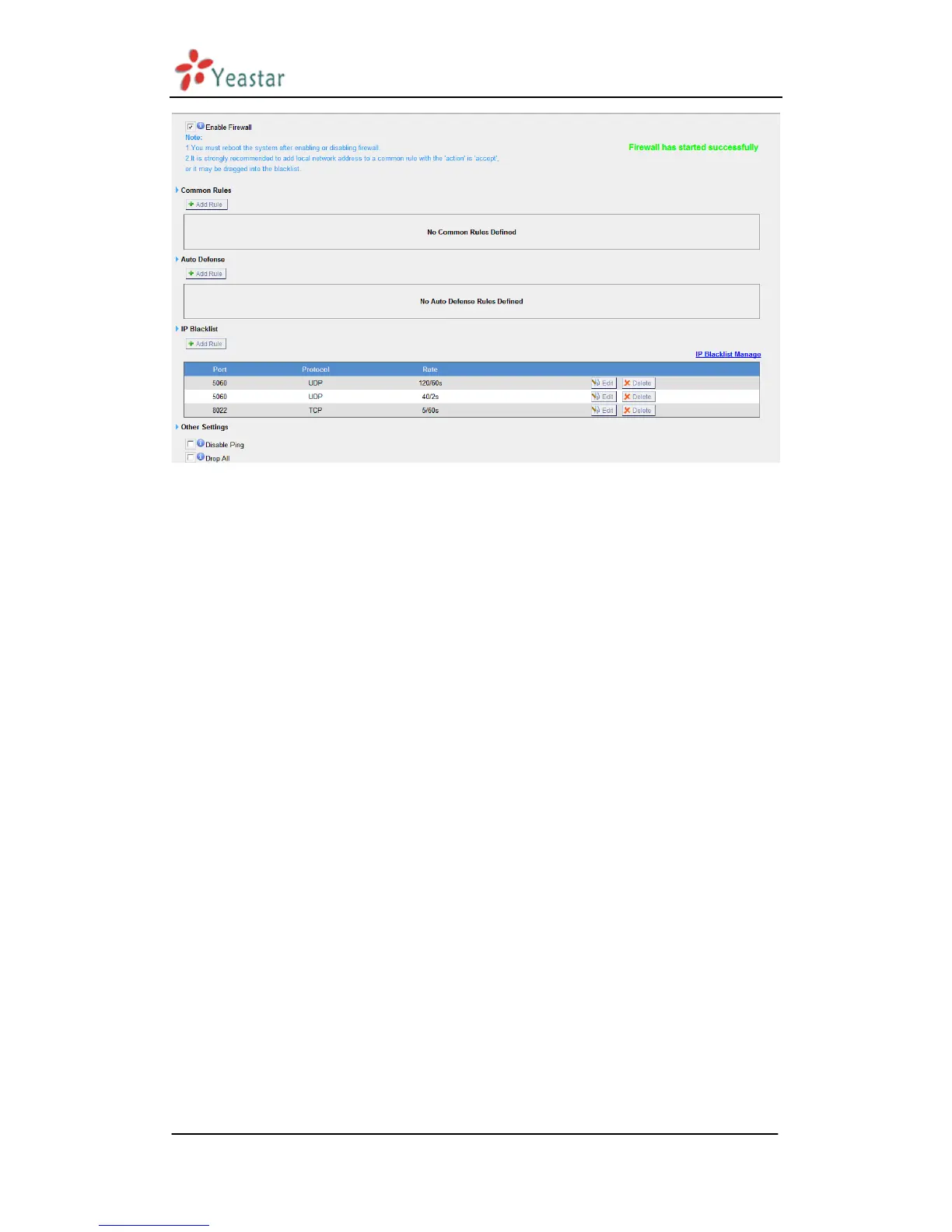
Figure 3.6.4
1) Enable Firewall
Enable the firewall to protect the device. You should reboot the device to let
the firewall run successfully.
2) Common Rules
·Name
A name for this rule , e.g. „HTTP‟.
·Description
Simple description for this rule . E.g.: Accept the specific host to access the web
interface for configuration.
·Protocol
The protocols for this rule .
·Port
Initial port should be on the left and end port should be on the right.
The end port must be equal to or greater than start port.
·IP
The IP address for this rule . The format of IP address is: IP/mask
Ex: 192.168.5.100/255.255.255.255 for IP 192.168.5.100
Ex: 216.207.245.47/255.255.255.255 for IP 216.207.245.47
Ex:192.168.5.0/255.255.255.0 for IP from 192.168.5.0 to 192.168.5.255 .
·MAC Address


 To Next Page
 Loading...








