OPERATION
Axio Observer Illumination and contrast techniques ZEISS
12/2016 431004-7244-001 155
5.12.4.3 Setting up PlasDIC
The microscope has been started properly as described in section 4.
• Place a specimen.
• Set the specimen for transmitted light brightfield.
• Select a PlasDIC objective.
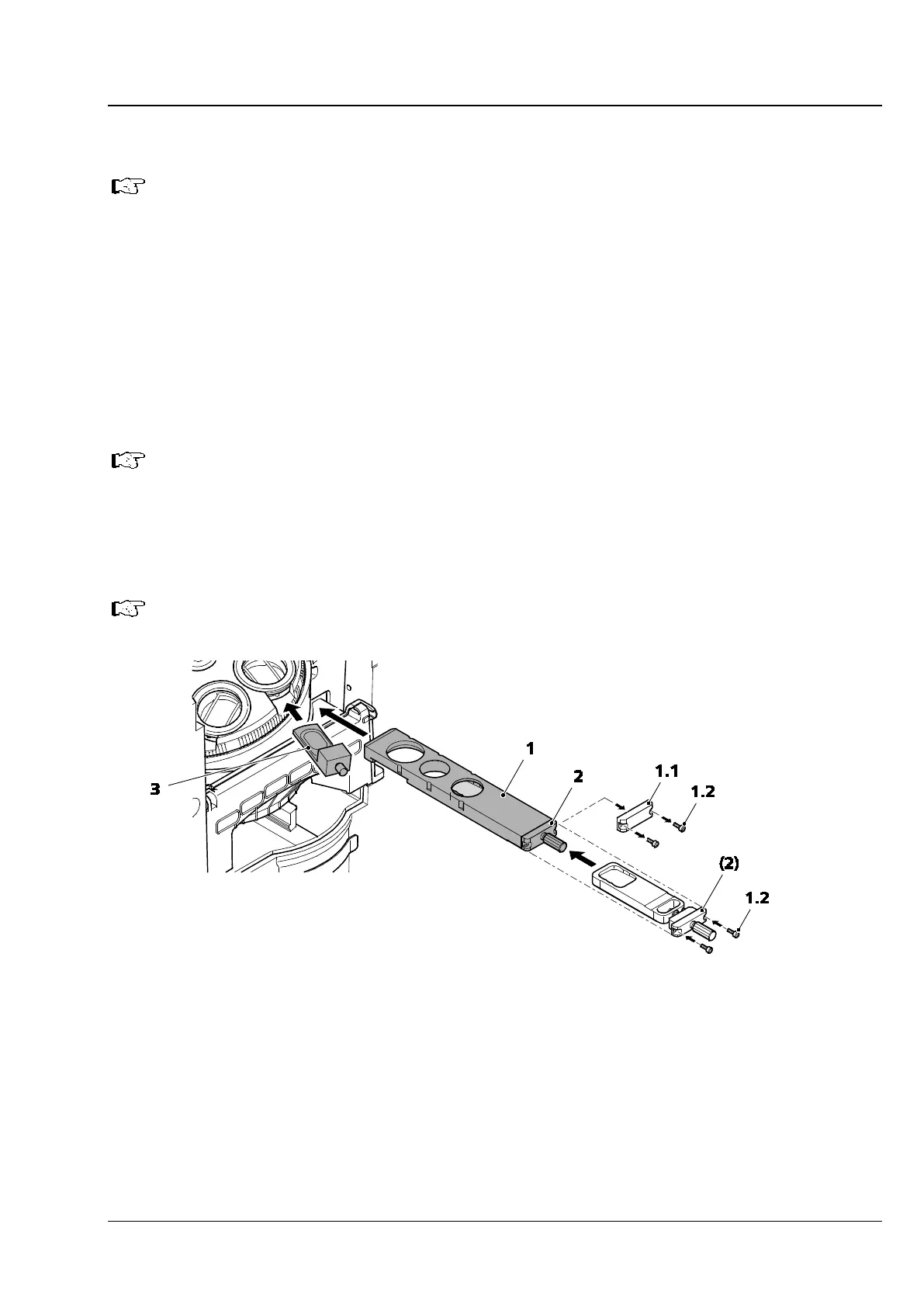
• Insert the PlasDIC slider (Fig. 153/3) into the DIC slot of the objectives to be used and additionally
swivel or slide an analyzer, e.g. the analyzer module Pol ACR P&C of the reflector turret or the
analyzer slider, fixed, into the optical path.
or
• Insert the 3-position contrast slider (Fig. 153/1) with fitted PlasDIC module (Fig. 153/2) into the slot
below the nosepiece.
If the PlasDIC module has not yet been fitted into the 3-position contrast slider:
− Loosen the screws (Fig. 153/1.2) on the cover (Fig. 153/1.1
) of the contrast slider and
remove the cover.
− Insert the PlasDIC module (Fig. 153/2
) into the contrast slider and fix with the screws
(Fig. 153/1.2).
When using the PlasDIC module in the 3-position contrast slider an analyzer is not required.
Fig. 153 Setting the PlasDIC contrast
• Open the condenser aperture diaphragm fully.
• Swivel in the slit aperture 3.5 mm PlasDIC (or 5 mm, depending on objective and condenser) on the
condenser including the modulator disk.
• When switching from bright field to PlasDIC, the brightness should be increased.
• Adjust the contrast using the knurled screw on the PlasDIC slider or PlasDIC module.
Structures can be visualized in relief or pseudo-dark field.
Relief offers the best contrast.









 To Next Page