OPERATION
ZEISS Illumination and contrast techniques Axio Observer
162 431004-7244-001 12/2016
(3) Setting reflected light polarization on
3 materials, 5 materials or 7 materials
stands
Additional equipment:
− Polarizer slider RL 6x30 mm, 90° rotatable,
427710-9060-000 (Fig. 157/1) (section 3.3)
− Analyzer slider, fixed, and reflector module
brightfield ACR P&C for reflected light or
reflector module analyzer for reflected light
− Slot for Polarizer slider RL 6x30 mm, 90°
rotatable (Fig. 157/3)
− Strain-free objectives marked Pol
The Axio Observer 5 materials and 7 materials
stands must also be equipped with one of the
following reflected light illuminators, since only
they have strain-free optics.
− Reflected light illuminator HD POL FL (423608-
9001-000/ -9000-000)
− Reflected light illuminator HD POL FL (423608-
9011-000/ -9010-000)
• Place the specimen onto the stage.
• Set the desired magnification.
• Focus.
• View the specimen first in reflected light brightfield.
• Insert the analyzer slider or the reflector module analyzer.
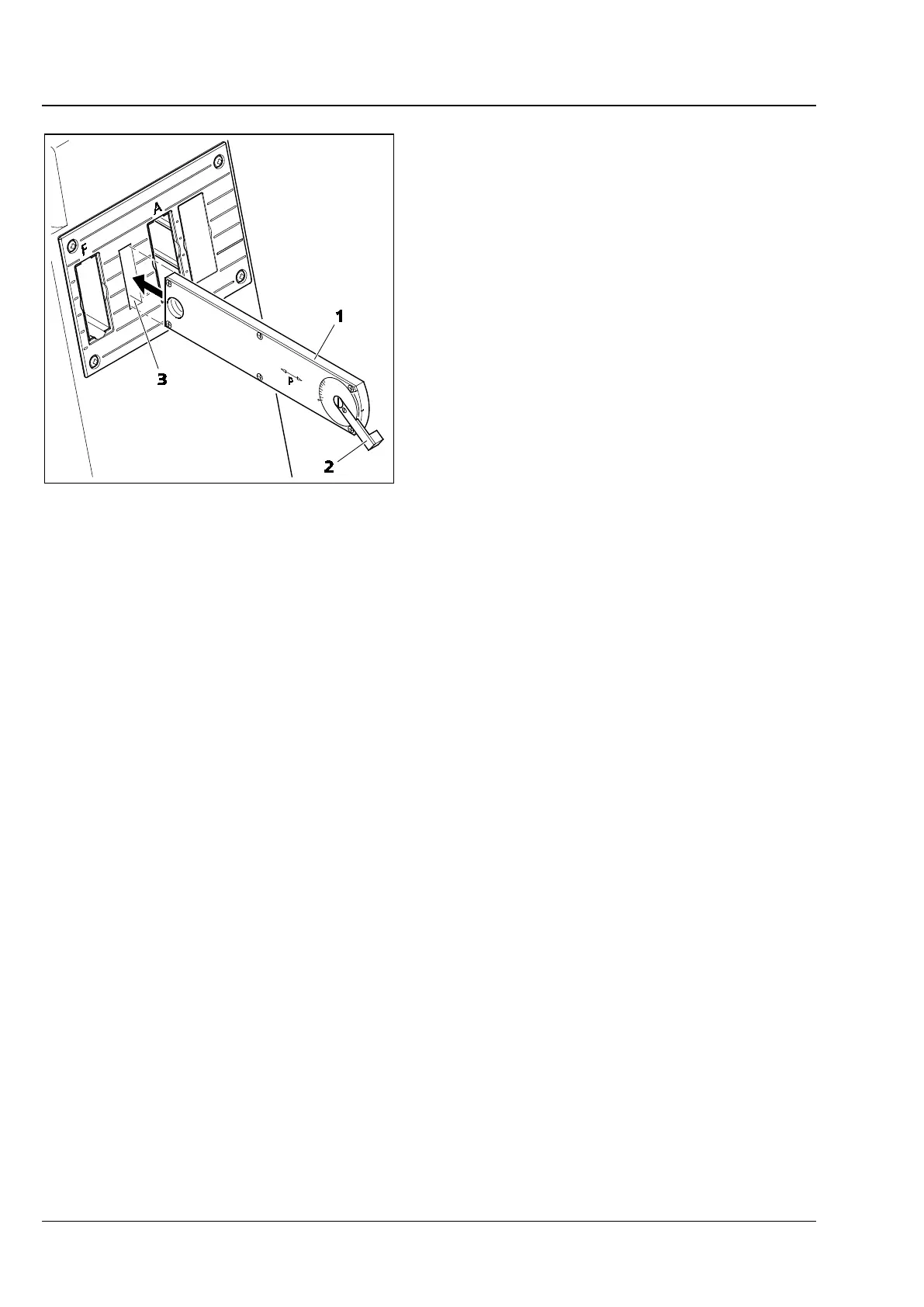
• Insert the polarizer slider (Fig. 157/1) into the slot (Fig. 157/3).
• Select the desired contrast using the lever (Fig. 157/2).
There is often an interplay of color a few degrees before or after the 0° position.
Fig. 157 Slot for Polarizer slider RL 6x30 mm,
90° rotatable









 To Next Page