INSTALLATION INSTRUCTIONS AND FIRST-TIME SET-UP
ZEISS Fitting the microscope stages Axio Observer
46 431004-7244-001 12/2016
Y direction:
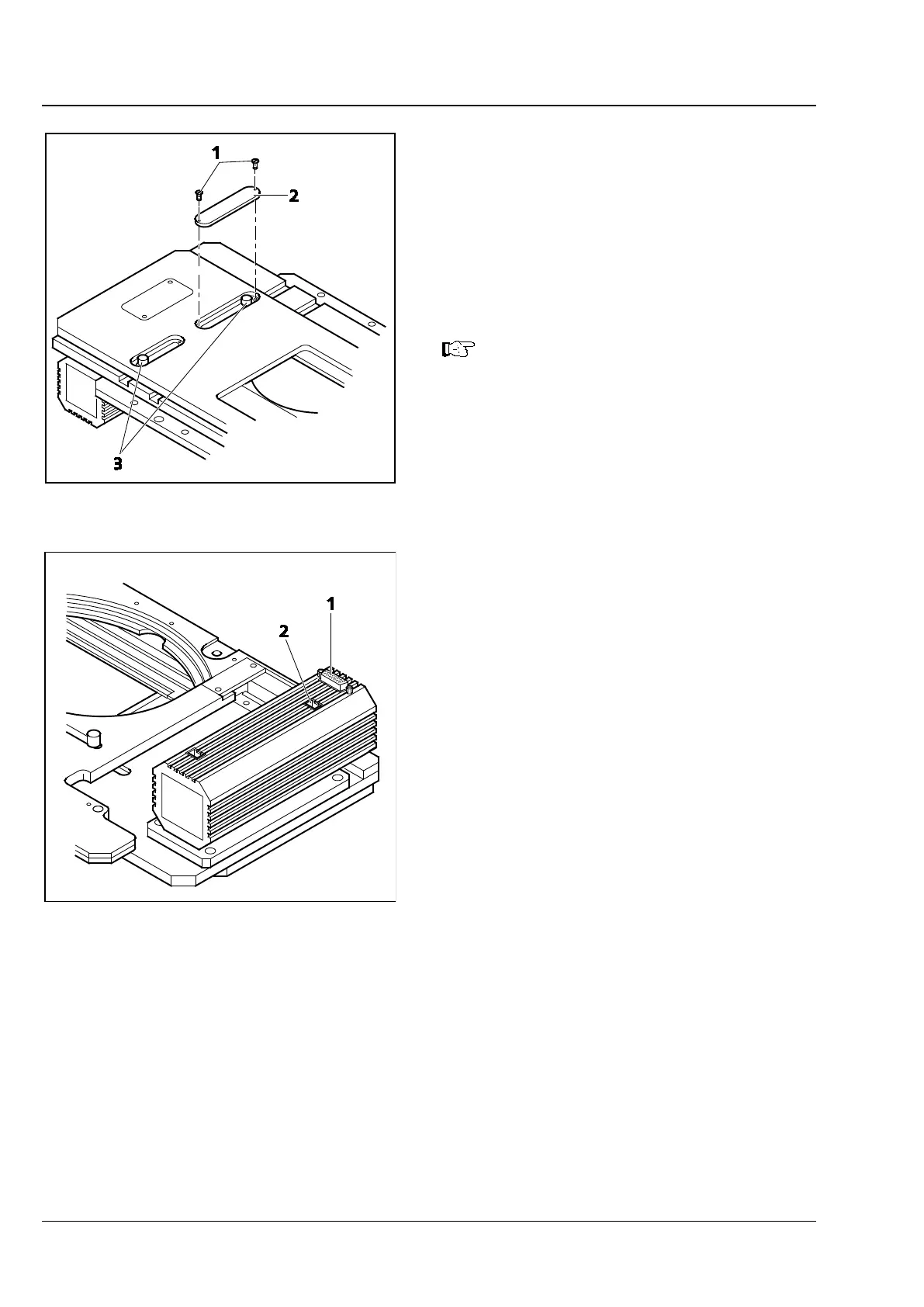
• To adjust the front or rear mechanical stops in Y
direction, first loosen the screws (Fig. 24/1) at
the covers on the top side of the stage and
remove the covers (Fig. 24/2).
• Then loosen the stop screws (Fig. 24/3), move
the stop as necessary and retighten the screws.
• Then retighten the screws of the covers.
Scanning stage 130 x 85 mot. CAN is
not compatible with the Aqua Stop!
• After fitting the stage onto the microscope
stand, connect the cables to the XY drive
(Fig. 25/1) and to the stand (Fig. 25/2).
Fig. 24 Scanning stage 130x85 mot. P, CAN,
Fig. 25 Scanning stage 130x85 mot. P, CAN,
connections on bottom side









 To Next Page