OPERATION
Axio Observer Operating and function controls - description ZEISS
12/2016 431004-7244-001 93
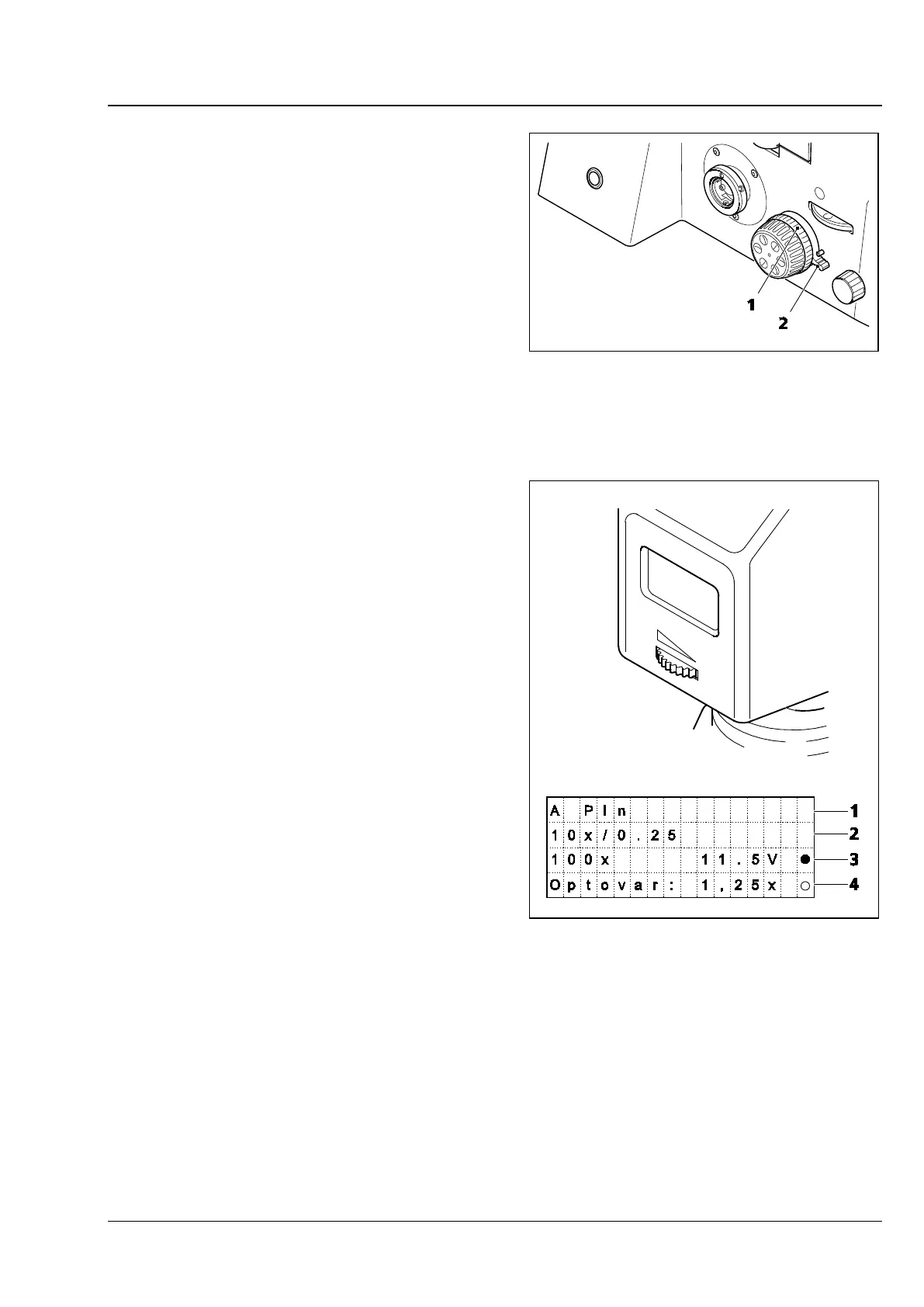
Vertical stop for focus drive (Fig. 58/4)
− On 5, 5 materials stand only
− For limiting the upper position of the focus drive
(to protect the specimen)
− The operating principle of the stop is explained
by a diagram on the stand
− Adjusting the vertical stop:
Rotate the locking lever of the stop (Fig. 74/2)
upwards to the stop pin.
Move the stage to the required position using
the focus drive.
Rotate the knurled wheel (Fig. 74/1) clockwise
as far as it will go.
Press the clamping lever downwards to lock the
stop position.
LCD display (Fig. 58/11)
− On 5, 5 materials stand only
− LCD display with four lines of 16 characters
each, located on the carrier for transmitted-light
illumination
Main information displayed:
− Line 1 (Fig. 75/1):
Name of the objective
− Line 2 (Fig. 75/2):
Objective magnification and possible contrast
techniques
− Line 3 (Fig. 75/3):
Overall magnification, lamp voltage and TL
shutter details, condenser parameters
− Line 4 (Fig. 75/4):
Details on reflected light, if not fitted: Optovar
magnification
TFT display (Fig. 59/23):
− On 7, 7 materials stand only.
− For control and configuration of the microscope
using the touchscreen, see section 5.11.
Fig. 74 Vertical stop for focus drive
Fig. 75 LCD display









 To Next Page